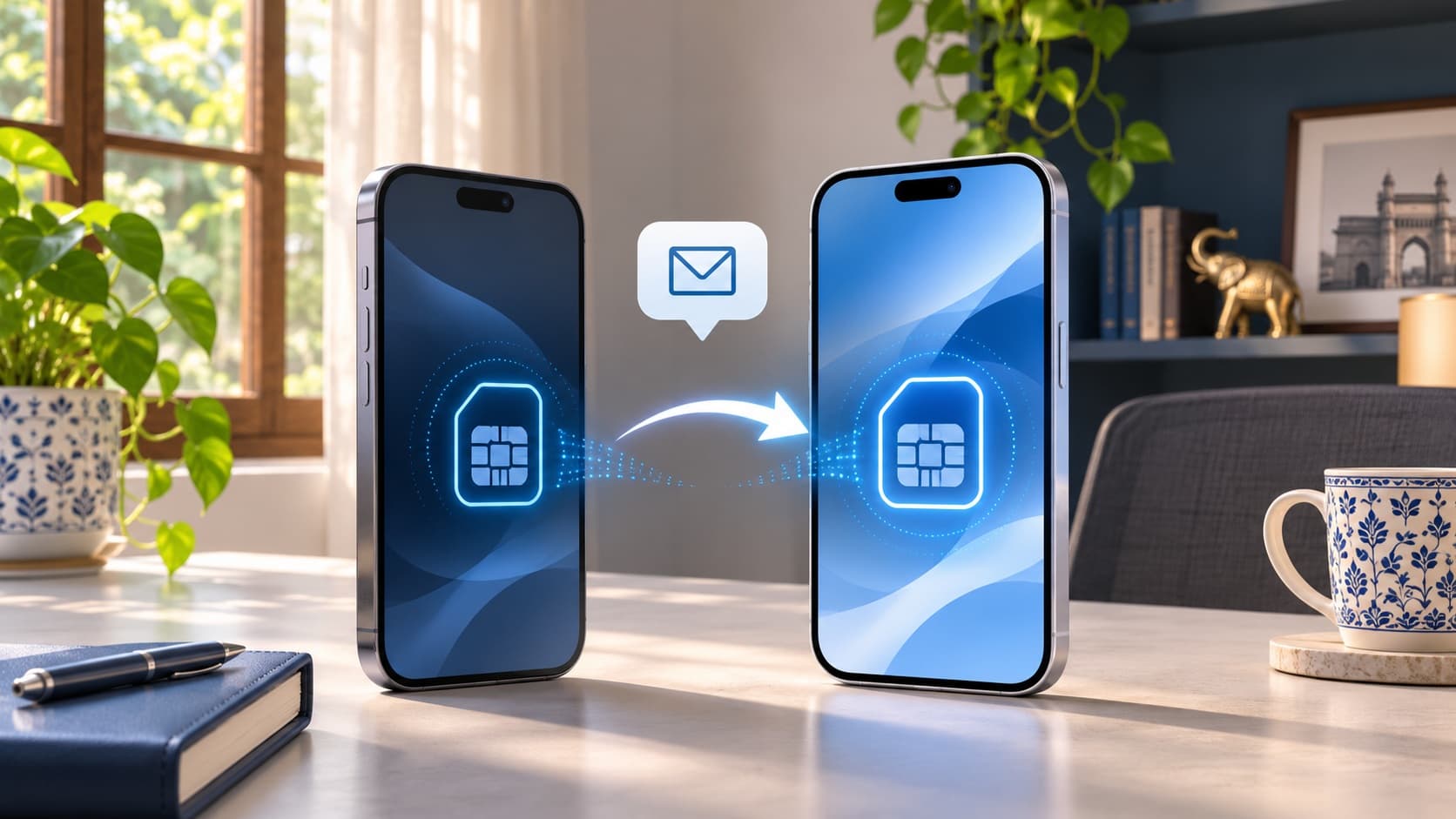
Transfer your iPhone's mobile number to the replacement device and check the service you need before erasing the old phone for sale. Moving photos and apps is not evidence that your eSIM is active, and Jio and Airtel publish carrier-specific transfer instructions and SMS restrictions. Keep the source handset available until you understand the activation result and any remaining interruption to calls, data or message-based verification.
Planning to change phones? Check your iPhone 15 sell quote while you organise the transfer. You can compare an offer before the final erase, then schedule handover around verified service readiness instead of discovering an unfinished mobile-number transfer at pickup.
Separate your data transfer from your mobile-number transfer
A replacement phone can look familiar before it is ready for everyday use. Your wallpaper, photographs or apps may be present while a separate mobile-service task remains unfinished. Treat these as different checklist items rather than assuming that one progress indicator answers both questions.
Apple describes eSIM activation through routes that depend on the network provider, including supported nearby transfer, provider activation and other authorised methods. The practical first question is which route applies to your connection and destination. Do not start from an old tutorial merely because its screenshots resemble your phone.
For an Indian seller, the important outcome is continuity of the number and services you intend to keep. You are selling the handset, not assuming that the buyer should receive your personal mobile plan. Organise the owner-controlled transfer before the final handover.
This guide covers planning, current carrier instructions and verification before sale. It does not promise that every plan, device or account supports an identical process. If your situation falls outside the published route, contact your provider rather than improvising a deletion or repeating activation requests.
Identify the number and destination before starting
Write down which connection you intend to move and where it should become usable. If you use more than one number, keep each line separate in your planning. Do not assume a task completed for one connection settles every other plan on the handset.
Check the destination device through the relevant manufacturer and carrier guidance. The ability to use a particular transfer route depends on more than the presence of an Add eSIM menu. Confirm the requirements applicable to your devices and connection before arranging a tightly timed handover.
Keep the information private. Your planning note can say that the personal line is ready or the work line needs provider confirmation without containing account passwords, activation details or private verification codes. A buyer needs to know whether the handset will be ready, not receive your mobile-service credentials.
If someone is helping you change devices, agree on the scope of that help. Comparing offers and arranging a pickup are different from authorising a mobile-number transfer. The legitimate subscriber should remain involved in the provider's required verification and the final service check.
Read the carrier-specific requirements
Apple's general eSIM setup guidance explains that Quick Transfer depends on provider support. Its listed prerequisites are not a substitute for the more specific requirements of your carrier. Follow both the applicable device instructions and the current provider route.
Jio's transfer page describes nearby iPhone transfer with an active number, registered email, passcodes and a separate internet connection for the new device. Airtel's current page sets out its own nearby-transfer requirements, including both iPhones running iOS 26 or later. Use the requirements for the connection you actually hold.
Do not combine the most convenient steps from two different providers into an invented universal sequence. An instruction for a conversion on the same handset may also differ from a transfer to another handset. Identify the operation before following the controls.
If the expected option is unavailable, ask the provider which supported alternative applies. The absence of a particular menu does not establish that the phone has a physical fault or that an account can be transferred through any QR code you find elsewhere.
Compare Jio, Airtel and the final erase
The following table summarises the planning distinctions in the fetched guidance. It is not a guarantee that activation finishes by a particular pickup time. Review the live provider instructions and the prompts for your own request.
| Task or provider | Published direction | Readiness question | What not to assume |
|---|---|---|---|
| Jio nearby iPhone transfer | Begin from Add eSIM on the new phone and confirm on the existing phone under Jio's requirements. | Has the intended service become usable on the destination? | The source is unnecessary as soon as you start. |
| Airtel nearby iPhone transfer | Follow Airtel's current device and software requirements, then confirm the transfer between the phones. | Has setup completed, and what service restrictions remain? | A general Apple prerequisite replaces the carrier's specific condition. |
| Provider-app route | Use the official process applicable to that connection and destination. | Have all requested verification and installation stages completed? | Submitting a request proves activation. |
| Data migration | Retain and verify your wanted files and app access separately. | Can you use the information needed after handover? | A restored Home Screen proves the mobile number works. |
| Erasing the old eSIM | Apple advises removal for a device being sold, with transfer and retention planned first. | Are you removing the intended old profile after resolving continuity? | Deleting the profile is the same as transferring or cancelling the plan. |
Already decided to change handsets? Find your exact iPhone buyback page and check your instant quote. Keep the financial comparison moving while you finish the separate mobile-service and personal-data checks.
Follow the supported Jio iPhone transfer route
Jio's current instructions use Settings, Mobile Service, Add eSIM and Transfer from Nearby iPhone on the new phone, followed by confirmation and verification on the existing handset. Its preparation includes keeping the devices nearby with Bluetooth available and using Wi-Fi or another hotspot on the destination, rather than the connection being moved.
Read the prompts for the selected number before confirming. If several connections are visible, make sure you are authorising the one you intend to move. Keep the old phone available while you follow the provider's installation instructions and establish the result.
Jio also documents other request routes. Use the one appropriate to your actual situation rather than initiating multiple methods because the first screen has not yet given you the outcome you expected. If a request remains unclear, contact Jio with the relevant status before trying another process.
A clear record helps: request started, verification completed, profile installed and intended service checked. Mark only what has actually happened. This prevents a handover plan from resting on the assumption that a request acknowledgement means the whole operation is finished.
Follow Airtel's current route for your devices
Airtel's dedicated eSIM page describes nearby iPhone transfer and a separate app-based upgrade route. For nearby transfer, it specifies the same Apple Account, an unlocked source phone, nearby devices with Bluetooth and the stated software requirements. Follow the route on that current page rather than an older SMS article when the instructions differ.
For its app process, Airtel describes selecting the intended device, entering its EID and completing the required verification before profile configuration. Treat these as stages. A submitted request and a configured, working mobile plan are different states to verify.
Do not enter a destination identifier from an example or a different device. Use the information required by the official process for your handset and keep it private. If you cannot identify the correct entry, ask Airtel before confirming an uncertain request.
If an activation message or menu differs from what you expect, record the exact wording and seek guidance. A carrier can answer which supported step applies to your request. Deleting a plan at random is not a reasonable substitute for clarifying the current state.
Plan for SMS restrictions and OTP-dependent tasks
Jio's nearby-transfer guidance warns that SMS may be unavailable for up to 24 hours. Airtel says incoming and outgoing SMS, including OTPs, are barred for 24 hours on completion of the eSIM request. Read the restriction applicable to your chosen process and plan your timing accordingly.
This matters when your next task depends on receiving or sending a message. Make a list of the account setups and everyday services you need during the transition. Check each provider's appropriate process instead of assuming that a working data connection proves every verification step will be available immediately.
Do not repeatedly request codes simply because one does not arrive during a published restriction. Review the actual service status and the relevant account instructions. If the situation does not match the expected process, use the official support route rather than interpreting every missing message as a handset defect.
Choose a transfer window that fits your commitments. If an important payment, journey or work sign-in depends on message access, resolve the timing before starting. The useful decision is not to predict a guaranteed restoration minute, but to avoid making a critical activity depend on an unverified assumption.
Keep app access on a separate checklist
An app appearing on the replacement screen does not establish that its required account setup is complete. Identify the services that matter most and follow their own instructions. This guide does not promise that an eSIM transfer automatically completes every banking, work or authentication arrangement.
Use ordinary, appropriate checks without performing unnecessary transactions to prove a point. Record whether the required setup is ready and what remains. Keep private messages and codes out of screenshots shared with a buyer or a public help forum.
If a service cannot be verified yet, decide whether that dependency changes your pickup timing. A quote may still help your upgrade planning while final handover waits for essential readiness. Separate the commercial decision from the practical moment the old device can leave.
Do not delete an eSIM to force a transfer
Apple says not to erase an eSIM as a troubleshooting step unless directed by the network provider. It also distinguishes removing the profile from cancelling the mobile plan, which requires contacting the provider. Understand the operation you are authorising before selecting a deletion control.
When you are moving to another phone, the objective is usable service on the destination. Removing something from the source does not, by itself, establish that outcome. If the destination remains unresolved, keep the situation intact and ask your provider which next step applies.
Do not borrow a destructive step from a sale checklist and apply it halfway through troubleshooting. A final ownership transfer and an incomplete activation have different purposes. The sequence should follow your actual state, not the order of unrelated search results.
If you already removed a profile and service is not available, explain that accurately to the provider. Do not hide the action or attempt several undocumented recovery methods. The appropriate support discussion needs the sequence you actually followed.
Verify calls, mobile data and messages as separate outcomes
Check the services relevant to your routine through the provider's appropriate activation and testing instructions. Record what works on the destination and any stated restriction still in effect. Avoid turning one successful observation into a promise about every other service.
A call working, a mobile-data task completing and a message being available are different checklist entries. Keep that distinction especially where the provider has published a temporary SMS restriction. You can describe progress accurately without declaring the entire process complete prematurely.
If a required service fails beyond the expected process or the status remains unclear, contact the carrier with the exact symptom. Explain what has been verified and what has not. This is more useful than reporting that everything is broken when some functions work.
Keep the old handset under your control until you have made an informed readiness decision. It may still be needed for a step in the applicable process or for personal information you have not yet retained. Do not let a sale appointment decide that it is unnecessary before you have checked.
Review every line if you use more than one connection
Prepare an inventory of the plans on the old phone and decide what should happen to each. You might intend to keep one number, move another through a different arrangement or ask a provider about a plan you no longer need. Do not treat the first successful transfer as a complete review.
Use clear labels in your private notes without publishing full numbers or account details. Record destination and status for each connection. This helps you avoid selecting a similarly named entry and makes a support conversation easier to follow.
If one plan belongs to an employer or another account holder, confirm the authorised process before changing it. A phone sale does not give you permission to alter every service that happens to be present on the device. Ask the relevant administrator or subscriber about the required arrangement.
Before the final erase, check the inventory again. The point is to make sure that every retained service has a deliberate plan and that no personal profile is being left behind merely because it was used infrequently.
Moving away from iPhone requires its own carrier check
Do not assume an iPhone-to-iPhone nearby-transfer procedure applies unchanged to another platform. Apple and the carriers describe different supported routes depending on the source, destination and service. Confirm your particular combination with the provider before committing to the sale sequence.
Start with the desired result: the same intended number usable on the replacement through an authorised route. Ask what preparation and verification the carrier requires. Keep device compatibility separate from a general marketing statement that eSIM is supported.
If an official app or activation method is required, follow the live provider instructions and keep the source available. Do not substitute an activation code supplied by an unrelated third party or a guide for a different account. Your number transfer should stay within the provider's legitimate process.
Also plan your information and app migration separately. A service transfer does not copy every personal record, and a file transfer does not establish mobile activation. Give each task an appropriate destination check before releasing the old phone.
If the old phone is damaged or unavailable
Contact the carrier about the applicable recovery or replacement process rather than assuming a nearby-phone transfer can be completed without the required source access. Explain what you still control and which step is blocked. The provider can identify the authorised route for your situation.
Do not diagnose an activation problem as a particular hardware failure from the information here. If a damaged device also needs service, obtain the appropriate assessment separately. A subscriber-verification requirement and a physical repair are different questions.
Keep any relevant ownership documents and support references available through the official process. Share information only where it is required for that legitimate enquiry. A buyback conversation does not need a copy of every account or activation detail to understand that service preparation is incomplete.
If the source phone still contains wanted information, review retention before approving an erase or repair procedure. Ask what the proposed action does and what remains recoverable under the applicable support guidance. This guide cannot guarantee recovery from a damaged or inaccessible device.
Use a handover plan that fits your day
When both phones are available
Complete the supported transfer and your required checks before arranging a narrow pickup window. Keep enough time to ask the carrier about an unresolved status. A calm verification period is more useful than starting immediately before a meeting where you need the number to work.
Record the remaining dependencies once the destination is usable for some functions. If message restrictions remain, do not forget them while finishing app setup. Decide what must be ready before the old handset can leave and what can appropriately wait.
When the replacement will arrive later
Plan the service continuity you will actually use after selling. Do not assume that a number can be left without a supported destination and recovered instantly at a convenient future moment. Ask the provider about your proposed sequence before relying on it.
You can compare a quote in the meantime. That does not force you to erase the handset or complete a sale before an essential dependency is resolved. Review the applicable offer conditions and choose a practical handover arrangement.
When you are travelling soon
Review the carrier process and the services you need for the journey before initiating a change. A ticket, account sign-in or communication plan should not rest on an assumption about immediate message availability. Seek provider guidance if travel or roaming changes the applicable procedure.
Keep an appropriate contingency for your own circumstances, using legitimate service and account options. This guide does not promise that every connection can be reactivated remotely under the same conditions. Resolve important uncertainty while you still have access to support and the source device.
Use a short readiness record before the appointment
Make a private list with separate entries for the source number, destination plan, call check, mobile-data check, message restriction and essential account setup. Record the actual result rather than putting one tick beside a broad phrase such as phone transferred. This gives you a clear view of what remains before handover.
Include the carrier's case reference if you have asked for help, but keep sensitive activation details out of the list. If the provider gives a next step, note the action and outcome. A concise record is easier to use than a collection of screenshots containing information that has no bearing on the problem.
When one function works and another does not
Describe partial progress accurately. You may have completed a supported activation stage while a published message restriction still affects the next task. That is different from a request that never completed. Explain the distinction to support and use the relevant provider guidance for the remaining issue.
Do not assume that repeatedly starting the process will accelerate it. Ask the carrier what the present status means and whether another request is appropriate. Your aim is an understood, usable arrangement rather than a growing list of attempts whose order is unclear.
When the pickup time changes
Review the service and device state again before the new appointment. Keep the record current if a plan has moved, an account setup has finished or an issue has returned. A checklist written before the first visit may no longer describe what is actually on the source handset.
If you postpone the sale, confirm which device you will use for ordinary communication in the meantime. A price enquiry and a number transfer do not have to finish on the same timetable. What matters is a deliberate sequence that retains the access you need and prepares the old phone correctly when ownership finally changes.
Keep account security and eSIM transfer distinct
Your mobile-number transfer and Apple Account preparation are separate tasks. If protection settings affect the timing of the handset sale, read ReUz's iPhone Security Delay and pickup guide. Do not treat a working line as proof that every owner requirement is complete.
Similarly, signing into an account does not establish that the mobile plan has activated. Keep your checklist tied to outcomes rather than a single successful login. This avoids a situation in which one finished step creates unwarranted confidence about the rest.
Complete sensitive authentication yourself and keep activation information private. You can ask someone to explain a screen without circulating the credentials or codes needed to authorise the operation. The goal is a controlled transition of your own service and device.
If the plan changes and you keep the old phone, review the actual service and account state rather than assuming the original preparation is still appropriate. Record which device now holds the connection and what needs to happen next.
Erase the old profile as part of final sale preparation
Apple advises erasing an eSIM after transferring its plan or number, and when selling or giving away the device. Its erase guidance lets you select the intended plan where several exist, and distinguishes the profile operation from a whole-device erase. Read the exact confirmation before proceeding.
Do not confuse the carrier's warning against premature deletion with permission to leave your personal profile on a handset being handed to someone else. They concern different stages. First resolve continuity, then complete the appropriate final owner preparation for the actual sale.
Retain the files and account access you need before the whole-device erase. If a buyer assists with the final process, remain involved and confirm what is being done. An empty-looking screen alone is not your personal verification plan.
Ask the provider how inspection, final acceptance and erasure are sequenced. You can prepare in advance while coordinating the final transaction. If an essential service or data question remains unresolved, say so before handover rather than hoping the next owner can solve it later.
Compare the phone sale using actual offers
Use the ReUz model search for your exact handset while you can check the device information. Select the correct model and storage and describe known physical or functional issues. An unfinished carrier task is not automatically a hardware defect.
For an upgrade comparison, use the replacement purchase amount in ₹ and the assessed proceeds you can rely on from the old phone. Keep provisional offers visibly provisional. A headline maximum is not the same as a confirmed amount for your particular condition.
If an exchange offer is available, compare its actual purchase conditions with a separate-sale route under the non-exchange terms you can claim. Avoid combining incompatible discounts from different arrangements. The service-transfer plan is important to timing, but it does not establish the phone's resale value.
Do not rush the mobile-number process solely to preserve a saving you have not confirmed. Read the offer conditions and choose a handover window that fits the essential preparation. A useful commercial decision should include a workable transition, not only an attractive arithmetic result.
Keep transfer costs separate from the handset offer
If your proposed service route involves any charge, confirm the amount and terms with the carrier rather than subtracting an assumed fee from the phone price. Your handset sale and mobile-service arrangement are separate transactions. Use the applicable quoted amounts in ₹ and retain the relevant records for each.
Likewise, an inconvenience during setup does not establish a physical defect deduction. Describe an actual unresolved handset symptom if there is one, and let assessment consider it. Keeping these questions separate makes both the service enquiry and the offer comparison easier to understand.
Understand the ReUz price promise before pickup
Review the ReUz up to 10% more comparison terms. The uplift depends on comparable offers and factors such as model, condition and demand. It is not an automatic additional 10% for every device against any amount advertised elsewhere.
The online estimate remains subject to physical assessment. Describe the handset accurately and review the final offer before agreeing. This guide does not promise a universal deduction for an activation issue or a premium because your eSIM transfer is complete.
Confirm pickup availability for your address and explain whether the phone will be ready. The representative needs a practical readiness answer, not your private service credentials. Keep the carrier migration under your own control while the buyer assesses the device.
Thinking of selling your iPhone 15?
You can sell your iPhone 15 through ReUz after planning your number transfer, retained information and final owner preparation. Start with an instant quote in about 60 seconds and arrange handover after the checks important to your next day are complete.
ReUz offers free doorstep pickup in serviceable locations, an in-person assessment, on-the-spot UPI payment and data wiped in front of you. Its up to 10% more promise follows the published comparison terms. Review the assessed offer and complete the appropriate erase process before releasing the handset.
For another model, choose your phone for a current estimate. Keep the stages clear: supported transfer, destination service checks, account and data preparation, then final sale. Your instant quote can begin the planning without forcing the number transition into the pickup appointment.
Frequently Asked Questions
Should I transfer my eSIM before selling my iPhone in India?
Yes, arrange the service you intend to keep and verify the destination before completing final sale preparation. Moving apps and photographs does not prove that your number is active. Follow your carrier's current route and account for any published restriction on messages or verification-dependent tasks.
Can I use the same nearby-transfer instructions for Jio and Airtel?
You should follow the requirements published by your own carrier rather than assume the routes are identical. Both document nearby iPhone transfer, but their stated conditions and other activation options differ. Match the process to your connection, devices and current software before authorising the request.
Why are OTP messages unavailable after an eSIM change?
A published carrier restriction may explain the interruption: Jio warns of SMS unavailability for up to 24 hours, while Airtel specifies a 24-hour SMS bar including OTPs. Check the process applicable to your request. If the outcome does not match the provider's guidance, contact it with the actual status rather than diagnosing a handset fault.
Does deleting the eSIM cancel my mobile plan?
No, Apple distinguishes removing a device's eSIM profile from cancelling the mobile plan, which requires contacting the provider. Do not delete the profile as an improvised transfer or troubleshooting step. Resolve service continuity first, then remove the old profile as part of the appropriate sale preparation.
Can I get a ReUz quote while my eSIM transfer is still pending?
Yes, you can check your instant quote using the correct model and condition while preparing your service and data. Complete essential owner requirements before the final handover, confirm pickup arrangements and review the assessed offer. An online price estimate does not establish that mobile-number migration is finished.