Yes: for the Galaxy S23 series, Galaxy Z Fold 5 and Galaxy Z Flip 5, One UI 9 (based on Android 17) is the last major Android upgrade Samsung promised, because these 2023 phones launched on Android 13 with a four-OS-upgrade promise. Your phone will not stop working, and security patches continue for at least another year, but its software story is now in its final chapter. If you were already thinking about upgrading, the months right after the final update are usually the best window to sell, before the next round of launches and the end of patches pull resale prices down further.
Not sure what your phone is worth today? You can sell your Galaxy S23 on ReUz and get an instant quote in about a minute, with free doorstep pickup and on-the-spot UPI payment. There is no obligation, so it is worth checking the number before you decide anything below.
What One UI 9 is, and where the rollout stands in India
One UI 9 is Samsung's software layer built on Android 17. It started with the Galaxy S26 series: Samsung's stable build went live for S26 users across Europe and India around 30 September 2026, as a download of roughly 4GB, while the Galaxy S25 phones, Galaxy Z TriFold, Z Fold 7, Z Flip 7 and Z Flip 7 FE were also in the rollout queue. In early October the stable One UI 9 build for the Z Fold 7 and Z Flip 7 began reaching India, initially for owners who were enrolled in Samsung's beta programme.
On 21 October 2026, Samsung kicked off the global stable rollout for the Galaxy S23, S23+, S23 Ultra, Galaxy Z Fold 5, Z Flip 5 and the mid-range Galaxy A56, A36, A37 and A27. Rollouts are phased by region, so not every Indian unit gets the notification on the same day. Indian budget and mid-range models followed through late October: reports list the Galaxy M47 around 23 October, the Galaxy A55 around 26 October, and the Galaxy A35, M56, F17 and M17 around 28 October. By 4 November, Cashify reported the stable build for the M56, M17, F17 and A35 in India with the October 2026 Android security patch, with download sizes between about 2.2GB and 2.7GB.
What is new in One UI 9
Across the reports, the main changes are:
- A redesigned Quick Panel with larger, editable sliders, including volume and media playback controls, and more resizing and layout options.
- Gemini Intelligence, which can carry out multi-step tasks across system apps, plus Gemini Notebook, a workspace that brings notes, files and voice recordings together.
- Now Nudge and Now Brief, contextual prompts that surface suggestions based on what you are doing.
- Privacy and security additions: a location privacy indicator, AI privacy alerts that flag background apps with unnecessary permissions, and a Quick Lockdown option.
- App updates: a refreshed media player with animated audio wave visuals, new "Tape" formatting tools in Samsung Notes, and improvements to Samsung DeX.
- A Warranty and Care hub in Settings for Samsung Care+ coverage and support tickets, along with updated health and security dashboards.
- Accessibility improvements and Galaxy AI additions such as My FanCam, which crops and reframes video to keep a subject centred.
One important catch for older phones: not every feature reaches every device. TelecomTalk reports that the Galaxy S23 build is missing Horizontal Lock, some call-related features, Apple-device sharing features and My FanCam. Cashify similarly notes that Galaxy M and F users may not get every flagship feature because some depend on hardware. So the update on a 2023 phone is real and worthwhile, but it is not identical to what a Galaxy S26 owner sees.
Which Galaxy phones get One UI 9 as their final major update
Samsung's update promise depends on when your phone launched. The Galaxy S23 family launched in early 2023 on Android 13 with One UI 5.1 and was promised four major Android upgrades: Android 14, 15, 16 and 17. One UI 9 on Android 17 completes that promise, which is why SamMobile describes it as the last One UI update for the S23 series. Samsung moved to a seven-year update policy starting with the Galaxy S24, but did not extend it backwards to the S23.
The same logic applies to the other phones Samsung launched in 2023 on Android 13 with four upgrades. Based on Tech-ish's tracking list (which follows Samsung's pattern rather than an official Samsung announcement), the phones for which One UI 9 is the final major OS update include:
- Galaxy S23, S23+, S23 Ultra and S23 FE. If you own one of these, you can sell your Galaxy S23 Ultra, sell your Galaxy S23+ or sell your Galaxy S23 FE through its dedicated ReUz page.
- Galaxy Z Fold 5 and Z Flip 5. See the quote to sell your Galaxy Z Fold 5 or sell your Galaxy Z Flip 5.
- Galaxy A54, A34 and A24, popular mid-rangers in India. You can sell your Galaxy A54 or sell your Galaxy A34 the same way.
- Galaxy Tab S9, S9+, S9 Ultra, S9 FE and S9 FE+ tablets, plus several other 2023 Galaxy devices.
Phones from 2022 are already past this point. Tech-ish notes that Samsung left 2022 devices off One UI 8.5 and moved them to a quarterly security patch schedule on One UI 8. So if you are still using a phone like the Galaxy S22 (sell it here), you are one step further along: no more major upgrades, and patches arriving less often.
What "final update" does and does not mean
It is easy to over-react to the phrase "last update", so here is what actually changes:
- Your phone keeps working normally. Apps, banking, UPI, WhatsApp and the camera do not stop on a set date.
- Security patches continue. SamMobile says S23 security updates continue for at least another year after One UI 9, and TelecomTalk puts Samsung's promise for the S23 at five years of security patches. Counting five years from an early-2023 launch points to roughly early 2028, though older Galaxy phones typically move to a less frequent patch schedule, as 2022 models already have.
- No One UI 9.5 or Android 18. SamMobile expects One UI 9.5 in early-to-mid 2027, after the S23's upgrade promise has ended, so new interface features from then on will skip your phone.
- App support erodes slowly. Most popular apps support Android versions several years old, so Android 17 will remain well supported for a long time. The bigger risk is security, not app compatibility.
- Resale demand shifts. Buyers increasingly compare your phone with newer models that still have years of updates left, and that comparison gets harsher once security patches slow down.
Galaxy update support at a glance, with indicative ReUz quotes
The table below puts the update position next to the indicative quotes shown on ReUz's sell pages when we checked them for this article. These quotes are for phones in good working condition; the final price is confirmed after inspection, and quotes change as the market moves, so always check your instant quote for the current figure.
| Model | Launched on | One UI 9 status | Indicative ReUz quote (good condition) |
|---|---|---|---|
| Galaxy S23 | Android 13, early 2023 | Final major update | 128GB ₹29,500; 256GB ₹31,500 (updated 1 Nov 2026) |
| Galaxy S23+ | Android 13, early 2023 | Final major update | 256GB ₹37,500; 512GB ₹39,500 (updated 1 Nov 2026) |
| Galaxy S23 Ultra | Android 13, early 2023 | Final major update | 256GB ₹51,000; 512GB ₹55,000; 1TB ₹57,000 (updated 1 Nov 2026) |
| Galaxy S23 FE | 2023, Android 13 generation | Final major update | 8/128GB ₹22,500; 8/256GB ₹24,500 (updated 1 Nov 2026) |
| Galaxy Z Fold 5 | 2023, Android 13 generation | Final major update | 256GB ₹68,000; 512GB ₹71,000; 1TB ₹75,000 (updated 1 Nov 2026) |
| Galaxy Z Flip 5 | 2023, Android 13 generation | Final major update | 256GB ₹36,500; 512GB ₹38,500 (updated 21 Oct 2026) |
| Galaxy A54 | 2023, Android 13 generation | Final major update | 128GB ₹14,850; 256GB ₹15,850 (updated 1 Nov 2026) |
| Galaxy S22 | 2022 | Not eligible; already on quarterly patches | 8/128GB ₹20,500; 8/256GB ₹21,000 (updated 1 Nov 2026) |
| Galaxy S24 and newer | 2024 onwards | Gets One UI 9 with more upgrades to come | Check your instant quote |
Two things stand out. First, the flagships of 2023 still hold meaningful value: an S23 Ultra or a Fold 5 is still worth a large chunk of a new mid-range phone. Second, the gap between storage variants is small, so do not assume a higher-storage phone is worth dramatically more; condition and accessories often matter just as much.
If your phone is on this list and you are leaning towards an upgrade, now is a good time to see a firm number. Search for your exact model on ReUz, answer a few condition questions and you will see your quote in about 60 seconds. Under the ReUz price promise, ReUz aims to pay up to 10% more than other buyers.
Keep or sell? A decision guide by scenario
There is no single right answer. The best choice depends on how you use your phone, its condition, and what you would buy next. Work through the scenario closest to yours.
Scenario 1: Your S23 or S23 Ultra is in great shape and you are happy with it
If the battery still gets you through the day, the screen is clean and you do not care about the latest Galaxy AI tricks, keeping it for another year is perfectly reasonable. You get One UI 9, you keep receiving security patches, and you avoid spending money on a new phone. The trade-off is that the phone will likely be worth less in a year than it is today, especially once newer models with longer support reach the used market in bigger numbers. Keeping makes the most sense if you plan to use the phone until it is near the end of its life, in which case resale value matters less to you.
Scenario 2: You were already planning to upgrade in the next 6 to 12 months
This is where selling sooner usually pays off. Your phone has just received its final major update, which is a selling point a buyer can verify, and it still has more than a year of security support left. Every month you wait, the phone is a month older, a month closer to the end of patches, and competing with more newer phones on the used market. If you know you will upgrade anyway, the logic favours locking in today's price rather than gambling on next year's.
Scenario 3: The battery is weak or the phone has a fault
A worn battery, a cracked back, a display mark or a faulty camera all reduce what a buyer will pay. Before you spend on repairs, compare the repair cost with the difference it makes to your quote. Sometimes a battery replacement is worth it if you plan to keep the phone for another two years; often, if you plan to sell, it is cheaper to sell as is and let the buyer handle the repair. Answer the condition questions honestly on the quote form, because the final price is confirmed after inspection.
Scenario 4: You own a Galaxy Z Fold 5 or Z Flip 5
Foldables carry extra considerations. Hinges and inner displays age differently from slab phones, and any crease or display issue matters more to a buyer. The current generation, the Z Fold 7 and Z Flip 7, already has stable One UI 9 rolling out, and newer foldables have launched since. If your Fold 5 or Flip 5 is still in good condition, its value is substantial, so it is worth checking a quote before the inner screen or hinge develops any wear that would push the price down.
Scenario 5: You use a Galaxy A54 or A34 as your main phone
Mid-range phones lose value faster in percentage terms, and their buyers are especially price-sensitive. One UI 9 brings useful privacy and Quick Panel improvements to these phones, but some flagship features may be missing. If you are happy with the performance and battery, keep it. If you want a phone with several more years of guaranteed updates, newer A-series models launched after Samsung extended its update policies are worth a look, and selling the old one helps fund it.
Scenario 6: You are still on a Galaxy S22 or older
Your phone is already past its last major update and on quarterly security patches. It still works, but this is the phone where the case for upgrading is strongest, especially if you use it for banking and payments. Resale value for 2022 phones is lower than for 2023 models and will keep sliding, so if you have been putting off an upgrade, waiting longer rarely helps.
Scenario 7: You want to pass the phone to a family member
Handing your S23 to a parent or sibling is a good use of a phone that has just received its final update and still has a year or more of patches. Just remember that the same security timeline applies to them. If they will mainly use WhatsApp, calls and UPI, it will serve them well for a while; if they will use it for years, plan for a replacement before patches end.
What you would upgrade to, and what it costs
The main reason to upgrade from a 2023 Galaxy is longer software support. Samsung's seven-year update policy covers the Galaxy S24 series and newer, so a phone like the Galaxy S24 (sell or compare here) or anything launched after it has years of upgrades ahead. Here is what the current flagships cost, based on reported Indian prices:
- Galaxy S26: launched in India at ₹87,999 for 12GB + 256GB, with the 12GB + 512GB version listed at ₹1,07,999 (offered for a limited time at the 256GB price). It has a 6.3-inch Full HD+ 120Hz AMOLED display, a 4,300mAh battery with 25W wired charging, a 50MP main camera with OIS, a 12MP ultra-wide and a 10MP 3x telephoto, and seven years of OS updates.
- Galaxy S26+: ₹1,19,999 for 12GB + 256GB and ₹1,39,999 for 12GB + 512GB at launch, with a 6.7-inch QHD+ display and a 4,900mAh battery with 45W wired and wireless charging.
- Galaxy S26 Ultra: launched at ₹1,39,999 for the base variant. In July 2026 Digit reported it at ₹1,14,899 on Flipkart, with bank offers taking it to about ₹1,10,000. It has a 6.9-inch 120Hz display with a built-in privacy display, Snapdragon 8 Elite Gen 5 for Galaxy, a 200MP main camera, a 50MP 5x periscope telephoto and a 5,000mAh battery with up to 60W charging. When you eventually move on from it, you can sell your Galaxy S26 Ultra on ReUz too.
Prices on e-commerce platforms change frequently, especially during sales, so treat these as reference points and check the live price before you buy. The useful calculation is simple: new phone price minus what your old phone fetches equals your real upgrade cost. If your S23 Ultra fetches a strong quote, the effective cost of a new flagship drops sharply.
Exchange offer vs selling your phone separately
Most online stores and brand stores offer an exchange discount when you buy a new Galaxy. Digit's July report, for example, mentioned an exchange value of up to ₹47,350 on the S26 Ultra on Flipkart, depending on the device's condition, variant and other factors. Exchange is convenient, but there are a few points to weigh:
- "Up to" is the ceiling, not your number. The figure applies to the best-case device; most phones get less after the condition check.
- The value is tied to that purchase. You can only use it against the specific product on that platform, which limits your ability to shop around for a better deal on the new phone.
- Checks happen at delivery. If the delivery executive's check finds a scratch or battery issue you did not declare, the exchange value can be reduced or rejected on the spot.
- Selling separately keeps you flexible. You get cash in your account via UPI and can buy the new phone wherever the price is best, including during a sale or with a bank offer.
The best approach is to compare: note the exchange value offered for your exact model and condition, then get an instant quote from ReUz for the same phone. Pick whichever leaves you better off after all discounts.
How to install One UI 9 safely before you decide
Even if you plan to sell, installing the final update is usually a good idea. A phone on the latest software with current security patches is more attractive to the next owner, and you get to try the new features before deciding. Follow these steps:
- Back up your data. Use Smart Switch to a computer or external storage, or Samsung Cloud and Google backup for contacts, photos and app data.
- Free up space. Reports advise freeing 5GB to 8GB of storage before installing. The S26 download alone was about 4GB, and mid-range builds were between 2.2GB and 2.7GB.
- Charge up. Keep at least 50% battery or leave the phone on a charger during installation.
- Use stable Wi-Fi. A dropped connection mid-download wastes time and data.
- Check for the update. Go to Settings, then Software update, then Download and install. Rollouts are phased, so if you do not see it yet, check again after a few days.
- Restart and test. After installation, check calls, mobile data, Wi-Fi, Bluetooth, the camera and fingerprint unlock. Early One UI 9 beta builds had reports of mobile data issues and battery drain, and Samsung released a hotfix for the data issue in the US, so test these specifically on your phone.
Battery life sometimes feels worse for a day or two after a big update while the phone re-indexes files and re-optimises apps. Give it a few charge cycles before judging.
Checklist: prepare your Galaxy for sale
If you decide to sell, a few minutes of preparation protects your data and helps you get the full quoted price.
Before pickup
- Back up everything using Smart Switch or your cloud account, including WhatsApp chats (back them up from within WhatsApp).
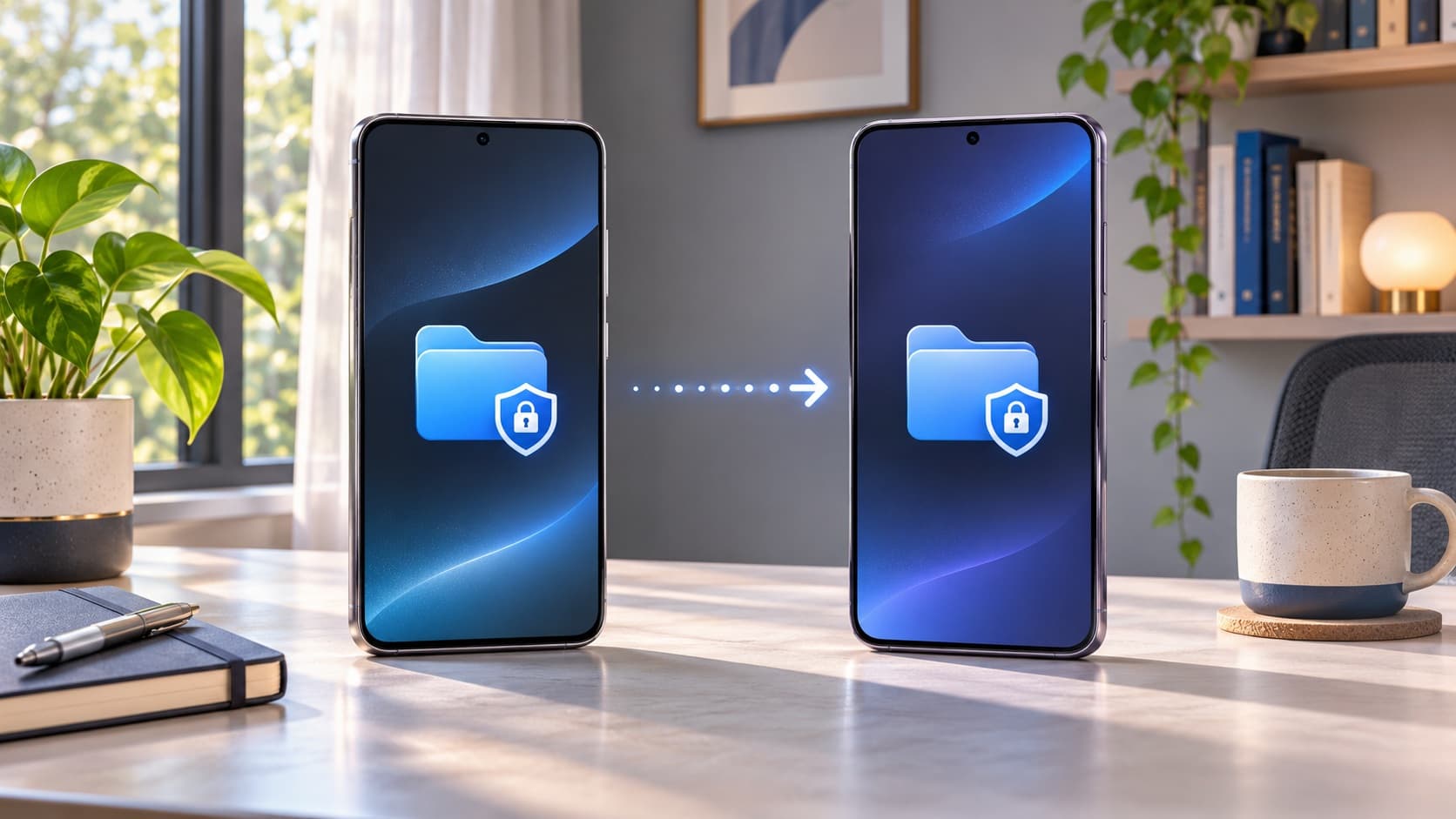
- Move anything in Secure Folder out of it or back it up separately, since Secure Folder content is not always included in standard backups.
- Remove your Samsung account and Google account from Settings, then Accounts and backup. This avoids activation locks that would block the next owner.
- Turn off Find My Mobile so the phone is not tied to you.
- Unpair wearables such as a Galaxy Watch or Galaxy Buds.
- Remove your SIM and memory card, if your model has a card slot.
- Collect the box, cable and any accessories. They do not always change the quote, but they make inspection smoother.
- Factory reset from Settings, then General management, then Reset. If you need to hand the phone to a repair shop instead, Samsung's Maintenance Mode is different from a reset; our guide on Maintenance Mode vs factory reset explains when to use which.
Be honest about condition
Your instant quote depends on what you tell the form: screen condition, body scratches or dents, battery behaviour, and whether everything works. Over-stating condition only leads to a revised price at pickup, while accurate answers give you a quote you can rely on. Check carefully under bright light for screen marks and look at the frame corners for dents. On foldables, open and close the hinge a few times and look along the crease of the inner display.
Things that commonly reduce the price
- Cracks on the front or back glass, or a damaged inner screen on a foldable.
- Display issues such as lines, burn-in or dead pixels.
- A battery that drains fast or swells.
- Faulty cameras, speakers, microphone or fingerprint sensor.
- Replacement parts that are not genuine.
- A phone still locked to a Samsung or Google account.
Timing: when is the best time to sell after the final update?
Used-phone prices tend to move with three events: new launches, big sale seasons, and the end of software support. Each new Galaxy launch adds newer used phones to the market and makes older models relatively less attractive. Large festive sales on new phones also nudge some buyers away from used devices. And as security patches slow down and eventually end, buyers become more cautious.
For a 2023 Galaxy, the final major update has now arrived, and the next set of flagship launches is the next obvious pressure point. If you already know you will upgrade, selling in the weeks after you have installed One UI 9 lets you present the phone at its most up-to-date while it still has a long runway of security patches. If you are unsure, check your quote today and again in a month; the trend will tell you more than any prediction.
Thinking of selling your Galaxy S23?
If One UI 9 has convinced you that it is time to move on, ReUz makes selling quick and safe. Here is how it works:
- Get an instant quote in about 60 seconds. Go to the page to sell your Samsung Galaxy S23 for the best price, or find any Samsung model on ReUz, choose your variant and answer a few questions about its condition.
- Book a free doorstep pickup at a time that suits you. You do not need to visit a shop or meet a stranger from a classifieds site.
- Quick inspection at your door. The executive checks the phone against the condition you described.
- Data wiped in front of you. Your phone is wiped while you watch, so you know your photos, chats and accounts are gone.
- On-the-spot UPI payment. The money reaches your account before the phone leaves your hands.
ReUz buys all major Galaxy models, from the S23 Ultra and Z Fold 5 to the A54, and aims to pay up to 10% more than other buyers. Check your quote now, compare it with any exchange offer, and choose the deal that leaves you better off.
Frequently asked questions
Is One UI 9 really the last major update for the Galaxy S23?
Yes. The Galaxy S23 series launched on Android 13 with a promise of four major Android upgrades, and One UI 9 on Android 17 is the fourth. SamMobile and TelecomTalk both describe it as the final OS upgrade for the S23 series, and SamMobile expects One UI 9.5 to arrive in 2027, after that promise has ended. Samsung's seven-year policy starts with the Galaxy S24 series and was not applied to the S23.
Will my Galaxy S23 stop getting security updates now?
No. Security patches continue for at least another year after One UI 9, according to SamMobile, and TelecomTalk reports Samsung's promise as five years of security patches for the S23 series. Expect the frequency to drop over time before support ends completely.
Why has my Galaxy not received One UI 9 yet in India?
Samsung rolls updates out in phases by model and region, so some units get the notification days or weeks after others. The S26 series received it first, followed by foldables, the S23 and S25 lines, and then mid-range and budget models through late October and early November. Check Settings, then Software update, and try again after a few days if nothing shows up.
Does the final update increase or reduce my phone's resale value?
Installing the update helps, because buyers prefer a phone on current software with recent security patches. But the fact that no more major upgrades are coming means value will tend to fall over time as newer models with longer support become common on the used market. If you plan to sell within the next year, selling sooner usually works out better than waiting.
Should I take the exchange offer or sell my Galaxy separately?
Compare both. Exchange offers are convenient but are often quoted as "up to" amounts that depend on condition, and the value is tied to one purchase. Selling separately gives you cash via UPI and the freedom to buy your new phone wherever it is cheapest. Get an exchange estimate and an instant ReUz quote for the same phone, then choose the better total.
Sources
- NPowerUser: One UI 9 stable global rollout for Galaxy S23, Fold 5, Flip 5, A56 (21 October 2026)
- TelecomTalk: Samsung brings One UI 9 for Galaxy S23 (21 October 2026)
- SamMobile: Why One UI 9 is the last One UI update for the Galaxy S23 series
- Cashify: Stable One UI 9 rolls out for Galaxy M56, M17, F17 and A35 in India (4 November 2026)