Samsung Maintenance Mode is for repairs, not for selling your phone. It temporarily hides your personal information while someone services the device; if ownership is changing, back up what you need, remove your accounts correctly and complete a factory data reset before the final handover. A phone that looks empty in Maintenance Mode has not necessarily had your original information erased.
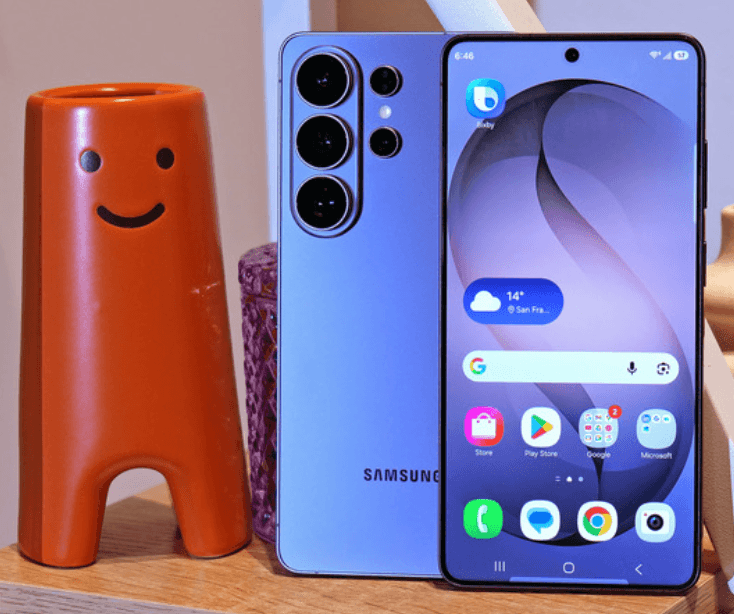
Preparing to sell your Samsung Galaxy S24 Ultra? Check your instant quote with an accurate description of its condition, then plan your data transfer before pickup so that you can complete the sale without rushing the reset.
Maintenance Mode vs factory reset: the difference that matters
Think about what you want to happen after the phone leaves your hands. If it is going to a service centre and coming back to you, your goal is to restrict access while retaining the information you intend to use again. If you are selling it, your goal is different: the next owner should receive the device without your personal information or accounts remaining on it.
Samsung describes Maintenance Mode as a temporary environment that isolates your personal data during repairs. Its India privacy guidance explains that you can exit the mode after service and return to normal use. That reversible design is useful for a repair visit, but it also explains why switching the feature on is not an ownership-transfer process.
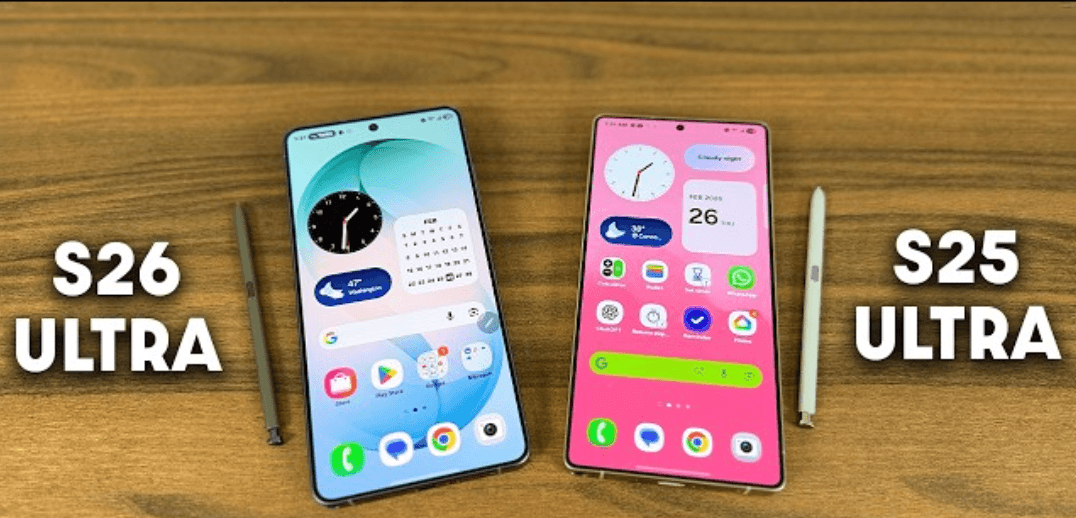
The distinction applies when preparing another Galaxy, including a Samsung Galaxy S25 Ultra. Do not assume that a privacy feature, a screen lock or a clean-looking home screen has completed a sale checklist. Ask a more precise question: have you preserved what you need, dealt with your accounts and deliberately completed the appropriate erase process?
This guide separates Samsung's documented settings from practical planning suggestions. Menu wording can vary by software version, so read the prompts on your own handset. If an account or device-management restriction prevents you from completing a step, resolve it through the relevant provider before handing over the phone.
Compare repair privacy and selling preparation
Use this table to choose the right process before tapping anything destructive. The reset options are not interchangeable simply because they appear in the same Settings area. Decide whether you are troubleshooting a preference, preparing for service or transferring the device permanently, and then follow the instructions for that outcome.
| Option | Purpose | What to remember | Enough before selling? |
|---|---|---|---|
| Maintenance Mode | Restrict access to personal information during repair | Your original information is retained for your return to normal use | No; complete proper account removal and an erase process for the sale |
| Restarting the phone | Turn the device off and on | Restarting is not a personal-data erase | No |
| Reset all settings | Restore settings without the factory data erase | Samsung lists this separately from Factory data reset | No |
| Reset network settings | Reset network-related configuration | This is a troubleshooting choice, not a complete ownership-transfer process | No |
| Factory data reset | Erase personal data on the phone and restore factory defaults | Back up first, deal with linked accounts and read the confirmation prompts | It is the erase step; finish the wider handover checklist too |
Already clear that you want to sell? Find your Samsung model and get a quote before you erase it, so that you can record the correct variant and arrange a practical transfer and pickup sequence.
When Maintenance Mode is the appropriate tool
Samsung's India instructions show the route through Settings, Battery and device care, Maintenance Mode, then Turn On and restart. Other Samsung guidance labels the parent menu Device care. Use the wording available on your device rather than assuming that every software release presents exactly the same screen.
For a service appointment, ask the centre what it needs to inspect and whether the proposed repair requires any further preparation. Tell it about the fault clearly: what fails, when it happens and what you have already tried. That is more useful than leaving the phone in a particular mode and assuming the technician has everything needed to understand the problem.
Keep the service conversation separate from a sale. You can decide to repair and continue using a phone, or you can compare an accurately described as-is sell quote before approving work. If you change your mind after a repair visit, go through the selling preparation afresh. A previous service handover does not show that the device is ready for a new owner.
Samsung also recommends a backup before Maintenance Mode because a repair may require a factory reset or storage replacement. In practical terms, do not regard a privacy feature as your only copy of important information. Decide where your usable backup will be and check it before the device goes out of your possession.
Why an empty-looking screen is not proof of erasure
Maintenance Mode is designed to keep your normal environment out of view while the phone is being serviced. The fact that you cannot see your usual photos or apps in that environment should therefore not be interpreted as evidence that they have been deleted. Hiding access for a temporary purpose and erasing information for a permanent transfer are different outcomes.
Before a sale, describe the step you have actually completed rather than saying “the phone is clean”. Have you merely restarted it? Have you entered Maintenance Mode? Have you removed the relevant accounts and run Factory data reset? This habit helps you spot an unfinished task before pickup instead of discovering it when everyone expects the handover to be complete.
A useful personal rule is to treat the data preparation as a short project with an end check. Choose the actions deliberately and record what remains unresolved. You do not need to keep a technical log or photograph sensitive screens. A simple note such as “backup checked; account access resolved; reset pending after inspection” is enough to keep your place.
Make a transfer plan before a pickup plan
Start by listing what you still need from the phone. Your list may include family photos, downloaded documents, work files, notes, contacts and messages. Include anything you would struggle to recreate. Then decide where you want those items to be available after the sale: on your new handset, in an account you control or in another suitable backup location.
Avoid ticking off an entire category just because you remember turning on a backup setting some time ago. Check the result you intend to rely on. Can you open the important document? Can you find the particular photo folder? Is the contact you need available in the intended place? These are practical readiness checks, not a promise that one transfer method covers every app.
Choose a pickup slot that leaves room to deal with an unfinished transfer. If you are moving between phones, make sure you can use the replacement for the tasks you need that day. If you are selling without a replacement, plan how you will handle essential communication after handover. The best time to discover an access problem is while you still control the old device.
Ask the buyer what inspection and reset sequence it follows. You can prepare your backup and account access beforehand while coordinating the final erase with the agreed process. Do not erase something you still need just to satisfy an arbitrary deadline, and do not hand over the phone with a personal account remaining because the appointment feels rushed.
Use a personal backup checklist, not a vague memory
Choose a few important items to verify
Pick examples from your real life: a recent family photo, an older document, a note you use for work and a contact you cannot afford to lose. Confirm that each is accessible wherever you expect to use it after the sale. Sampling does not prove every item is present, but it is more informative than assuming a progress indicator answered every question.
If something is missing, pause and investigate that category before erasing the phone. Check the relevant app's own guidance and transfer settings. Do not solve an uncertain backup by letting the buyer take the device first and hoping you can sort it out later. Keep control of the information and the timing until you understand what has been preserved.
Separate files from account access
Being able to open copied photos does not demonstrate that you can sign in to every service you use. Make a second checklist for access: email, work accounts, payment apps and other services important to you. Confirm the transfer or reactivation requirements with each provider where necessary. Avoid writing passwords or recovery secrets in the checklist itself.
You can mark a service “working on replacement phone” or “instructions checked; activation pending”. Those descriptions are useful because they tell you what still needs attention without storing credentials in another place. If you are unsure about a work-managed account, ask your organisation's support team before changing or removing it.
Plan for UPI and everyday payments in India
If you regularly use UPI on the phone you are selling, include payments in your transition plan. Check your bank's or payment app's current instructions for using a different device, and arrange access before the old handset leaves you. Do not assume that a file-transfer tool has completed every banking or payment-app requirement.
Consider the day of pickup specifically. How will you verify the agreed payment in an account you control? What device or other authorised method will you use after the old phone is reset? Decide this beforehand, especially if it is the only smartphone you have available. Your payment confirmation should not depend on hurriedly restoring access while the executive waits.
Keep the financial transaction and your personal app access distinct. A buyer needs the appropriate payment destination and sale details; that is not a reason to give someone your account passwords or ask them to manage your banking access. If you need help with an app transition, use the provider's official support route and complete that task under your own control.
For the sale itself, review the final offer and verify the incoming payment using your own account records. Ask questions before completing the handover if the amount or destination differs from what you agreed. This is a practical check on the transaction you are making, separate from whether the phone has been correctly erased.
Remove your Google account before transferring ownership
Samsung explains that Google's Factory Reset Protection can require the previous account after a reset, particularly when the device has been reset using its buttons. Its guidance tells owners transferring a phone to someone else to remove their Google account before resetting. This is why pressing a hardware-button reset sequence is not a substitute for preparing an owned, accessible handset properly.
Samsung's documented account path is Settings, Accounts and backup, Manage accounts, choose the Google account, then Remove account and follow the prompts. Review the accounts listed on your own phone and complete the authorised removal steps. If you cannot sign in or establish the necessary access, resolve that problem before arranging the final transfer.
For your own planning, distinguish “I know the account email address” from “I can complete the required account action”. A remembered address is not the same as working access. Test what you need through the provider's legitimate process while you still have time. Never make your buyer responsible for finding a workaround to a restriction you have not resolved.
Do not publish screenshots of account screens or send credentials to someone merely because they are helping with a phone sale. If an assessor needs to see that a step has been completed, ask what non-sensitive confirmation is appropriate. You should remain the person carrying out actions that require your private sign-in details.
Review Samsung and work accounts as separate tasks
Make an inventory of the personal and work accounts you actually use on the device. Review the sign-out or removal instructions for each account that needs attention before ownership changes. Do not assume that removing one account has automatically handled another service. This is a planning recommendation: the right action depends on what is present on your phone and the provider's instructions.
For an employer-managed device or work profile, check that you are authorised to sell the handset and ask the administrator how to complete the release. Keep that conversation separate from the buyer's inspection. Ownership, access and management restrictions should be clear before you agree a final handover, rather than treated as something a new owner can sort out later.
If an account-removal prompt is unclear, stop and read the relevant support instructions. You are aiming to remove access from the device being sold while retaining access to the services and information you still use. Do not choose an account-wide deletion option casually when your intended action is simply preparing one handset for a sale.
Choose Factory data reset, not another reset option
Samsung India's documented erase route is Settings, General management, Reset, Factory data reset, followed by the confirmation steps. Its guide distinguishes this from resetting all settings, network settings or accessibility settings. Read the option name and the on-screen explanation before proceeding, and make sure your backup and account tasks are complete.
At this stage, the important distinction is the outcome rather than the word “reset”. You are preparing a phone for a different owner, not merely trying to resolve a network problem or undo a preference change. If the screen describes a narrower task, return to the instructions rather than assuming the closest-looking option is sufficient.
Plan to stay with the device while the agreed process completes. Keep enough time in the appointment to read prompts and resolve ordinary questions without rushing. If a prompt asks for an account action you cannot complete, treat that as unfinished preparation. Do not pass the device on with a promise to send private credentials later.
Once you have completed the erase, avoid casually restoring your own accounts and data merely to demonstrate that the phone works. Discuss the appropriate inspection sequence beforehand. The practical objective is a device that can be assessed and transferred without reopening the personal environment you have just taken the time to remove.
Handle your SIM, eSIM and accessories deliberately
Include your mobile connection in the checklist. Decide how your number will remain available to you and consult your mobile operator's instructions if you need to move an eSIM or activate service on another device. Check which SIM or storage items are physically present rather than relying on memory. Treat them as personal items to review separately from the handset.
For any removable storage, decide what belongs to you and whether it is part of the sale. Copy what you need and keep the item under your control until that decision is clear. Do not assume that one reset option answers every question about every separate item associated with your phone. Ask for device-specific guidance if you are uncertain.
Put the accessories you have agreed to include in one place and keep your own personal items separately. Check the phone case and packaging before handover for anything you have tucked inside. This is a straightforward organisational step, but it can prevent a last-minute search or an accidental inclusion of something you intended to retain.
Record condition before the final erase
Before you lose access to the normal Settings screens, record the model and storage information needed for a quote. Note any faults you have experienced and any repairs you know about. Keep the description factual: what works, what does not and what you have observed. You do not need to invent a technical diagnosis to explain a recurring problem.
If you have useful purchase or service paperwork, keep it available for your own records and any appropriate verification. Avoid sharing more personal information than the process requires. Ask what documentation is actually needed and why, rather than handing over a collection of unrelated account or identity screenshots.
The condition assessment and data preparation answer different questions. A factory reset should not be presented as a repair of an unresolved hardware fault, and Maintenance Mode should not be presented as a data erase. Give an accurate condition description, then complete the transfer steps for the phone as it actually is.
If you are unsure which variant to select, use the ReUz phone model search while you can still check the device information. Choose the matching listing and check your instant quote rather than borrowing a headline offer for another variant.
What if the screen is broken or account access fails?
Do not assume you can complete the normal preparation sequence if you cannot operate or view the phone. Explain the limitation to the service provider or buyer before booking. Ask what can be assessed, what remains unresolved and what official support route is appropriate for your circumstances. A quoted value is not an answer to a data-access question.
If Google account protection is preventing legitimate use after a reset, Samsung directs owners who cannot resolve access to an authorised service centre with proof of purchase. Follow that legitimate recovery route. Avoid unverified “unlock” services or instructions that claim to remove ownership protections without establishing that you are entitled to the device.
If you cannot confirm the status of personal information, pause the handover until you understand your options. State the concern precisely: inaccessible display, forgotten sign-in, damaged handset or another limitation. That lets the provider address the actual problem. Simply calling the phone “reset” when you have not been able to verify the process can leave both sides with different expectations.
Agree the pickup sequence before the executive arrives
Ask how the visit will move from inspection to final offer, account sign-out, erase verification and payment. Have your backup completed and your necessary account access ready so that the final steps can happen without an avoidable delay. The sequence should be understood by both you and the buyer, with the device and your private information remaining under appropriate control.
ReUz's published selling process includes in-person assessment, a final offer you can accept or decline, and payment before the executive leaves. Its model pages also describe factory-reset verification before handover. Ask the executive to explain the steps as you reach them, rather than relying on assumptions about how every phone sale works.
For more detail on the commercial process, read the existing ReUz guide to selling a phone online and receiving payment. Use this article's distinction between Maintenance Mode and erasure alongside that process. One explains the device preparation; the other helps you understand the transaction.
Keep a short final handover checklist
Use the following list as a final review, adapting it to the accounts, accessories and connectivity on your handset. It is a practical organisation tool, not a replacement for Samsung's device instructions or your app providers' transfer requirements. If you cannot confidently tick an item, identify what is missing before you complete the sale.
- Backup checked: the information you want to retain is available in the intended place, with important items checked rather than assumed.
- Essential access planned: you know how you will use communication, work and payment services after handover.
- Accounts addressed: the required device-account removal and sign-out steps are complete, with no unresolved ownership or management restriction.
- Personal items reviewed: SIM arrangements, removable items and accessories have been considered separately.
- Correct erase completed: you have followed the Factory data reset process, not merely entered Maintenance Mode or reset a preference.
- Offer and payment checked: you understand the final assessment and have verified the agreed proceeds through your own account before finishing handover.
Keep any sale acknowledgement and quote reference with your records. You do not need to retain sensitive screenshots to remember that a step was completed. A clear record of the transaction and a completed preparation list are more useful than a folder of passwords, account screens or unrelated personal documents.
If your plans change from repairing to selling
A repair appointment can clarify that you would rather replace the device, but do not let the change of plan compress all your preparation into the same conversation. First decide whether you are accepting the service proposal. Then, separately, compare your selling options and plan the transfer. You can ask for time to review the facts without committing to either route on the spot.
For example, you might originally have expected to collect the same phone after a repair, with your normal information available again. If you now decide to sell, revisit the checklist from the beginning. Have you actually checked your backup? Do you have another way to use essential services? Is the account preparation complete? The answer may differ from what you expected when you first arranged service.
The same approach helps if an exchange opportunity appears while you are still considering a repair. Request the complete applicable purchase and exchange terms, and compare them with a separate sale using an accurate condition description. A convenient offer is useful only if you can complete it with your information and account access properly organised. Do not treat a short promotional deadline as a reason to skip those tasks.
If you decide to postpone selling, keep the preparation note for later rather than treating the work as wasted. Record what you have verified and what needs checking again when you return to the decision. Your files, accounts and device condition can change between appointments. A short review before the eventual handover is more useful than relying on what you remember doing during an earlier visit.
Do privacy preparation and resale value affect each other?
Correct preparation helps the sale proceed clearly, but it is not a reason to promise a particular price increase. Your model, variant and actual condition still need assessment. Avoid assigning a fixed ₹ bonus to an account-removal step, a reset or a privacy setting. These are transfer tasks, not an independently verified resale premium.
Similarly, do not pay for a repair solely because you think it is required to request a quote. Describe the fault and ask for an assessment of the device as it is. If you are considering service first, compare the complete proposal with the alternative. Decide whether the work is useful to you instead of assuming that any money spent will return in a higher offer.
The ReUz up to 10% more price promise applies to comparable offers for the same model, storage and condition. It is not a flat extra 10% for every sale, and an online estimate is subject to assessment. Keep that qualification in mind when comparing proposals and planning your upgrade budget.
Thinking of selling your Samsung Galaxy S24 Ultra?
Use the dedicated Galaxy sell page and check your instant quote with accurate storage and condition details. ReUz offers an estimate in about 60 seconds, free doorstep pickup in serviceable locations, an in-person inspection and on-the-spot UPI payment. Its process includes data wiped in front of you before handover, with up to 10% more subject to its comparable-offer conditions.
If you are preparing another handset, look up the exact phone you want to sell. Complete the backup and access planning first, then coordinate the final account and reset steps with the inspection. You can make the sale convenient without confusing temporary repair privacy with a permanent ownership transfer.
Frequently Asked Questions
Is Samsung Maintenance Mode enough before selling a Galaxy phone?
No. Maintenance Mode is designed for temporary repair privacy and retains your personal environment for your return. Before selling, prepare a usable backup, complete the required account-removal steps and follow Samsung's Factory data reset instructions. Confirm the handover process with the buyer rather than treating a hidden home screen as proof that your information has been erased.
Does Samsung Maintenance Mode delete photos and messages?
Maintenance Mode hides personal information during service rather than serving as the sale-time erase process. Samsung nevertheless recommends a backup because a repair may require a reset or storage replacement. Check that the information you want to keep is available elsewhere before the phone goes for service. Do not rely on the mode itself as a backup.
Which reset should I choose before selling my Samsung phone in India?
Choose Factory data reset after completing your backup and account preparation. Samsung India's documented route runs through Settings, General management and Reset. Other options, such as resetting network settings or all settings, serve narrower purposes. Read the on-screen explanation on your device and complete any outstanding account action before handing it to a new owner.
Why does a Samsung phone ask for the previous Google account after a reset?
Google's Factory Reset Protection is an ownership safeguard, and Samsung explains that a button-reset device may request the previously used account. Remove your Google account through the authorised device process before transferring ownership. If you are already locked out and cannot resolve access, use Samsung's official support route with proof of purchase rather than looking for a bypass.
Can I get a ReUz quote before factory-resetting my Galaxy?
Yes. Request a quote using the correct model, storage and condition, then arrange the final inspection and data preparation sequence before handover. ReUz confirms the final offer after assessment and describes account sign-out and factory-reset verification as part of its process. Keep your backup ready, check the payment through your own account and do not transfer the phone with unresolved personal access remaining.