
If your iPhone 15 still meets your needs and a battery diagnosis points to wear, replacing the battery can make more sense than buying another phone. If you already want to upgrade, compare a written repair estimate with your phone's current sell quote before spending: a new battery does not automatically pay for itself at resale. Battery drain after an update also deserves a short troubleshooting check before you decide that the battery needs replacing.
Planning to move on? Check your instant iPhone 15 quote with the battery condition described accurately, then compare your options without committing to a repair first.
Start with the decision you are actually making
There are two different questions hiding inside “should I replace my battery?” The first is whether a repair would make your existing phone useful to you again. The second is whether paying for that repair would leave you with more money after selling it. You can answer yes to the first and no to the second. Keeping those decisions separate prevents an otherwise sensible service appointment from becoming an unnecessary expense before an upgrade.
Write down your main frustration in ordinary language. Perhaps you need a charging stop before your evening commute, or you cannot comfortably use maps and make calls during a working day. Then write down what else you would change about the phone. If the battery is the only problem, investigate service. If you also want different storage, a different camera experience or a different form factor, ask whether a battery replacement would actually change your intention to sell.
For an Indian buyer weighing a new purchase against an existing device, the useful comparison is the amount you must spend from today onwards. Your original invoice explains what you paid in the past. It does not decide whether the next rupee should go towards a repair, an upgrade or neither. Set a comfortable budget before looking at offers, and judge every option against the same practical needs.
Check battery health before treating drain as battery failure
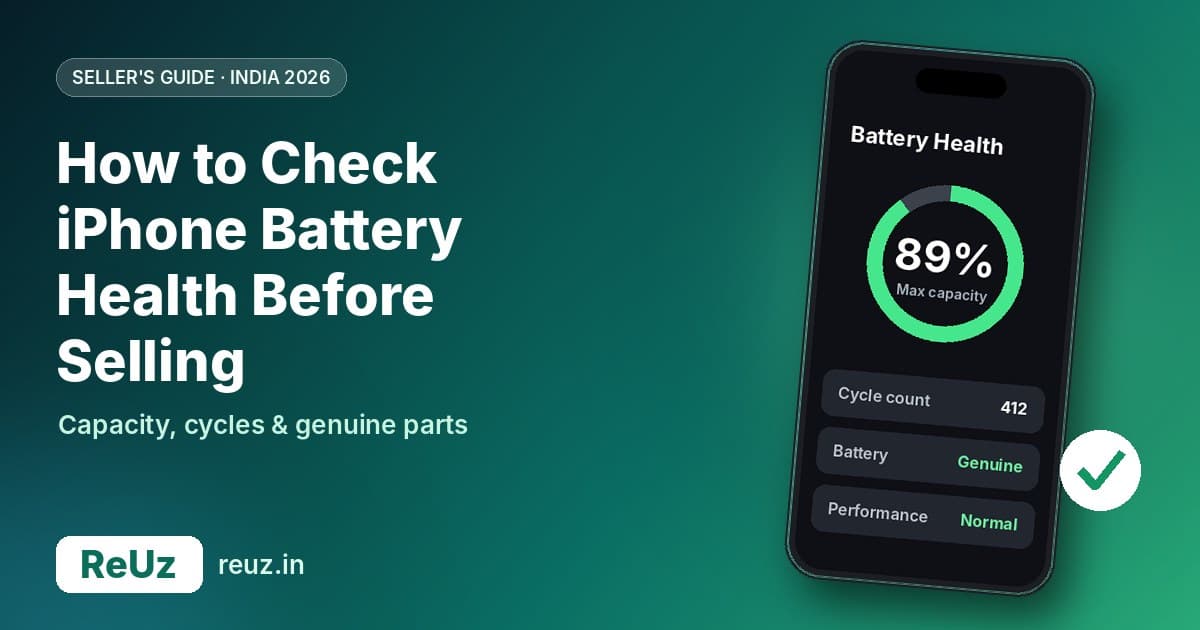
Apple's guidance for this model directs you to Settings, Battery, Battery Health. Record the maximum capacity, cycle count and any service recommendation shown. You can also review the battery's manufacture and first-use information there on supported software. Keep a screenshot for your own comparison and for explaining the device's condition when requesting a quote.
If you are comparing a household phone such as an iPhone 14, Apple places its battery information under Battery Health & Charging. Check the actual menu on the handset rather than assuming every generation has identical labels or information. These menu paths and the meaning of the available battery information are covered in Apple's battery and performance guidance, listed in Sources.
Use the reading as evidence, not a selling deadline
A battery-health reading is a useful part of your decision, but you do not need to turn each change in the number into an urgent purchase. Ask whether the phone can complete the tasks that matter to you. A device that fits your daily routine may remain worth keeping; a device that repeatedly interrupts work deserves a closer diagnosis. Your own experience and the service assessment should sit alongside the displayed figure.
Make your description specific. “Needs charging during my commute after a day of navigation” gives a service provider more context than “battery is bad”. Equally, “I am selling because I want more storage” explains why a battery replacement might not be useful to you even if a technician recommends one. The goal is a decision based on the problem you have, rather than a target percentage chosen without context.
What the 80% figure does and does not tell you
Apple says batteries in this generation are designed to retain 80% of original capacity at 1,000 complete charge cycles under ideal conditions. This is a design benchmark, with actual results depending on use and charging. It is not a promise that every phone will show a particular reading at a particular age, and it is not a ReUz price rule.
Do not translate that benchmark into an invented deduction from your resale quote. No universal calculation can tell you that crossing a battery-health threshold will remove a fixed ₹ amount from every handset. Ask for an assessment of your actual device, including its battery condition, rather than relying on an old article's deduction table. A quote for a different storage option or a different condition is not a substitute.
Use the threshold to prompt a conversation about your device and any applicable service coverage. Avoid making the separate leap that you must repair before selling, or that a phone above that figure cannot have a problem worth investigating. What you should do next depends on the service recommendation, your experience, your plans and the offers available for your particular phone.
If the drain began after an iOS update, check first
Apple advises waiting a few days and checking again if battery life drops after an update, because update-related work can continue in the background. In Settings, Battery, an Ongoing iOS Update insight may explain temporary activity. Apple's troubleshooting page also recommends reviewing battery usage and the apps or system activity responsible before choosing your next step.
For your own comparison, note when the change began and what you were doing. Was the phone recently updated or set up again? Were you travelling, using navigation or spending more time on video calls than usual? You are building a useful account of the problem, not trying to prove a particular cause from a single day. If the problem persists, take that account to a service provider.
Avoid changing every setting at once just to obtain a more flattering screenshot. Choose one practical adjustment, observe whether it improves the experience and keep the features you need for work or family. The purpose of checking is to decide whether a repair is warranted, not to make the phone inconvenient enough that you stop noticing the battery problem.
This also matters if you are selling. Describe what you know: the displayed health information, any warning and the symptoms you have experienced. You do not need to label an unexplained drain as a confirmed hardware fault. Equally, a temporary improvement is not a reason to hide a recurring issue. Accurate details give you a better starting point for assessment.
Repair, keep or sell: compare the choices side by side
The table below is a decision guide rather than a price list. It deliberately avoids imaginary repair charges and guaranteed buyback gains. Read across the row that matches your situation, then gather the information it asks for. You may find that the best next action is simply to get a diagnosis or request a quote before making any financial commitment.
| Your situation | First action | What to compare | When the option makes sense |
|---|---|---|---|
| The phone suits you and battery wear is the main concern | Request a battery diagnosis and written service estimate | Repair expense against the benefit of keeping your existing phone | You would be happy to continue using it after a successful repair |
| Drain started soon after a software update | Review battery activity and follow Apple's troubleshooting advice | Your experience after background update work has settled | You want to establish whether service is needed before spending |
| You intend to upgrade regardless of the battery | Get an accurate as-is sell quote | The quote against any realistic increase after repair, less every repair cost | Repairing first would otherwise be money spent only to prepare a sale |
| The phone has other faults as well | Describe all faults and ask for a complete assessment | The combined repair proposal against the available as-is offer | You need to judge the whole device rather than the battery alone |
| You may have relevant service coverage | Ask Apple or the provider to confirm eligibility | The confirmed covered service route, timing and any remaining cost | You can make a decision using actual plan terms rather than assumptions |
Before paying for a repair purely to improve a sale, get a condition-based resale estimate. Compare that number with your written service proposal, and choose the route that leaves you better off after all costs.
When replacing the battery is a sensible keeping decision
Start with a simple question: if the battery problem were resolved, would you still want this phone? Consider your usual calls, messaging, work apps, photos and storage. If you are satisfied with those things, a repair proposal deserves serious consideration. You do not have to replace the entire device just because one part of the experience needs attention.
Decide what a successful outcome would look like before booking. That might mean getting through your ordinary working routine with fewer interruptions, or feeling comfortable using the phone away from a charger. Explain that goal to the service provider and ask what the assessment can establish. Do not assume any repair comes with a guaranteed number of extra hours for your particular usage.
Then consider the practical cost of being without the device. If you use it for customer calls or everyday payments, arrange a workable alternative and confirm the expected service process. Ask about parts availability and collection before planning around a completion time. A repair can be attractive financially while still requiring preparation so that it does not disrupt something important.
Finally, look at the reason you are considering an upgrade. If it is mainly frustration from charging, resolve the diagnosis first. If you have a specific requirement the current phone cannot meet, write that requirement down separately. This keeps a battery decision from becoming a roundabout way of postponing a purchase you have already decided is necessary.
When selling as-is deserves a closer look
Selling as-is is worth comparing when you already intend to change phones, when the service proposal exceeds what you want to spend, or when several aspects of the device no longer suit you. It lets you evaluate the current offer without first committing money to a repair. The important part is an honest description of the existing condition and a clear understanding that inspection confirms the final offer.
Ask for the quote using the right model and storage, and include the battery concern. A good-condition headline on a model page is not automatically the amount for your own handset. Avoid budgeting for the highest number you see and treating it as guaranteed money for the upgrade. Work with the condition-based estimate and leave room for the assessment process.
You can also choose to keep using the device while you consider the alternatives, provided you follow any service advice applicable to its condition. There is no need to accept an offer merely because you requested it. The useful outcome of checking is knowing your options: repair and keep, sell accurately described, or pause the decision while you gather missing information.
How to compare the money without invented resale gains
For a phone you plan to sell, use this calculation: net proceeds after repair equal the eventual selling price minus the total repair expense and any other costs you incur. Compare that result with the as-is offer. If the likely improvement is unknown, record it as unknown. Do not fill the gap with an assumption that a fresh battery always adds back its full cost.
Your repair total should include the written service charge, applicable taxes, and any travel or other direct expenses you expect to pay. Include additional work only if the provider says it is necessary and you accept the proposal. Ask what happens if inspection finds another fault. You want a useful comparison of the choices available to you, not a best-case number assembled from unrelated advertisements.
Ask for evidence of any claimed improvement
If someone suggests that repairing first will increase the offer, ask how that assessment relates to your exact phone and what remains conditional on inspection. An estimate for a repaired device is still an estimate. Keep the dates and assumptions with both figures so that a later change in market conditions is not mistaken for a guaranteed return on your repair.
For keeping, use a different comparison. Ask whether the repair cost fits your budget and whether you would prefer continuing with this device over paying the additional amount for another one. You are buying continued use, not trying to earn the repair charge back through a sale. That distinction can make a sensible repair easier to recognise without pretending it is an investment with a promised return.
Get a written battery service estimate in India
Apple's India service page says the final fee follows inspection and that Apple Authorised Service Providers can set their own fees. Check your exact device and provider for a current written estimate, including applicable taxes or other charges. A price quoted for a different model, provider or earlier period is not a reliable figure for your decision today.
Before approving work, ask what the estimate includes, whether another fault could change it, and how you will be contacted if the scope changes. Confirm the parts being used and the service documentation you will receive. You should understand the proposed work and its total cost well enough to compare it against simply keeping the phone as it is or selling it accurately described.
Do not compare a fully documented service proposal with an unexplained low headline and assume the difference is pure savings. Ask the same questions of each provider. What exactly will be replaced? Who is doing the work? What will appear on the invoice? What happens if the problem remains? Those answers are more useful than choosing solely on an initial advertised price.
Check coverage before paying out of pocket
If you have AppleCare or another relevant service arrangement, ask the provider to verify your specific coverage before you approve a paid repair. Apple's battery service page separates ordinary wear from manufacturing issues and directs customers to check coverage and plan benefits. You need a confirmed answer for your device and circumstances rather than a general statement borrowed from someone else's service experience.
Keep the outcome of that enquiry with your estimate. If service is covered, compare its confirmed process and timing with your upgrade plans. If it is not covered, return to the full written cost and the benefit you expect from keeping the phone. Avoid treating an unverified assumption about eligibility as a reason either to delay indefinitely or to rush into an unnecessary purchase.
Coverage also does not answer the resale question by itself. Even when your out-of-pocket charge is low, you still need to decide whether the appointment and any downtime fit your plans. Conversely, a paid service can remain worthwhile if you want to continue using the handset. Judge the actual arrangement you are offered and the outcome you want.
Repair history matters when explaining your phone
Apple recommends trained technicians and genuine parts for battery service. Its guidance says you can review Parts and Service History in Settings, General, About on supported devices. Depending on the repair, a battery entry may indicate Genuine, Used or Unknown; Apple notes that an Unknown part can affect trade-in value and that unverified battery-health information may be inaccurate.
Before a sale, check what your own device displays and keep the repair invoice if you have one. Tell the assessor about previous work rather than trying to explain it only after inspection. You do not need to make a technical diagnosis yourself: share the recorded information and let the assessment address it. This is especially useful when the phone's service history is different from what you initially remembered.
If a repair has already been completed, ask any unresolved questions while you still have the service paperwork and provider details available. Your objective is a clear account of what happened to the phone. Spending again purely to make its history appear simpler is not a substitute for understanding the current condition and comparing a real offer.
Do not let an upgrade offer decide both transactions for you
When shopping for another phone, write down the purchase terms separately from the treatment of your old device. Ask the retailer what changes if you do not exchange it. Check whether the displayed total depends on a bank card, financing choice, membership or device assessment. You should be able to explain the amount you would actually pay under the option you can use.
Then compare that complete purchase proposal with buying under its applicable non-exchange terms and selling separately. Include only benefits for which you are eligible, and avoid counting a benefit twice. The right decision can differ from person to person because the available purchase terms differ. There is no need to claim that every exchange loses or that every separate sale wins.
For wider context, the ReUz resale-value guides can help you explore models and estimates. Use an actual quote for your condition when making the decision. A general estimate helps you ask better questions; it should not become a substitute for the specific assessment on which your sale will depend.
Build a small decision sheet before spending
You do not need a complicated spreadsheet. A note on paper or on another device is enough. Put the options side by side and leave a blank wherever you lack a confirmed figure. The exercise is valuable precisely because it exposes assumptions: an attractive option may rely on a repair charge you have not checked or a selling price nobody has offered.
- Your current device: exact model, storage, displayed battery information, symptoms and any previous repairs.
- Repair proposal: written total, what it includes, expected process and any unresolved conditions.
- As-is sale: condition-based estimate, assessment requirements and how payment would be made.
- Replacement purchase: final applicable purchase amount, with its eligibility conditions recorded separately.
- Your preference: whether you would actually keep the existing phone if the battery concern were resolved.
Read the last item before the amounts. If the answer is no, your repair calculation should focus on sale proceeds after expenses. If the answer is yes, you can weigh the repair as a way of continuing with a phone you want. This prevents a neatly organised comparison from answering the wrong question.
Three situations that lead to different sensible choices
You like the phone and mainly need fewer charging interruptions
In this case, seek a diagnosis and written service estimate before browsing upgrades. Decide whether the proposal fits your budget and whether resolving the battery concern would meet your needs. Keep the purchase decision open until you understand the proposed repair. Your success measure is continued useful ownership, so there is no reason to insist that a future buyer must reimburse the service cost.
You have decided to upgrade for another reason
Here, request an as-is quote first and describe the battery honestly. Consider repairing only if you have a sound basis for expecting a better outcome after its full expense. If that basis is missing, the extra appointment is a speculative step in a sale you already intend to complete. You can instead put your attention into comparing the purchase and arranging the handover.
You do not yet know whether the problem is the battery
Start with the information on the phone and the service enquiry. Avoid ordering a part or buying a replacement device just to escape uncertainty. A useful diagnosis may narrow the decision considerably. If you eventually sell, report the known symptoms and history rather than making unsupported claims about the cause. Both the service provider and buyer can work from a clearer description.
Prepare for assessment without hiding faults
Before requesting a final assessment, check the details you can establish comfortably: exact model, storage, visible condition, battery information and previous service paperwork. Make a short list of recurring problems so that you do not forget one during the visit. You are trying to make the description accurate, not to make the device appear to belong in a better condition category.
Avoid paying for cosmetic or functional work solely because you assume every improvement will produce a larger net sale. Apply the same comparison to any proposed work: what is the total cost, and what evidence supports the expected benefit? If a provider or buyer cannot answer the part relevant to them, keep that uncertainty visible rather than converting it into a promised gain.
Ask how the assessment will be explained and what happens if you disagree with the final offer. Clear conditions matter more than a headline estimate that you cannot relate to the actual phone. Keep a record of the quote and your description so that you can discuss any difference calmly and decide whether to proceed. For the next steps, read ReUz's guide to selling your phone online and receiving payment.
Plan your data transfer before a service or sale
Your financial comparison is only useful if the chosen route also works for everyday life. Before handing over a phone, plan how you will retain access to the information and accounts you need. Check that the backup you intend to rely on is available and that you can complete the transfer to your chosen device. Give yourself time to resolve access questions before the appointment.
If you use the phone for UPI, banking, work sign-ins or authentication, check the relevant apps' transfer instructions and arrange a workable transition. You should not have to improvise access while an executive is waiting at the door. Keep ownership and account information under your control, and follow the service or sale process with a clear understanding of what will be erased and when.
During a ReUz sale, the published process includes help with account sign-out and a factory reset verified before handover. Ask the executive to explain the steps, and verify the agreed payment in your own account before completing the handover. A smooth transaction should leave you with both the agreed proceeds and confidence that you have dealt with your personal information.
How to read ReUz's up to 10% more promise
The ReUz price promise and its conditions describe a potential uplift against comparable offers for the same model, storage and condition. “Up to 10% more” does not mean every phone receives a flat additional 10%, and an online estimate remains subject to in-person assessment. Check availability for your location and use accurate details.
If you have another offer, compare like with like and keep its assumptions available. A quote for a pristine phone does not establish what a device with a battery concern will receive. Nor should you calculate a repair profit by adding the maximum advertised uplift to an unrelated estimate. Compare the actual proposals applicable to your handset and decide after the assessment is explained.
Thinking of selling your iPhone 15?
Begin with the sell page for your current iPhone and describe its storage, condition and battery accurately. ReUz offers an instant quote in about 60 seconds, free doorstep pickup in serviceable locations, and an in-person inspection before you accept the final price. Its process includes data wiped in front of you and on-the-spot UPI payment before the executive leaves.
If you are checking another device in the household, use the phone model search to select the correct one. Keep the up to 10% more promise in context, compare a current quote with your repair proposal, and choose based on the money and practical outcome for you. A repair should earn its place in that decision; it is not a compulsory ticket to selling an old phone.
Frequently asked questions
Should I replace my iPhone 15 battery before selling it?
Only if the likely improvement in your selling outcome justifies the full repair expense, or you have another reason to complete the service. Start with an accurate as-is quote and a written repair proposal. If no one can give you a reliable basis for the improvement, do not assume you will recover the cost. If you want to keep the phone instead, judge the repair by its usefulness to you rather than resale profit.
Does battery health below 80% mean the phone has no resale value?
No fixed conclusion about your payout follows from that number alone. Describe the battery reading and symptoms accurately, then request a quote for the actual model, storage and condition. ReUz's Apple page includes phones with battery issues among the conditions it considers. The final offer depends on assessment; avoid using a good-condition headline as a promise for a handset with a battery concern.
What is the current iPhone 15 battery replacement cost in India?
Get a current estimate from Apple or the Apple Authorised Service Provider you intend to use. Apple's India service page makes the final charge subject to inspection and says authorised providers may set their own fees. This guide does not quote an unverified rupee amount. Ask for the complete applicable charge and any conditions before comparing it with an as-is sale or the cost of another phone.
Should I sell immediately if battery drain started after an update?
A recent update alone is not enough reason to decide on a sale. Review Apple's troubleshooting guidance, check the activity information on your device and investigate persistent symptoms before paying for a repair or replacement. If you were already planning to upgrade, you can still request an honestly described sell quote while considering your options. Keep the decision tied to your actual needs and what you can establish about the phone.
Can I sell a phone whose battery has already been replaced?
Request an assessment and disclose the repair history, any messages shown on the device and any symptoms. Keep the service invoice if available. Apple says an Unknown part may affect trade-in value, so do not assume that all replacements receive identical treatment. Let the assessor review your device and explain the offer. Compare that offer on its own terms rather than treating your past repair bill as a guaranteed addition to its value.