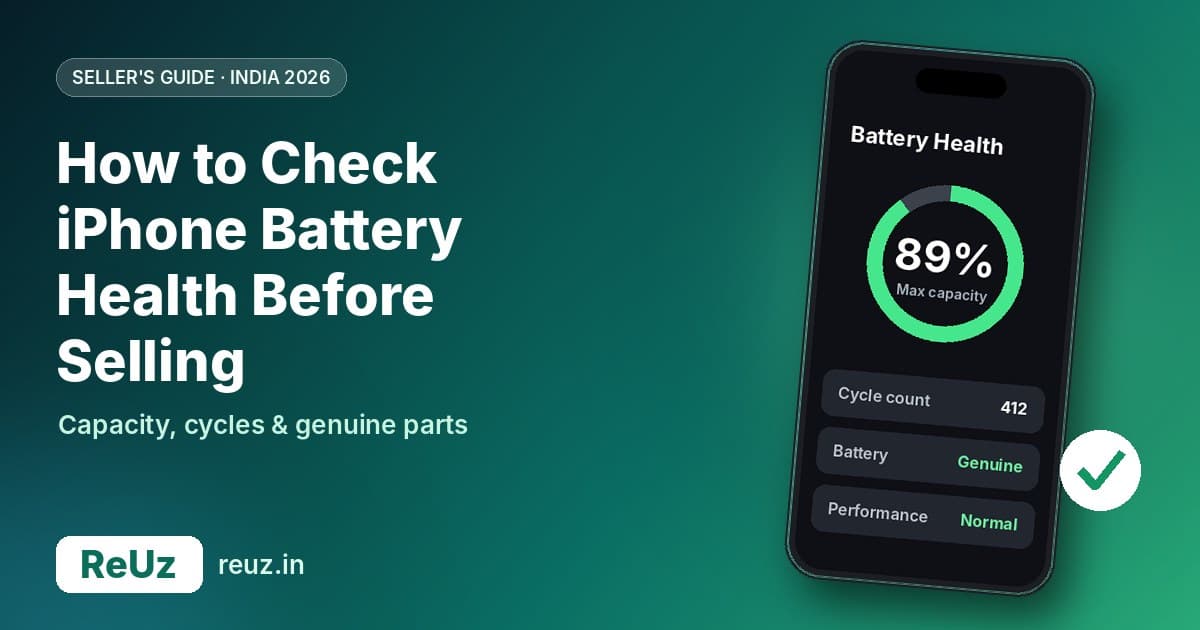
To check your iPhone's battery health before selling, open Settings, tap Battery, then tap Battery Health. On older models the menu is called Battery Health & Charging. Note the Maximum Capacity percentage and, on newer models, the cycle count. Also open Settings, then General, then About, to make sure the battery is listed as Genuine rather than Unknown. Those three details, checked in under two minutes, tell you and any buyer how well the battery has aged and whether it has been replaced with an unverified part, which matters when your iPhone is valued.
Once you have those numbers, you are ready for an accurate quote. ReUz lets you sell your iPhone 15 or any other iPhone with a free doorstep pickup, a quick inspection in front of you and instant UPI payment. Check your instant quote before you decide whether to sell as-is or replace the battery first.
Why battery health matters when you sell an iPhone
For most used iPhones in India, the battery is the part that has aged the most. The screen may look perfect and the body may be scratch-free, but a battery that has lost a big chunk of its capacity changes how the phone feels to use. That is why serious buyers, buyback services and exchange counters all look at it.
There are three reasons it matters:
- It affects daily battery life. Apple's own guidance says iPhone batteries are designed to retain 80% of their original capacity at a set number of complete charge cycles under ideal conditions. Engadget's explainer notes that below 80%, your iPhone may still work, but battery life will likely drop noticeably.
- It can affect performance. Apple explains that iPhones have a performance management system that reduces the effects of battery ageing. When it kicks in, you can see longer app launch times, lower frame rates, dimmer backlight, lower speaker volume and, in extreme cases, a temporarily disabled camera flash.
- A non-genuine battery is a red flag. Apple's support page on genuine batteries says an Unknown status may affect trade-in value. Buyers worry that an unverified battery may not perform or report its health accurately.
Knowing your numbers before you ask for a quote puts you in control. You can describe the condition accurately in an online estimate, avoid surprises at inspection, and make a clear decision about whether a battery replacement is worth it before you sell.
How to check battery health on your iPhone, step by step
The steps depend slightly on your model. Apple changed the layout of the battery screen with the iPhone 15 series and iOS 17.4, and added the cycle count at the same time.
iPhone 15 and later
- Update to the latest iOS version if you can. Apple's support page says the newer Battery Health screen is available on iPhone 15 and later with iOS 17.4 or later.
- Open Settings.
- Tap Battery.
- Tap Battery Health.
- Note the Maximum Capacity percentage.
- Scroll down to see the Cycle Count. Engadget confirms this is where it appears on iPhone 15 and later.
- Look below the capacity figure for any message about performance or servicing.
Take a screenshot of this screen. It is handy when you list the phone online or compare offers, and it shows you exactly what an inspector will see.
iPhone 14 and earlier
- Open Settings.
- Tap Battery.
- Tap Battery Health & Charging.
- Note the Maximum Capacity percentage.
- Read the Peak Performance Capability section. If iOS has applied performance management because of severe battery degradation, a warning appears here. If there is no warning, there are no battery-related performance limits, according to Engadget.
On models such as the iPhone 14 and older, Apple does not show the cycle count in Settings. Engadget suggests a Mac app such as coconutBattery if you want that figure, but it is not essential for selling. Maximum Capacity and the Peak Performance Capability message are what buyers usually ask about.
Quick reference: where to find what
| Detail | iPhone 15 and later | iPhone 14 and earlier |
|---|---|---|
| Menu path | Settings > Battery > Battery Health | Settings > Battery > Battery Health & Charging |
| Maximum Capacity | Shown | Shown |
| Cycle count | Shown on the Battery Health screen (iOS 17.4 or later) | Not shown in Settings |
| Design target | 80% capacity at 1,000 complete charge cycles under ideal conditions | 80% capacity at 500 complete charge cycles under ideal conditions |
| Charge limit option | Maximum charge limit can be set | Optimised Battery Charging |
| Genuine battery check | Settings > General > About | Settings > General > About |
What each number means
Maximum Capacity
Maximum Capacity is your battery's current capacity compared with when it was new. A reading of 90% means a full charge now holds about nine-tenths of what it held on day one. As Engadget puts it, the screen estimates battery capacity relative to when the phone was new.
Apple designs iPhone batteries to retain 80% of their original capacity at 500 complete charge cycles for iPhone 14 and earlier, and at 1,000 complete charge cycles for iPhone 15 and later, under ideal conditions. Apple also says the exact percentage depends on how the device is regularly used and charged. Heat, frequent fast charging and constantly running the phone to zero all add wear.
Cycle count
One charge cycle is completed when you have used an amount equal to 100% of your battery's capacity, not necessarily in one go. Engadget gives a simple example: using 50%, recharging, then using another 50% counts as one cycle. So the cycle count tells you how hard the battery has been used, while Maximum Capacity tells you how well it has held up.
For a buyer, the two together are more useful than either alone. A phone with 88% capacity and a modest cycle count suggests gentle use. A phone with 88% capacity and a very high cycle count suggests the battery has aged well despite heavy use. A phone with a low capacity and a low cycle count may have been exposed to heat or other stress.
Peak Performance Capability and service messages
On iPhone 14 and earlier, the Peak Performance Capability section tells you whether iOS is currently slowing the phone down to protect it from unexpected shutdowns. If you see a message saying the battery has significantly degraded or that performance management has been applied, buyers will treat the battery as due for replacement. If the section simply says the battery is supporting normal peak performance, you are in good shape.
Genuine, Unknown or Used
This is the check many sellers skip. Go to Settings > General > About. Apple's support page explains that:
- Genuine appears next to Battery when a repair used genuine Apple parts and processes.
- Unknown, with a warning icon, appears for a non-genuine or unverified battery. Battery health is still displayed, but Apple warns the information may not be accurate.
- Used appears on iPhone 15 and later with iOS 18 when a previously used genuine battery has been installed.
You can also tap Parts and Service History on the About screen to see the battery's replacement history. Apple says this feature is available on iPhones from 2018 onwards. Apple also notes these messages do not stop you using the phone or its battery, but an Unknown status may affect trade-in value.
How to read your battery health: a practical guide for sellers
There is no single official cut-off that decides what your phone is worth, and every buyer grades condition in their own way. But Apple's 80% design target and its performance management behaviour give you a sensible framework.
| What you see | What it usually means | What to do before selling |
|---|---|---|
| Maximum Capacity well above 80%, no warnings, battery shown as Genuine | Battery is in healthy shape for its age | Sell as-is. Mention the exact percentage in your listing or estimate. |
| Maximum Capacity close to 80%, no warnings | Battery is approaching the end of its design target | Get quotes as-is first. Replacement rarely pays for itself at this stage, but compare. |
| Maximum Capacity below 80% or a performance management warning | Battery life is likely noticeably shorter and performance may be limited | Get a quote as-is and a quote assuming a new battery, then compare against the service cost. |
| Battery shown as Unknown | Non-genuine or unverified battery; health reading may not be accurate | Declare it honestly. Hiding it only leads to a lower offer at inspection. |
| Battery shown as Genuine with a recent replacement in Parts and Service History | Battery was replaced with a genuine Apple part | Mention it as a plus, and keep the service invoice if you have one. |
Got your numbers? You can now get an accurate figure for your exact model. ReUz backs its quotes with a price promise of up to 10% more than a comparable offer from a local buyer, an OLX-style deal or a retail exchange counter for the same model, storage and condition. Being upfront about battery health in the online estimate also means the offer at your door is much less likely to change.
Should you replace the battery before selling?
This is the question most sellers really want answered. The honest answer: it depends on your model, your current battery health and the cost of the service compared with the resale value of the phone.
What a battery service costs
Apple publishes out-of-warranty repair estimates in India, and they vary by model. According to Cashify's report from September 2026, Apple charges ₹12,900 for a battery service on the iPhone 16 Pro and iPhone 17 Pro series, Pro Max models included. The newest Pro models cost ₹1,000 more. Apple's repair prices are estimates and can be subject to taxes, and the final cost depends on the device's condition and assessment by an authorised service provider. For non-Pro and older models, check Apple's India repair estimate for your exact iPhone before booking.
Compare the cost with what your phone is worth
Now look at what your phone is worth. ReUz shows indicative prices for phones in good working condition on each sell page. When we checked in October 2026, the iPhone 15 page showed ₹43,500 for 128GB, ₹45,500 for 256GB and ₹47,050 for 512GB. The iPhone 13 page showed ₹32,500 for 128GB and ₹35,500 for 256GB. Final prices are confirmed after inspection, and indicative figures change over time, so treat these as a reference point rather than a promise.
Here is a simple way to decide:
- Get your instant quote as-is, declaring your real battery health.
- Get the battery service estimate for your exact model from Apple or an authorised service provider.
- Ask yourself whether a new battery would lift the offer by more than the service cost. If it would not, sell as-is.
- Factor in your time. A service visit can take hours or days, and you need to back up the phone first.
In most cases, a battery service costing ₹12,900 is hard to recover in resale value on an older or mid-priced iPhone, because buyers rarely pay the full cost of a new battery back to you. The maths can work better on newer, higher-value Pro models where battery health has dropped sharply, or when the phone is showing performance management warnings that would push it into a lower condition grade.
When replacing first can make sense
- You are keeping the phone for a few more months anyway, so you also benefit from the new battery yourself.
- The phone is a recent, high-value Pro model and the battery has degraded unusually fast.
- The battery is causing unexpected shutdowns or a visible performance warning, which can make buyers wary.
- Your phone is still covered by warranty or AppleCare+ that includes battery service. Check your coverage on Apple's website first.
When selling as-is is usually smarter
- Battery health is above or around 80% with no warnings.
- The phone is several generations old and the service cost is a large share of its resale value.
- You plan to upgrade soon and do not want to spend money on a phone you are about to sell.
- You would use a third-party battery. An Unknown battery status can hurt value more than a worn genuine battery.
Avoid these battery mistakes before you sell
A few common habits can work against you when it is time to sell.
- Using a cheap non-genuine replacement. Apple says an Unknown battery may affect trade-in value and that its health reading may not be accurate. Saving a few thousand rupees on a local battery can cost you more at resale.
- Hiding the battery health. Inspectors check it within seconds. Declaring 95% when the phone shows 78% simply leads to a revised offer at your door and a wasted pickup slot.
- Believing a "calibration" trick will raise the number. Apple's battery and performance guide does not list any calibration step to increase Maximum Capacity. Draining and recharging repeatedly just adds cycles.
- Leaving the phone in a hot car or on a charger under a pillow. Apple notes that battery capacity depends on how a device is used and charged, and heat is one of the main causes of faster wear.
- Charging to 100% all day, every day. Optimised Battery Charging, which Engadget describes as pausing at 80% and finishing near the time you usually need the phone, and the charge limit on iPhone 15 and later, can help slow ageing if you are keeping the phone a while longer.
Full pre-sale checklist for your iPhone
Battery health is one part of getting a fair price. Here is everything to do before your pickup, in order.
Know your phone
- Find your exact model and storage in Settings > General > About. Storage changes the price.
- Check battery health as described above and take a screenshot.
- Check Parts and Service History for the battery, display and camera, and note any Unknown parts.
- Test the basics: Face ID, cameras (front and back), speakers, microphone, buttons, charging port and Wi-Fi.
- Inspect the screen and body under bright light for scratches, dents and cracks.
- Gather accessories: the original box and cable, and any purchase invoice. They help prove the phone's origin.
Protect your data
- Back up to iCloud or a computer. Back up WhatsApp separately from within the app.
- Move your UPI and banking apps to your new phone and confirm they work before you remove the SIM.
- Unpair your Apple Watch and AirPods if they are linked to the phone.
- Sign out of iCloud and turn off Find My. A phone that is still locked to your Apple Account cannot be bought or reused.
- Remove your SIM or delete your eSIM, depending on what you use.
- Erase all content and settings from Settings > General > Transfer or Reset iPhone. A ReUz executive verifies the reset during pickup.
For more detail on accounts, IMEI checks and scams to avoid, read our guide on how to sell your old phone safely in India.
Scenario-based advice
Your iPhone 15 shows 89% and a few hundred cycles
That is a healthy battery for a phone of its age, especially since Apple designs iPhone 15 and later batteries to retain 80% at 1,000 cycles under ideal conditions. Sell as-is and mention both numbers. There is no reason to spend on a battery service.
Your older iPhone shows 79% and a performance warning
Buyers will notice. Get a quote as-is first. If the phone is several years old, the cost of a genuine battery service is likely to be a big share of its resale value, so selling as-is is usually the simpler path. If you plan to keep using it for another year instead, a battery service gives you that year with a better experience.
Your iPhone shows Unknown next to Battery
This usually means the battery was replaced outside Apple's network. Declare it upfront in your estimate. Apple's support page notes the health reading may not be accurate, so do not rely on the percentage shown. An honest declaration avoids a last-minute price change at pickup.
Your Pro model is only two years old but the battery dropped fast
This is where a genuine battery service can be worth pricing. A higher-value phone has more resale value to protect, and a new genuine battery shows up as Genuine in Parts and Service History. Get both quotes and compare before deciding.
Thinking of selling your iPhone 15?
Whatever your battery health, ReUz makes the sale quick and transparent:
- Instant quote in 60 seconds: choose your model and storage, answer a few honest condition questions and see your price.
- Free doorstep pickup: book a slot in Delhi, Gurugram, Noida, Ghaziabad, Mumbai, Pune or Bangalore.
- On-the-spot UPI payment: you are paid by UPI or bank transfer before the executive leaves.
- Data wiped in front of you: the executive verifies the factory reset at pickup.
- Up to 10% more: ReUz aims to beat comparable offers from local buyers and exchange counters.
Start with your model's page to get an instant quote for your iPhone 15, or find your iPhone model and check its price.
Frequently asked questions
What is a good battery health percentage for selling an iPhone?
Apple designs iPhone batteries to retain 80% of their original capacity at 500 complete charge cycles for iPhone 14 and earlier, and 1,000 for iPhone 15 and later, under ideal conditions. A reading comfortably above 80% with no performance warnings is generally seen as healthy. Below 80%, battery life is likely to drop noticeably, and buyers will factor that in.
How do I see the cycle count on my iPhone?
On iPhone 15 and later running iOS 17.4 or later, go to Settings, Battery, Battery Health and scroll down to see the cycle count. Older iPhones do not show cycle count in Settings. Engadget suggests a Mac app such as coconutBattery if you need it.
What does "Unknown" next to Battery mean?
Apple shows Unknown in Settings, General, About when the battery is non-genuine or cannot be verified. Battery health is still shown, but Apple warns it may not be accurate. Apple also notes that an Unknown status may affect trade-in value, so declare it honestly when you get a quote.
Is it worth replacing my iPhone battery before selling?
Usually not, unless the phone is a high-value recent model or you plan to keep using it for a while. Apple's out-of-warranty battery service for recent Pro models costs ₹12,900 or more in India, according to Cashify, and a new battery rarely lifts the resale price by the full cost. Compare an as-is quote against the service cost before deciding.
Does ReUz check battery health during pickup?
The ReUz executive carries out a quick inspection of about 10 minutes at your door and confirms the final price in front of you. Declaring your battery health accurately in the online estimate helps make sure the final offer matches your quote. You can decline the final offer without paying anything.