Before selling a Samsung Galaxy, check Secure Folder separately and verify that the private files you need are accessible on your destination device. Samsung documents Secure Folder transfer through Smart Switch on supported devices, but you should not assume that an ordinary transfer-complete screen proves every private item and app is ready. Keep the old phone until you have checked the result, then follow the appropriate final selling preparation.
Planning a change of handset? Check your Galaxy S24 Ultra sell quote while you organise the transfer. A pricing estimate can help your upgrade decision without requiring you to erase the phone before your private-data checks are complete.
Why Secure Folder needs a separate place on your checklist
When your ordinary photographs and contacts appear on a replacement phone, it is tempting to call the move finished. Private material is easy to overlook precisely because you do not open it during every normal check. Put Secure Folder on the checklist deliberately rather than relying on remembering it at the pickup appointment.
The key distinction is between seeing familiar apps on the Home screen and confirming that the information you need inside the relevant environment is usable. Do not use one as evidence of the other. A sale should follow your own verification, not become the moment when you first investigate what was included.
For Indian readers arranging doorstep pickup between work commitments, the benefit is practical. You can compare the quote, plan the replacement and prepare your data in stages. The last stage should be a controlled handover, rather than a hurried search for a document while the buyer waits.
This guide focuses on checking and moving the content you want to retain. It does not promise that every device, software version or app supports an identical transfer. Follow the options available on your devices and ask Samsung or the relevant app provider when a required item remains unresolved.
Separate four questions before you start
What do you need to keep?
Open the folder privately and make a short inventory of the categories that matter to you. You might need personal photographs, documents or access to an app you deliberately kept apart from ordinary use. Record the categories and a few useful identifiers without copying sensitive contents into a public or shared checklist.
Decide what you actually want to retain. A transfer is a good time to make that decision consciously, but not a good reason to delete material before you have understood the choices. Mark uncertain items for review and leave the source available until the retention decision is clear.
Where should the retained information go?
Identify the intended destination before selecting a transfer method. Another compatible Galaxy, external storage and a destination outside Samsung's Secure Folder environment are different plans. Do not begin with a procedure intended for one route and assume that it guarantees the outcome for another.
If your destination does not offer the same feature, plan at the level of files and apps rather than expecting the original arrangement to appear unchanged. Ask the relevant providers what is supported. The objective is continued access to the information you need, with a storage arrangement you understand.
Can you authenticate where required?
Check access to the source before appointment day. If an account or folder credential is uncertain, resolve the legitimate access question before considering deletion, uninstallation or final erasure. A buyback appointment cannot substitute for understanding the recovery options available to you.
Keep credentials out of the planning note. It is enough to record that you can open the folder or that access remains unresolved. Someone helping organise the sale can understand your readiness without receiving your private passwords or folder contents.
How will you verify success?
Choose a small but meaningful verification plan before the transfer. Identify important files to open and the apps whose access you must check on the destination. This gives you a clear finish line instead of judging success solely by an overall progress indicator.
The check should reflect your actual needs. A folder name appearing on a screen is less useful than opening the document you need next week. An app icon is less useful than confirming the account access required for your routine through that provider's appropriate process.
Choose a route that matches your destination
Samsung India's Smart Switch guidance describes wireless, cable and computer-based routes, with restrictions depending on the source and software. Its Secure Folder support documentation describes a specific Smart Switch selection for the folder on supported transfers. Read the applicable screens rather than assuming a general backup instruction covers every private-data requirement.
| Your situation | Planning direction | What to verify before handover | Assumption to avoid |
|---|---|---|---|
| You have another compatible Galaxy ready | Review the supported Smart Switch Secure Folder selection. | The retained files and required access on the receiving phone. | A general transfer banner proves every private item is ready. |
| You are using external storage | Check the supported transfer route and its protection settings. | The destination can use the retained data with the required credentials. | A saved file means you have tested restoration. |
| Your replacement does not support the same folder environment | Plan appropriate file export and app-specific arrangements. | Each important item opens in the intended destination. | The complete folder arrangement will migrate unchanged. |
| You cannot currently open Secure Folder | Resolve supported access or recovery with Samsung first. | Whether the wanted information can actually be retained. | Uninstalling the folder is a recovery method. |
| Your replacement is not yet available | Establish a supported retention and verification plan before selling. | A usable destination or tested recovery route for essential items. | The pickup date should decide when you erase the only working copy. |
For the commercial side, find your Samsung model's sell page and check your instant quote. Keep the offer comparison separate from the data-transfer checks, with both ready before the final transaction.
Transfer Secure Folder with Smart Switch where supported
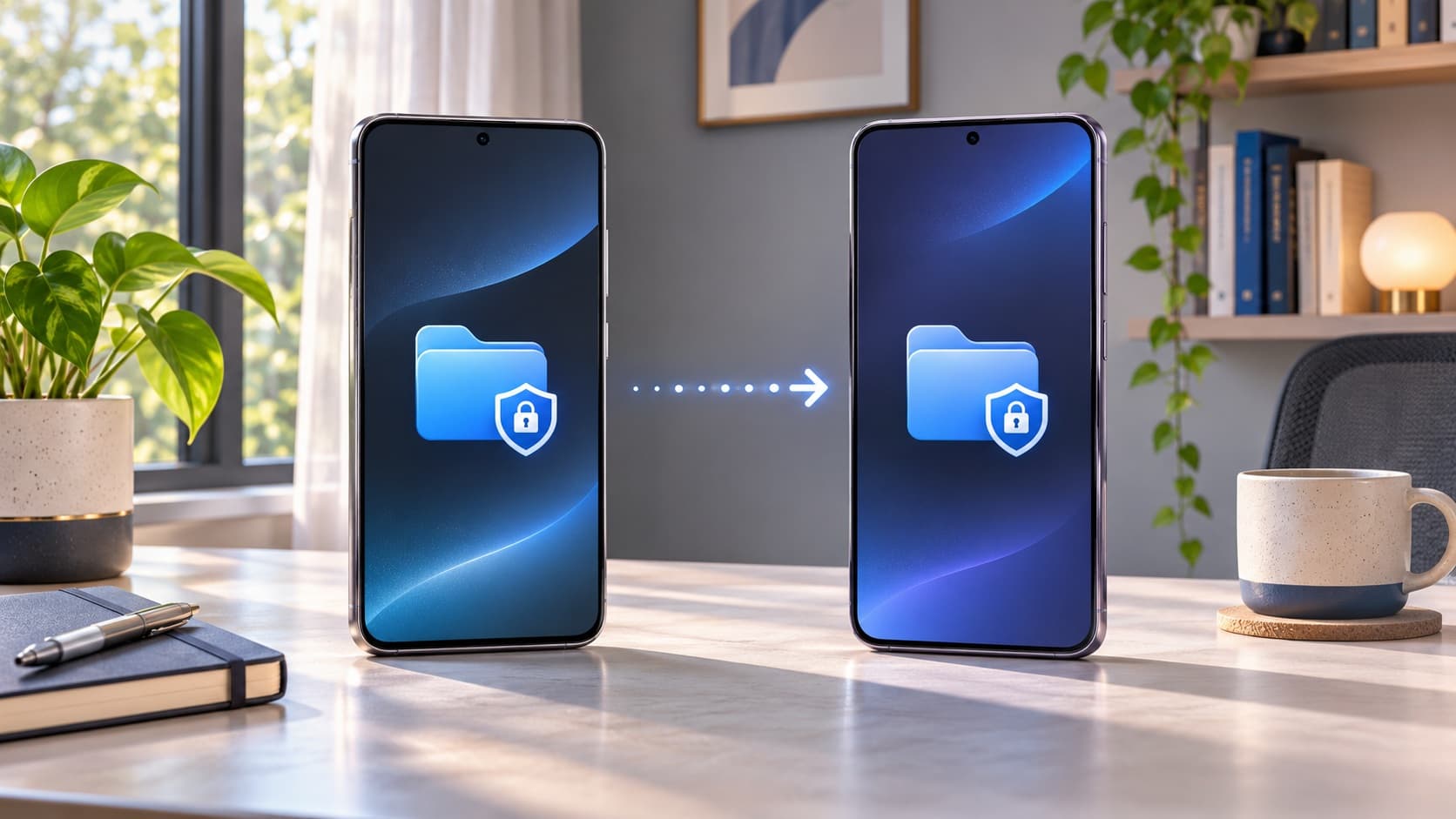
Samsung's Secure Folder instructions describe connecting the devices, selecting the receiving and sending roles, then choosing Secure Folder within the transfer selection. On the receiving phone, the relevant selection may be under Apps or beside Secure Folder. Follow the actual interface and select the content you intend to retain.
Prepare an uninterrupted period for the operation. Read the choices before confirming, keep the source available and avoid beginning immediately before you must leave with one of the devices. Your task is not merely to start a transfer; it is to complete it and inspect the destination.
Once it reports completion, Samsung explicitly recommends opening Secure Folder on the new device to check the transferred data. Use the inventory you prepared to guide that inspection. If a required item is absent or inaccessible, keep the source and investigate the specific gap before proceeding with sale preparation.
If you cannot find the documented option, stop short of assuming it was included automatically. Check the support information for your devices and app versions or contact Samsung with the relevant details. A missing option should become a focused compatibility question, not a reason to erase and hope.
Read the transfer selection rather than guessing
A selection screen deserves the same attention as a final confirmation. Check what is actually selected, which device is receiving and whether the route matches your plan. You do not need to select everything reflexively if you have chosen a narrower retention goal, but you should understand what you are leaving out.
If you are unsure about an entry, keep a private note of the label and ask for an explanation. Do not share photographs of private file lists publicly just to ask which control to press. The support question can often be framed around the device, app version and option name.
Keep the result distinct from the intention. “Selected for transfer” and “opened successfully on the destination” are two different checklist states. Mark them separately so you can see whether a task is waiting for verification or has actually met your needs.
Do not confuse current transfer with an old backup
Samsung's current Secure Folder support page distinguishes transferring with Smart Switch from restoring earlier backups and says the folder's former backup feature is no longer supported. An old restore option therefore should not be treated as proof of a fresh backup containing everything currently on your phone.
Ask what period and content any available recovery copy represents. If you created important material after that copy, include it in the current retention plan. A familiar account name or a previously successful restore does not establish that today's files are present.
Use clear labels in your notes: current source, earlier copy, transfer attempted and destination checked. This avoids a conversation in which the word backup refers to several different things. You will make better decisions when you can identify which copy you are relying on and what you have actually tested.
If your plan depends on restoring later, ask the relevant support provider how to verify that plan before relinquishing the source. This guide does not promise that an untested copy will restore every item or app state. Keep uncertainty visible instead of converting it into a guarantee because the appointment is close.
Review external-storage protection settings
Samsung's Smart Switch settings guide describes external-storage encryption and a separate Secure folder encryption setting, using a password or Samsung account where available. The receiving device needs the corresponding authentication. Review the available settings for the supported route before treating external media as your completed retention plan.
Choose a protection arrangement you understand and can use again. An encrypted copy that you cannot later authenticate is not a practical solution to your access needs. Equally, do not choose an unprotected route simply because an unfamiliar option seems inconvenient; read the explanation and make a deliberate decision.
Keep removable storage and any supporting information under your control. You can label the purpose of the copy without putting credentials beside it in an obvious shared location. When another person helps with the process, agree on what assistance is needed without giving broader access than the task requires.
Test the relevant destination process while the old handset remains available. A file being written to a drive and a useful restored result are not equivalent observations. If the test cannot be completed, recognise that as an open dependency in your sale plan.
Moving selected files out is a different operation
Samsung documents moving a file out through My Files within Secure Folder: select the item, open More and choose Move out of Secure Folder. Use this only when it fits your intended retention route. Review where the file goes and what privacy arrangement you want for it afterwards.
Do not treat moving out as an erasure or as a complete phone-to-phone migration. It is one operation on selected content. You still need to establish the destination you will keep and verify the relevant files there before removing the old handset from your control.
Plan the order deliberately. Decide which files need this route, perform the applicable operation and inspect the result. Mixing several export methods at once can make it difficult to tell which copy is complete or where the version you need was saved.
If you are transferring to a different ecosystem, use the documented options for the file type and destination. This article cannot promise that every app's internal information can be converted into an ordinary file. Ask the provider of an app about its own supported export or recovery method where necessary.
Check the destination's privacy arrangement
Your original reason for using Secure Folder may still apply after transfer. Before moving material into an ordinary location, decide who can access the destination and whether that matches your needs. A successful copy answers an availability question; it does not automatically answer your privacy preference.
Make the destination decision before you are juggling several temporary copies. That helps you avoid leaving retained information in an unintended place merely because the transfer worked. Keep the plan small: what you are retaining, where it belongs and how you will check access.
After verification, review temporary copies deliberately as part of your own housekeeping. Do not delete the only known usable version while trying to make the old phone look tidy. Retention and cleanup are separate stages, and their order matters to the outcome you want.
Check apps separately from photographs and documents
Samsung's India guidance notes that transferable content depends on the device and software. Do not promise yourself that every app will behave exactly as before solely because its icon is present. For an important service, use that provider's instructions and confirm the access required for your ordinary use.
Identify the apps that would create a real interruption if they were unavailable. You might have a work-related account or a personal service that you opened infrequently but still need. Record the required outcome, such as being able to access the correct account, rather than collecting screenshots of private information.
Keep app credentials and verification messages private while completing the setup. If a support interaction is needed, use the appropriate official channel. The buyback representative needs to know whether your handset is ready for handover, not receive your personal codes to complete unrelated account work.
If a particular app cannot be verified, ask whether that blocks your planned sale date. You may have an alternative supported route, or you may need more time. Make that decision from the actual dependency instead of assuming an overall transfer status resolves it.
Verify the destination with a practical checklist
A useful check is specific enough to reveal a missing item without turning into an endless inspection. Open a few representative files and every item you consider irreplaceable. Review the important app access you identified earlier. Keep your source until the checks that matter to you are complete.
- Confirm that the expected categories are present on the destination.
- Open the important documents you need to retain.
- Check representative photographs or other retained files.
- Verify necessary app and account access through the relevant process.
- Record any unresolved items while the source remains available.
- Complete final selling preparation only after deciding those items are resolved.
Do not replace these checks with a count alone. A count can help you notice a discrepancy, but the purpose is usable access to the information you actually need. A familiar folder name or a visually similar thumbnail is not the same as inspecting the retained file.
Keep a simple distinction between verified, not needed and unresolved. This avoids repeatedly examining the same completed item while overlooking a gap elsewhere. The checklist should support a decision, not create a vague impression that you spent a long time preparing.
Use examples that reveal whether the result is useful
Suppose you retained a document because it contains information needed for an upcoming appointment. Your verification is not complete merely because you see its name. Open it on the destination and confirm that it is the document you intended to keep and that the necessary information is readable. Keep that check private rather than sending the document to someone else simply to demonstrate success.
For a photograph collection, choose examples that matter to you and examine the retained files. If you notice a gap, write down the category or identifier so you can investigate it while the source is available. Avoid making several unrecorded transfers in succession, because you may then find it difficult to explain which attempt produced the result you are reviewing.
For an app, define the outcome according to the service you need. Being able to launch it is not necessarily the same as completing the appropriate account setup. Follow the provider's instructions and establish whether your normal access is ready. Do not perform unnecessary transactions or share private information merely to prove that an app opens.
Once a required outcome is verified, mark it complete and move on. If it is not, retain the source and ask a focused question about that item. This approach keeps the review practical: you are resolving named dependencies before selling, rather than repeatedly scanning the new phone and hoping that nothing important was missed.
If you forgot the Secure Folder PIN or password
Samsung India's guide describes recovery through a Samsung account, while current support guidance makes the Reset with Samsung account option relevant to recovery availability. Use the process applicable to your device and existing setup. Do not assume that signing into an account guarantees access in every case.
If you cannot open the folder, stop treating the sale as data-ready. Ask Samsung about the exact situation before uninstalling or erasing anything you still want to retain. Describe the screen and the access you have without posting your private account details.
Distinguish replacing a lock method through a supported recovery process from deleting the environment and starting over. They answer different questions. You are trying to retain access to wanted information, so a procedure that removes it is not a substitute for understanding recovery.
If the material cannot be recovered through the available supported route, make an informed decision about what that means for your own retention needs. This guide cannot promise a recovery outcome or offer a way around the folder's security. Get clarity before committing to the final transfer.
Hiding or uninstalling the folder is not your verification step
Samsung India's instructions distinguish hiding Secure Folder from removing it. Hiding changes its visibility; removal has separate controls and may offer a media-move choice. Neither action demonstrates that a destination contains the private information you intended to keep.
Do not hide an icon as your sale-preparation method. Your readiness decision should rest on completed retention checks and the proper final handset preparation. An uncluttered Apps screen is not evidence that the old phone has been prepared for another owner.
Read any removal confirmation carefully and understand its scope. If you are unsure what will happen to files or app information, stop and consult the relevant guidance. You do not need to test an unfamiliar destructive option merely because it appears close to a setting you recognise.
The simpler rule is to verify retention first and perform appropriate final cleanup later. That keeps a reversible planning phase separate from a step you may not be able to undo. Use the source handset as your reference while it is still in your possession.
Plan for the replacement you actually have
Both phones are available together
Set aside time for transfer and destination checks without a pickup representative waiting. Keep the devices available until you have dealt with missing or inaccessible items. If everything you need is verified, you can proceed to the next preparation stage with a clear record.
Avoid scheduling important app setup in the same narrow window as unrelated commitments. You may need the relevant account or service provider to answer a question. A practical margin makes it easier to follow the documented route rather than choose an uncertain shortcut to meet an appointment.
The replacement will arrive later
Do not assume that selling first is harmless because you intend to restore something eventually. Identify a supported retention route and how you will verify it. If you cannot establish that for essential information, consider changing the sequence so the source remains available until the necessary check is possible.
Keep the decision connected to your priorities. You may value immediate proceeds, but you should also understand any unresolved dependency on the old device. A quote can inform that comparison without deciding the data-retention question for you.
You are moving away from Galaxy
Treat that as a different destination plan. Check which files you can retain through appropriate export routes and how each important app should be set up. Do not expect Samsung's Galaxy transfer instructions to guarantee the same folder arrangement on an unrelated platform.
Write down the required outcomes before selecting tools. You need usable information and access, not necessarily an identical-looking menu. That distinction helps you ask targeted questions and avoid mistaking a missing feature for proof that every retained file is lost.
Keep the quote and the transfer on separate tracks
You can search ReUz for your exact handset and answer the condition questions while retaining control of your source data. Model, storage and physical or functional condition belong in the pricing enquiry. Transfer completion belongs in your readiness checklist.
Do not describe a handset as faulty simply because a migration question remains. Equally, do not hide an actual screen, battery or charging problem because you are focused on data. Give the assessor a clear account of the phone's condition and keep personal retention needs separate.
If a repair affects your ability to access the source, ask for an appropriate assessment and a written proposal before deciding. Compare the total expense in ₹ with your actual needs; this guide does not invent repair prices or promise a resale uplift from spending on service.
For an upgrade comparison, use the replacement purchase terms you can actually claim and the old phone's assessed proceeds. Avoid combining incompatible discounts or treating a headline maximum as guaranteed money. Data preparation makes the handover manageable, but it does not determine the final buyback amount.
Complete the final selling preparation after verification
Once the wanted information is retained and checked, follow the preparation appropriate to transferring ownership of the whole handset. ReUz's Galaxy Maintenance Mode and factory-reset guide explains the distinction between a repair handover and a final sale.
This article does not replace that full-device process with a Secure Folder operation. A successful private-file transfer, hiding a folder and preparing a handset for a new owner are different tasks. Complete each relevant task according to its purpose.
Confirm pickup availability for your address and arrange a time when you can review the assessment comfortably. Tell the provider if essential preparation is still unresolved. A scheduled visit should not become pressure to erase the only usable copy of something important.
Keep control of personal account operations and review the final offer before agreeing to the handover. You can request help understanding the process without disclosing unrelated private content or giving someone broad access to your accounts.
Understand the offer and price-promise terms
Review the ReUz terms for up to 10% more when comparing buyers. The uplift concerns comparable offers and depends on factors including model, condition and market demand. It does not mean every handset automatically receives an additional 10% over any advertised price.
Compare the same model, storage and disclosed condition. Your personal files are something to retain and remove appropriately, not a feature to include in the sale value. A private-data migration problem is also not a universal payout deduction established by this guide.
The website's preliminary estimate remains subject to physical assessment. Check your instant quote, read the terms and review the final assessed amount. A well-prepared transfer supports the process while the actual device condition determines the offer under the applicable assessment.
Thinking of selling your Galaxy S24 Ultra?
You can sell your Samsung Galaxy S24 Ultra through ReUz after verifying the information you want to retain and completing the appropriate owner preparation. Start with an instant quote in about 60 seconds, describe known issues accurately and plan the pickup around your actual readiness.
ReUz offers free doorstep pickup in serviceable locations, an in-person assessment, on-the-spot UPI payment and data wiped in front of you. Its up to 10% more promise follows the published comparison terms. Verify your retained information first, then review the final offer and complete the handover.
For another model, choose your phone for a fresh estimate. Keep the sequence clear: decide what to retain, use a supported route, inspect the destination and prepare the whole handset for sale. The quote can begin your planning without rushing the step that matters most to your private files.
Frequently Asked Questions
Can Smart Switch transfer Samsung Secure Folder to a new Galaxy?
Samsung documents a Secure Folder selection in Smart Switch for supported device transfers. Review the available choices on your devices and select the intended content. After completion, open the destination folder and check the important files and app access before erasing or handing over the source phone.
Does an ordinary Smart Switch completion message prove Secure Folder is ready?
No, you should verify the private content separately instead of relying only on the overall completion message. Use a short inventory of wanted files and important app access. If an item is missing or inaccessible, keep the old handset and investigate that gap through the applicable support route.
Is hiding Secure Folder enough before selling my Samsung?
No, hiding the folder changes visibility and is not a substitute for retaining wanted information or preparing the whole phone for a new owner. Verify your destination first, then follow the appropriate final account and device-erasure preparation. Do not use a hidden icon as evidence that handover is complete.
What should I do if I forgot my Secure Folder password?
Use Samsung's supported recovery guidance for the setup available on your device, including whether account-based reset was enabled. If access remains unresolved, contact Samsung before uninstalling or erasing wanted information. This guide cannot guarantee recovery, and deleting the folder is not the same as restoring access to its contents.
Can I get a ReUz quote before finishing Secure Folder transfer?
Yes, you can check your instant quote while you prepare your data, but complete essential retention and owner-preparation steps before final handover. Describe the correct model and condition, confirm pickup availability and review the assessed offer. A pricing estimate does not establish that your private-data transfer is complete.