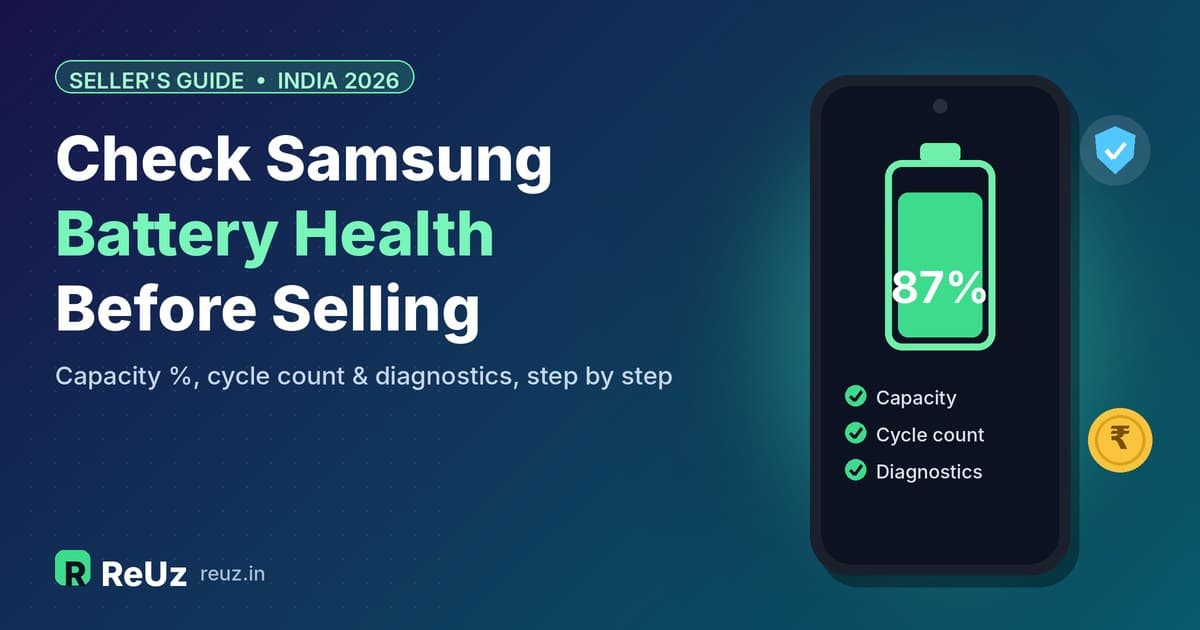
To check your Samsung battery health before selling, open Settings > Battery > Battery information and note the health percentage and cycle count; if that screen is missing on your phone, run Samsung Members > Support > Phone diagnostics > Battery status for a Normal, Weak or Bad verdict. A Galaxy above roughly 85% health is in good shape, 80–85% is normal ageing, and below 80% is past the point Samsung's own guidance treats as worth servicing. Knowing which bracket you are in tells you whether to sell as-is, replace the battery first, or simply hold on a bit longer.
Already know your numbers? Get an instant quote for your Samsung phone on ReUz in about 60 seconds, with free doorstep pickup and instant UPI payment once the executive has checked the phone in front of you.
Why battery health matters when you sell a Samsung phone
The battery is the one part of a smartphone that wears out simply by being used. The screen, cameras and processor of a two-year-old Galaxy usually work exactly as they did on day one, but the lithium-ion cell has been through hundreds of charge cycles and holds less energy than it once did. Samsung India's own support pages describe the process plainly: repeated use causes electrochemical deterioration, and as efficiency falls the battery may drain quickly or shut the phone off even when the screen still shows charge remaining.
For a buyer, that translates into a simple question: how long will this phone last on a charge, and will I need to spend money on a new battery soon? Any serious buyer, whether an individual on OLX, a shop in your local market or a buyback service, will factor that into the price. A phone with a healthy battery is easier to resell and carries less risk, so it is easier to justify a stronger offer.
There is also a trust angle. When you know the exact health percentage and cycle count before you list or book a pickup, you can describe the phone accurately, avoid surprises at inspection, and decide calmly whether a battery replacement makes financial sense. Sellers who skip this step are the ones most likely to feel the final price was "cut" at the doorstep, when in reality the phone simply had a weaker battery than they assumed.
What "battery health" actually means
Battery health is the battery's current full-charge capacity expressed as a percentage of its original design capacity. If a cell was designed to hold 5,000 mAh and can now hold about 4,350 mAh when full, its health is roughly 87%. The phone still charges to "100%" on the status bar, but that 100% now represents less stored energy than it did when new, which is why screen-on time shrinks as the phone ages.
Cycle count is the second number to know. One cycle equals using 100% of the battery's capacity in total, which may happen across several partial charges. Charging from 50% to 100% twice adds up to roughly one cycle. Cycle count gives context to the health figure: a phone at 88% after 300 cycles has aged normally, while a phone at 88% after only 120 cycles may have been exposed to heat or fast-charged heavily.
Method 1: Battery information in Settings (the most accurate built-in view)
Samsung has been rolling out a proper battery health readout inside Settings on newer Galaxy phones. When it is available, this is the best place to start, because it gives you actual numbers rather than a vague verdict.
- Open the Settings app.
- Tap Battery.
- Scroll to the bottom of the Battery screen and tap Battery information.
- Note the battery health percentage, the cycle count, the manufacture date and the first use date.
- Take a screenshot. It is useful proof when you list the phone or speak to a buyer.
Exactly which phones show this screen is not straightforward to predict. According to a detailed July 2026 guide from Brick, the Battery information readout first appeared with One UI 6.1.1 on Samsung's 2024 foldables in late 2024, and One UI 7 brought it to the Galaxy S24 and S25 series, mainly in the US and parts of Europe. Older models such as the Galaxy S22 series mostly did not get it, and the guide notes that some One UI 8.5 builds on the S25 series reportedly removed the indicator again. Samsung has not published an official list of supported devices, so availability depends on your model, region and software build.
In practice, that means owners of a Galaxy S26 Ultra, a Galaxy S25 Ultra or a Galaxy Z Fold 7 in India should look for the option first, but should not panic if it is not there. Missing does not mean anything is wrong with your phone; it just means you need one of the other methods below.
Tips for reading the Battery information screen
- Check the first use date. It should roughly match when you bought the phone. If you bought a "new" phone and the first use date is months earlier, that is worth knowing before you resell it.
- Compare health with cycle count. A low cycle count with a low health figure suggests heat damage or heavy fast charging rather than normal wear.
- Do not obsess over one or two points. Health estimates can move slightly between readings. Look at the bracket you fall in rather than the exact digit.
Method 2: Samsung Members battery diagnostics (works on all Galaxy phones)
If your phone does not show Battery information, Samsung's official route is the Samsung Members app. Samsung India's support page lays out the steps:
- Open the Samsung Members app and tap Support.
- Under Phone diagnostics, tap Get started. Samsung suggests starting the full diagnostics, stopping the test, and then selecting the individual item you want to test.
- Tap Battery status.
- Read the result on screen.
If the diagnostics page does not open properly, Samsung India recommends trying again through the Samsung Internet app. Menu names can vary slightly by model and software version, so look for similar wording if your screens differ.
What the Members result tells you (and what it does not)
Samsung Members gives a verdict rather than a number: typically Normal, Weak or Bad. The Brick guide explains that "Normal" broadly corresponds to a battery that still keeps roughly 80% or more of its original capacity. That range is wide. A phone at 95% and a phone at 81% can both show "Normal", even though a buyer would value them very differently.
So treat Samsung Members as a pass or fail check. If it says Weak or Bad, you know the battery is past its rated life and you should factor in a replacement. If it says Normal, you know the battery is acceptable, but you may want a more precise figure using Method 3 or Method 4.
Method 3: The *#9900# SysDump route for an exact percentage
For owners who want a precise number on a phone without the Battery information screen, there is a well-documented technical route using Samsung's built-in SysDump tool. It takes about five minutes and does not require any third-party app, but it does involve temporarily changing a security setting, so follow the steps carefully.
- Go to Settings > Security and privacy and temporarily turn off Auto Blocker. Dial codes are blocked while it is on.
- Open the Phone app and dial *#9900#. The SysDump menu opens.
- Tap Run dumpstate/logcat and wait for it to finish. This can take a minute or two.
- Tap Copy to sdcard.
- Open My Files > Internal storage > log and find the file whose name begins with dumpstate_.
- Open it in a text viewer and search for mSavedBatteryAsoc. The number next to it is the battery's capacity as a percentage of the original.
- On recent firmware, also search for mSavedBatteryBsoh. Brick's guide says this value is preferred if the two differ by more than a point or two.
- Go back to Settings and turn Auto Blocker on again.
Two cautions apply. First, this works on most unlocked Galaxy models, but the same guide notes that it is often blocked or stripped on carrier-branded firmware, which is rare in India but common on imported phones. Second, the dumpstate file contains a lot of system information, so delete it from the log folder once you have your number, and certainly before you hand the phone over.
Method 4: A third-party estimator as a last resort
If none of the above works, an app such as AccuBattery can estimate capacity by measuring how much charge goes into the battery across many charging sessions. The catch is time: it needs a few weeks of normal charging data before its estimate settles. That makes it useful if you are planning to sell next month, not if the pickup is booked for tomorrow. Treat any third-party figure as an estimate, not a certificate.
What your battery health number means for selling
Once you have a number or a verdict, the next step is to translate it into a decision. The table below combines Samsung India's guidance with the thresholds described in the Brick guide.
| Battery health | Samsung Members verdict (typical) | What it means | Suggested action before selling |
|---|---|---|---|
| Above 85% | Normal | Healthy; normal day-to-day battery life | Sell as-is and mention the figure in your listing |
| 80% to 85% | Normal | Normal ageing; noticeably shorter screen-on time | Sell as-is in most cases; a replacement rarely pays for itself |
| Below 80% | Often Weak or Bad | Past the rated threshold; Samsung's guidance treats 80% as the point where service is worth considering | Compare the official replacement cost with your quote, or sell as-is and accept the condition |
| Degradation alert or unexpected shutdowns | Weak or Bad | Samsung India advises having the battery inspected at a service centre | Get it checked; replacement may be free if the phone is still under warranty |
Cycle ratings differ by generation
Not every Galaxy ages at the same rate. According to the Brick guide, phones from the Galaxy S23 era and earlier are rated at around 500 cycles to reach 80% capacity, while the Galaxy S25 and Z Fold 7 era are rated at around 2,000 cycles. In plain terms, a Galaxy S23 Ultra charged once a day since 2023 has very likely passed its rated cycle life, while a recent S25 or S26 series phone used the same way still has plenty of headroom.
This is why two phones of the same age can show very different health figures, and why the cycle count on the Battery information screen is such a useful companion to the percentage.
Should you replace the battery before selling?
This is the question most sellers get wrong. A new battery makes the phone more appealing, but it only makes financial sense if it adds more to the sale price than it costs. Here is what Samsung's official India battery spare part prices looked like for recent flagships, as reported at launch.
| Model | Official battery price (India) | Official display price (India) | Reported |
|---|---|---|---|
| Galaxy S24 | ₹2,280 | ₹6,460 | February 2024 |
| Galaxy S24 Ultra | ₹2,110 | ₹11,830 | February 2024 |
| Galaxy S26 | ₹2,130 | ₹7,640 | March 2026 |
| Galaxy S26 Ultra | ₹3,030 | ₹14,760 | March 2026 |
These are spare part prices published around each phone's launch. Service charges and taxes at the time of repair can differ, and prices can change, so confirm the current figure with an authorised Samsung service centre before deciding. Samsung India also notes that, depending on your device's warranty, you may qualify for a free battery replacement, so check your warranty status first if your phone is relatively new.
When a replacement is worth it
- Your health is well below 80% or the phone shows Weak or Bad. A visibly failing battery can put buyers off entirely, so a fresh battery can widen your options.
- The phone is a high-value flagship. On a Galaxy S24 Ultra or newer, a battery costing a few thousand rupees is a small fraction of the phone's resale value.
- The phone is still under warranty. If Samsung replaces the battery free of cost, there is nothing to lose.
- You are selling privately. Individual buyers often judge a phone by how it feels in the first week, and a strong battery helps.
When it is not worth it
- Health is 80% or above. The phone is still within its rated life, and the replacement cost is unlikely to come back to you in full.
- The phone is an older budget or mid-range model. Where the resale value is modest, spending a meaningful share of it on a battery rarely adds up.
- You would use a local, non-genuine battery. A cheap third-party battery can raise questions at inspection and may perform worse than the ageing original. If you replace it, use an authorised service centre and keep the invoice.
- You are about to upgrade within days. The service centre visit, waiting time and potential data steps may not be worth it when a buyback service can collect the phone as-is.
The simplest way to decide is to get two numbers: your instant quote for the phone as it is, and the current replacement cost from the service centre. If the battery cost is close to or more than the difference you expect it to make, sell as-is.
Not sure what your phone is worth right now? Search your exact Galaxy model on ReUz and get a quote in about a minute, then compare it with the repair estimate before you spend anything.
Warning signs of a worn battery that buyers will notice
Even without a percentage, there are symptoms that tell you, and any buyer, that a battery is past its best. Samsung India lists two classic signs of ageing: the battery drains quickly after charging, and the phone turns off unexpectedly, especially in cold conditions. Other things to look out for:
- A battery degradation alert. Samsung phones can show a pop-up about reduced battery performance due to ageing. Samsung India advises visiting a service centre when this appears.
- Sudden percentage drops. The phone jumps from 30% to 10% within minutes, or shuts down at 15% to 20%.
- Slowdowns in heavy apps. Samsung notes that demanding apps such as games and the camera may run with reduced performance as battery efficiency falls.
- Excessive heat while charging. Some warmth is normal, especially with fast or wireless charging, but a phone that becomes uncomfortably hot regularly deserves a check.
- A swollen battery. If the back panel is lifting, the screen is being pushed up, or there is a visible gap at the frame, stop charging the phone and take it to a service centre. A swollen battery is a safety issue, not just a resale issue.
If you notice any of these, be upfront about them when you book a pickup or list the phone. It avoids a mismatch between your description and what the inspection finds.
Step-by-step: preparing your Galaxy's battery for a sale
Here is a practical checklist that takes about 20 minutes and makes the sale smoother, whether you sell privately or through a buyback service.
- Record your numbers. Use Battery information if you have it, or Samsung Members, and screenshot the result.
- Charge the phone to around 60% to 80%. A phone that arrives dead cannot be inspected quickly, and an executive or buyer will want to power it on and test it.
- Let it cool down. Do not run a battery test straight after gaming, navigation or fast charging. Heat temporarily affects readings and performance.
- Check Battery Protection. If your phone stops charging at 80% or another limit, that is Samsung's Battery Protection setting at work, not a fault. Our guide on why your Samsung stops charging at 80% explains the modes, and it is worth mentioning to a buyer so they do not mistake it for a charging problem.
- Clean the charging port. Lint in the USB-C port can make charging unreliable during a test. Use a soft, non-metal tool or ask a service centre.
- Check warranty status. If the phone is under warranty and the battery is weak, a free replacement may be possible before you sell.
- Back up your data. Use Samsung Cloud, Google One or Smart Switch, and make sure your photos and WhatsApp chats are safe.
- Sign out of your accounts. Remove your Samsung account and Google account so the phone is not locked to you after the sale.
- Delete any diagnostic files. If you used the *#9900# method, remove the dumpstate file from the log folder and switch Auto Blocker back on.
- Keep the box, charger and invoice ready. Accessories and a bill help a buyer trust the phone's history.
Scenario-based advice: what should you do?
Scenario 1: Galaxy S24 Ultra, 18 months old, health 89%
This is a healthy battery on a flagship that still has years of software support left. Selling as-is makes sense. Mention the health figure in your listing or to the buyer, and do not spend money on a replacement. If you are upgrading to a newer model, getting a quote now rather than later usually works in your favour, because resale values of phones tend to fall as newer models arrive.
Scenario 2: Galaxy S23 Ultra, daily use since 2023, Members says Normal but battery lasts barely a day
Given the roughly 500-cycle rating for that generation, the battery may sit at the lower end of the "Normal" range. Try the *#9900# method to get an exact figure. If it is close to 80%, sell as-is and describe the battery honestly. If it is well below 80% and the phone otherwise looks excellent, compare the current replacement cost from the service centre with how much it is likely to change your quote before deciding.
Scenario 3: Galaxy S26, a few months old, sudden shutdowns at 20%
A phone this new should not behave like this. Do not sell it with the fault unresolved. Visit an authorised Samsung service centre first; Samsung India says replacement may be covered under warranty depending on warranty conditions. Once the issue is fixed, you are selling a nearly new phone in fully working condition. If you still want to move on afterwards, you can sell your Galaxy S26 with a clean record.
Scenario 4: Older budget Galaxy with a weak battery
For an older Galaxy A or M series phone with a modest resale value, a battery replacement is usually not worth it. Sell it as-is through a service that buys phones of every condition, describe the battery accurately, and put the money towards your next phone.
Scenario 5: Battery is swollen
Stop charging the phone, do not press on the bulge, and take it to a service centre. A swollen battery is a safety risk. Once it has been handled safely, you can decide whether to repair and sell or sell the phone in its repaired condition.
Keeping your battery healthy until you sell
If your sale is a few weeks or months away, a few habits help preserve whatever health you have left:
- Avoid heat. Do not leave the phone on a car dashboard, charge it under a pillow, or game for hours while it is plugged in. Heat is a major driver of battery wear.
- Use Battery Protection. Limiting the maximum charge reduces stress on the cell, especially if you charge overnight.
- Do not leave it at 0% for long. If you are storing the phone before selling, keep it partially charged rather than completely flat.
- Use a genuine or certified charger. Poor-quality chargers can deliver unstable power.
- Keep the software updated. Updates often include battery management improvements and keep the phone attractive to buyers.
Battery health check: Samsung versus iPhone
If you are switching from an iPhone or own both, you may wonder why checking battery health on a Galaxy feels harder. On an iPhone, the Maximum Capacity figure sits in Settings and is available on most supported models. On Samsung, the equivalent Battery information screen exists, but its availability depends on model, region and software build, which is why Samsung Members and the SysDump method remain important.
The interpretation, however, is similar: the percentage compares today's capacity with the original, and buyers on both sides look at that number when deciding what to pay. If you sell phones from both brands, keep the same habit: record the figure, describe it honestly, and compare a quote against any repair cost before spending money.
Common mistakes Samsung sellers make with battery health
- Assuming "Normal" means perfect. As explained above, Normal covers a wide range. Get a number if you can.
- Replacing the battery with a cheap local part. It can reduce trust and may not perform well. Use an authorised centre if you replace it at all.
- Running a test on a hot phone. Readings and performance can look worse than reality.
- Hiding battery issues. Inspection will find them anyway. Honest descriptions make the sale faster and avoid disputes.
- Waiting too long to sell. A battery only gets older. If you have already decided to upgrade, delaying the sale rarely helps the price.
- Leaving diagnostic logs on the phone. If you used *#9900#, delete the dump file and re-enable Auto Blocker before factory resetting.
Thinking of selling your Samsung Galaxy?
Once you know your battery health, selling through ReUz is quick. You do not need to replace the battery or polish the phone to get started:
- Instant quote in 60 seconds. Pick your model and variant on the ReUz Samsung sell page, whether it is a Galaxy S24 Ultra, an S23 Ultra or an older A series phone, and answer a few quick questions.
- Free doorstep pickup. Book a slot that suits you and an executive comes to you.
- Quick on-the-spot inspection. The phone is checked in front of you and the final price is confirmed then and there.
- Data wiped in front of you. You see your phone reset before it leaves your hands.
- Instant UPI payment. You are paid before the executive leaves.
ReUz also offers a price promise of up to 10% more than other buyers. Find your exact phone on the ReUz sell search page, check your instant quote, and book a pickup when you are ready.
Frequently asked questions
How do I check battery health on my Samsung phone?
Go to Settings > Battery and scroll to Battery information to see the health percentage and cycle count. If that option is not available on your model or software, open Samsung Members, tap Support, start Phone diagnostics and choose Battery status. For an exact figure on phones without Battery information, you can use the *#9900# SysDump method described above.
What is a good battery health percentage for a used Samsung phone?
Above about 85% is good, 80% to 85% reflects normal ageing, and below 80% means the battery has passed its rated threshold. Samsung's guidance treats 80% as the point at which servicing the battery is worth considering.
Why does my Galaxy not show Battery information in Settings?
Samsung has enabled the screen only on certain models, regions and software builds, and it has not published a list of supported devices. Some builds have reportedly added and later removed it. Your phone is not faulty if it is missing; use Samsung Members or the SysDump method instead.
Does a weak battery reduce the price I get for my Samsung phone?
Battery condition is one of the things checked when a used phone is inspected, so a clearly worn battery can affect what a buyer is willing to pay. The best approach is to get your instant quote, compare it with the current official replacement cost, and only replace the battery if the numbers justify it.
How much does a Samsung battery replacement cost in India?
Official spare part prices reported at launch were ₹2,280 for the Galaxy S24, ₹2,110 for the S24 Ultra, ₹2,130 for the Galaxy S26 and ₹3,030 for the S26 Ultra. Service charges and taxes can vary, so confirm the current price with an authorised Samsung service centre, and check your warranty first because a replacement may be covered.