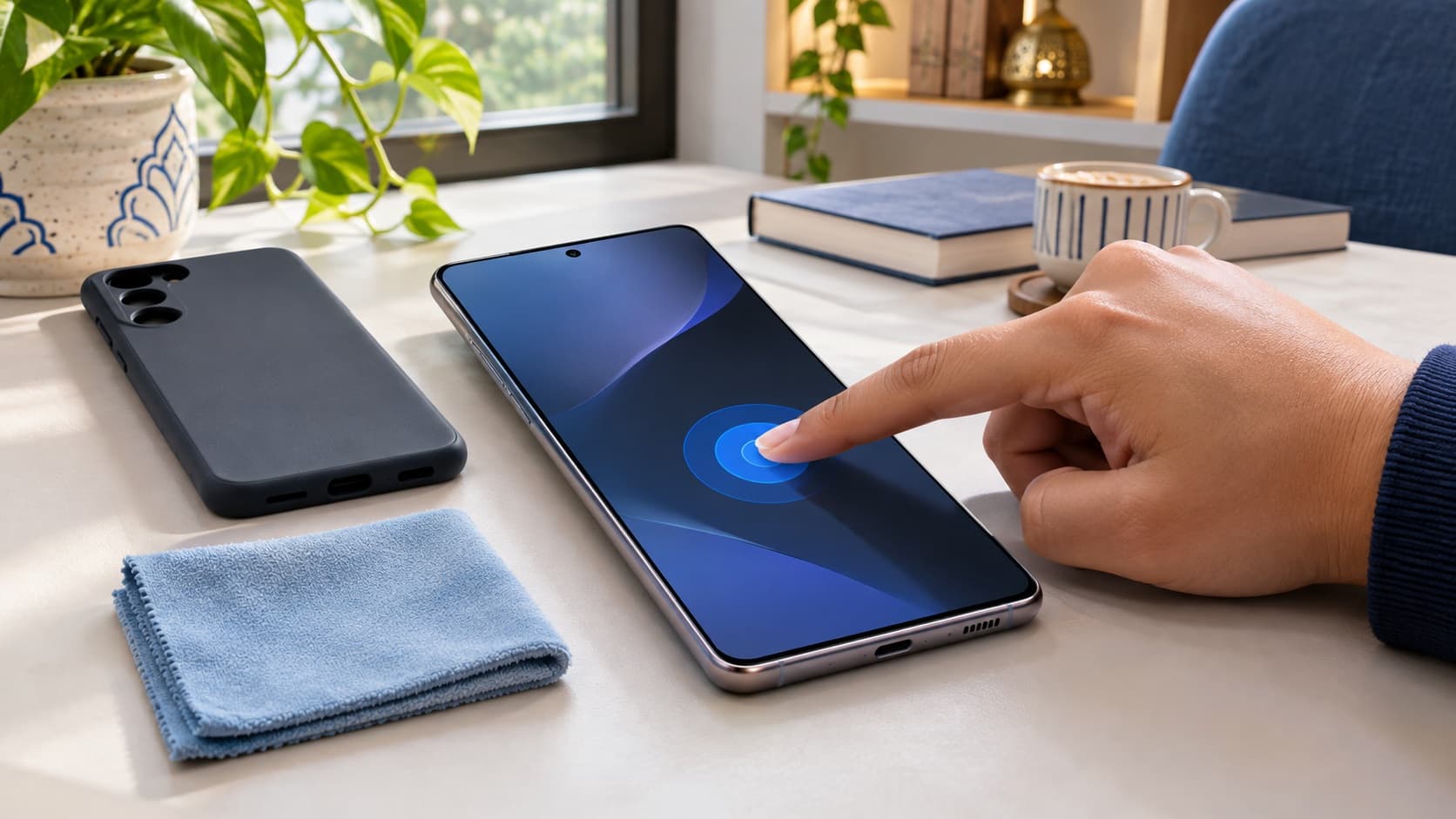
If your Samsung touchscreen is not responding properly, first distinguish an unresponsive screen from changed gestures, reduced sensitivity or an accessory-related problem. Samsung recommends applicable checks for restarting, screen protectors, moisture and accessibility settings, followed by diagnostics or service when the issue persists. Do not assume that every missed tap requires a display replacement, but do not treat a settings change as proof that a damaged screen is repaired.
Already planning to change handsets? Check your Galaxy S24 Ultra sell quote with the touch behaviour and any known damage described accurately. Compare an assessed offer with a written service proposal before paying for a repair purely to prepare the phone for sale.
Describe the touch problem before changing settings
The phrase touchscreen not working covers several different experiences. The whole screen may ignore input, one area may miss taps, gestures may behave differently or an app may be difficult to operate. Start by describing what you can actually observe instead of naming a failed internal component.
Choose a familiar task that demonstrates the complaint without exposing private information. You might be unable to select a control reliably or complete an ordinary swipe. Record where the difficulty occurs and whether it appears elsewhere. This gives support a clearer starting point than a broad statement that the phone is unusable.
Keep the display's appearance separate from its response. A visible image and reliable touch are different observations. Likewise, a crack, a line on the screen and an intermittent input problem should each be described rather than combined into a diagnosis you cannot substantiate.
For an Indian owner comparing service with an upgrade, clarity matters financially. You need to know what problem a repair proposal is intended to address and what condition a buyer will assess. A careful description helps both conversations without promising a particular outcome.
Compare the symptoms that can look like failed touch
Use this table to organise your next check. It is a practical guide to the enquiry, not a diagnostic test that identifies a failed part. Follow only the instructions applicable to your device and current condition.
| What you observe | Useful first direction | What to record | What not to assume |
|---|---|---|---|
| The whole screen appears unresponsive | Appropriate restart guidance and service assessment if it persists. | Whether input returns and whether the problem repeats. | Every freeze proves the display must be replaced. |
| Touch became difficult after adding a protector | Accessory fit and the applicable sensitivity option. | The result after a relevant external check. | A setting can repair every cracked or damaged screen. |
| Speech feedback and unfamiliar gestures appear | The intended accessibility configuration. | Whether TalkBack is active and whether it is needed. | The phone ignores taps because its hardware is defective. |
| Only part of the screen misses input | Describe the area and seek assessment if checks do not resolve it. | The repeatable task and physical condition. | A single example identifies the internal cause. |
| There is visible damage or no usable response | Professional guidance rather than improvised manipulation. | The damage and any known event. | Repeated pressure or more settings changes are the appropriate repair. |
If you already intend to sell, find your Samsung model's buyback page and check your instant quote with the condition disclosed. Keep that estimate alongside the service information, with the final offer still subject to assessment.
Restart through the appropriate Samsung instructions
Samsung India's touchscreen guide describes a restart using the Side and Volume down keys held together for more than seven seconds. Follow the applicable instructions for your handset. A restart is a first check for a temporary system problem, not a certificate that a recurring complaint has been permanently repaired.
Afterwards, try the ordinary task that showed the problem. Note whether the result changes and whether the difficulty returns. If you only say that restarting helped, support may not know that the same input failure reappeared later during normal use.
Do not keep repeating the same action without new information when the issue persists. Take the result to the appropriate support conversation. A concise account of the sequence is more useful than a long list of restarts whose outcomes you cannot distinguish.
If physical damage or another concerning condition prevents an ordinary check, ask a professional provider how to proceed. This guide is not an instruction to dismantle the device or manipulate a damaged screen. The objective is a safe, understandable enquiry into the symptom.
Check the protector and case as separate accessories
Samsung's guidance identifies screen attachments and cases as possible contributors to touch or gesture problems. Its accessory notes describe issues associated with poor fit, dust, air bubbles or lifting edges. Inspect what is actually attached and use the appropriate removal or fitting instructions rather than forcing an accessory off.
Record when the current protector was fitted and whether the complaint appeared around the same time. That chronology is useful, but it does not prove the cause. Compare the result after an appropriate accessory check before declaring either the protector or the phone completely at fault.
Look at the case separately. If the difficulty is around an edge or a gesture, describe that location. You can ask an accessory supplier or service provider whether the product fits the handset correctly without buying a display replacement on the basis of a guess.
Do not scrape, press hard or use sharp objects to investigate. If the protector or screen is damaged and you are unsure how it should be handled, get appropriate help. An external accessory check should not become an improvised component repair.
Make the before-and-after comparison meaningful
Use the same ordinary task after the relevant change. If you change the case, app, settings and way you hold the phone together, you may not know which factor mattered. A controlled comparison is easier to explain to support and easier to use in your own decision.
Keep your conclusion narrow. An improvement during one task is useful evidence, but it does not establish that every function is perfect. If a separate area remains unreliable, record that as an unresolved observation rather than hiding it behind the successful test.
If nothing changes, move to the next applicable enquiry. Do not assume that an accessory check failing to help automatically proves a particular internal fault. It tells you one thing about the result of that check, and a professional assessment may still be needed.
Use Touch sensitivity only where it fits the situation
Samsung documents Touch sensitivity under Display settings for supported models, particularly when using a screen protector. Its Canadian guidance also notes that the option is not available on every Galaxy. Check the control on your own handset instead of assuming a missing setting means the device is faulty.
If the control applies, read the explanation and make a deliberate change. Then repeat the task that matters to you. You do not need to copy every setting from another owner's phone to decide whether this particular adjustment improves your own use.
Keep the setting separate from a physical repair decision. A preference that makes a fitted protector more usable is not evidence that a cracked display or another assessed problem has been restored. Report any remaining visible damage and functional symptom honestly.
If you cannot navigate to the control because touch is unusable, do not treat the inaccessible menu as a step you somehow must complete alone. Ask Samsung or a professional provider about the appropriate next action for the condition you have.
Dry external moisture using the manufacturer's guidance
Samsung says moisture can affect normal touch operation and recommends a gentle wipe with a soft, dry cloth. Its touch-sensitivity guidance cautions that a wet screen may respond poorly even on water-resistant models. Follow the applicable instructions without adding pressure, heat or an improvised cleaning procedure.
Keep known liquid exposure in the history you give to service. You can describe what happened without claiming that the whole phone has internal water damage. Likewise, an apparently dry surface does not establish the condition of every internal component.
If the complaint persists or there is a separate warning or visible problem, ask for the relevant professional assessment. This article's external-screen check is not a complete liquid-damage procedure and should not be used to dismiss another unresolved issue.
For a later sell quote, disclose the actual history and current symptoms. A general good-condition estimate does not account for an issue the assessor has not been told about. Let the condition review determine the applicable offer rather than assuming a fixed deduction.
Recognise TalkBack before calling the screen broken
Samsung's India guidance says speech feedback with changed touch behaviour may indicate TalkBack. In that mode, selection and activation use different gestures, including a single tap to select and a double tap to open. Check whether the feature is enabled and whether it is the intended accessibility arrangement.
Do not disable a feature that the phone's user relies on simply because the gestures are unfamiliar to someone else. Establish the intended use first. If you are assisting a family member, ask what normally works for them before changing their configuration.
If it was enabled unintentionally, follow the applicable accessibility instructions for reviewing the setting. Keep the change specific to the problem you identified. A screen that responds according to an accessibility mode is a different situation from a region that consistently fails to register input.
When seeking support, describe the speech and gesture behaviour plainly. That information may be more useful than saying the phone needs two fingers now without context. You do not need to infer a hardware fault to explain why the current behaviour is inconvenient.
Review intentional accessibility changes carefully
Samsung's current touchscreen guide also identifies touch-and-hold delay, tap duration, repeated-touch handling and a magnification shortcut as settings worth reviewing when unintentionally changed. Use the configuration appropriate to the person using the handset rather than resetting accessibility preferences indiscriminately.
Before an adjustment, note what is currently selected and why it may have been chosen. This is particularly helpful on a shared or assisted device. If the setting serves a genuine need, discuss an appropriate alternative rather than treating factory defaults as automatically better for everyone.
Change one relevant control and evaluate the actual task. If the setting does not explain the complaint, retain that result for support. There is no benefit in leaving several unfamiliar preferences altered while the original symptom remains unresolved.
If a service representative helps, explain which features must remain usable for you. The goal is a handset that serves your needs, not merely a device that behaves like the representative's personal phone during a short demonstration.
Keep appearance, touch and fingerprint concerns distinct
Samsung's protective-film guidance says some third-party films can affect display appearance, touch and fingerprint recognition. That is a reason to review the accessory, not to conclude that every visible line or authentication failure has the same cause. Report the separate observations.
A useful description might state that a particular region misses taps while the image is visible, or that an authentication attempt fails while ordinary scrolling works. Avoid collapsing these into a broad label such as display completely damaged unless that accurately describes the assessed condition.
If the issue involves an additional function, ask the provider what checks apply to that function. A successful touch test does not automatically establish that fingerprint recognition or every display property is working. Keep the assessment as broad as the actual symptoms require.
This distinction also matters when requesting a quote. The assessor should understand which functions work, which do not and what remains uncertain. An accurate description is more useful than either minimising everything as a protector issue or diagnosing every component as failed.
Use Samsung Members diagnostics where accessible
Samsung describes a Touch screen test through Samsung Members, Support and Phone diagnostics. Follow the available on-screen instructions and record the displayed result. If the app is unavailable or the screen cannot be operated sufficiently, ask support how to proceed rather than inventing a test result.
Keep the diagnostic outcome alongside your normal-use experience. If a test completes but an intermittent complaint continues, report both. Choosing only the reassuring result can hide the practical problem, while ignoring it entirely can discard useful information for the provider.
Do not present the result as a guaranteed resale grade. A phone's assessment includes the relevant physical and functional condition, and this guide does not promise that one diagnostic establishes acceptance or a fixed payout. Describe what you actually checked.
If the problem continues after the applicable checks, Samsung's guidance points to further assistance or service. Bring the record you have prepared rather than continuing unrelated menu changes indefinitely. The next useful step should resolve an open question.
Prepare examples that show the everyday impact
Select a few ordinary tasks that represent the complaint without requiring personal transactions or sensitive documents. You might show that a control cannot be selected reliably or that a particular gesture is inconsistent. The purpose is to demonstrate the issue, not to stress the screen through force.
Record whether the problem is persistent or intermittent. If you can identify circumstances where it happens, include them without claiming they prove a cause. A repeated symptom during a familiar task is useful evidence even when you cannot name the internal explanation.
Keep any known event in the timeline: a protector change, a drop, previous repair or a setting adjustment. State the sequence accurately and let the assessment determine its relevance. Timing alone does not establish that a software update or accessory caused physical damage.
Ask how the provider wants examples shared. You do not need to post account screens, private messages or identity documents publicly to demonstrate missed input. A careful service enquiry can stay focused on the touch behaviour.
Use a small decision record to avoid repeated guesswork
Record what works as well as what fails
List the ordinary functions you can still use and the ones affected by the complaint. This is particularly useful when only part of the screen is difficult to operate. You can explain the impact accurately without declaring the whole handset unusable or minimising a problem that interrupts an important task.
Keep the description tied to the present condition. If a check improves one task but leaves another unresolved, record both outcomes. A useful summary might distinguish ordinary scrolling from a control that repeatedly cannot be selected, without asserting an internal cause.
Choose a test that matters to your routine
Use a non-sensitive example of the task you need to complete. You do not need to authorise a payment or expose a private message simply to show that selecting a control is difficult. A representative ordinary screen can help demonstrate the behaviour while keeping unrelated information private.
After a relevant change, repeat that task and note whether the result is dependable enough for your needs. One successful tap is useful information, but it may not answer an intermittent complaint. Explain the limits of the observation instead of treating it as a complete inspection.
Know which open question the next action should answer
Before trying another suggestion, ask what it is intended to investigate. An accessory check answers a different question from reviewing an accessibility setting or obtaining a physical assessment. You can follow a coherent sequence without changing every preference mentioned in an online discussion.
If you cannot explain why a proposed action fits the symptom, ask for clarification. This is especially important before an operation that affects information or costs money. Your next step should resolve a genuine uncertainty rather than simply add another attempt to the list.
Update the record after service or a changed plan
If a provider gives a documented assessment, add that finding without rewriting earlier guesses as established facts. If work is completed, note what was done and whether the original complaint remains. This keeps the later selling description consistent with the actual history.
If you decide to retain the phone, review the settings and accessories you will continue using. If you decide to sell, use the same record to disclose unresolved symptoms and prepare your information. You do not need separate contradictory descriptions for the service conversation and the buyer.
Stop when the relevant question has been answered
A completed enquiry should leave you with a practical decision: the applicable adjustment meets your needs, an assessed service proposal deserves consideration, or a sale fits your wider plans. Repeating unrelated checks after that point can create confusion without improving the decision. Keep the evidence and move to the ownership choice it supports.
Ask what the repair proposal actually covers
Request a written explanation of the assessment, proposed work and total payable amount in ₹. Clarify what remains conditional on inspection. This guide does not invent a national screen-replacement price or treat a quotation for another device as applicable to yours.
Compare like scopes. An accessory replacement, a diagnostic charge and a display repair are different proposals. A lower headline number is not necessarily a lower price for the same job. Read the included work and applicable terms alongside the amount.
Ask what outcome is expected for the symptom you reported. A general promise that the phone will be better is less useful than an explanation tied to the missed taps or unresponsive area demonstrated. You should understand the purpose of the expense before approving it.
If the proposal changes after inspection, review the revised amount and scope before agreeing to additional work. Keep your original ownership objective visible: you may want to retain the phone, prepare it for a sale or simply understand the fault before choosing.
Decide whether to keep, repair or sell
Keep it when the applicable check solves the real problem
If a relevant accessory or settings adjustment restores ordinary use and no concern remains, continued ownership may be sensible. Repeat the task you actually need before declaring the matter resolved. You do not need to manufacture an upgrade reason from a setting you now understand.
Consider the rest of the handset separately. A working touch arrangement might meet your needs even if you wanted another model for unrelated reasons. State those preferences honestly rather than turning them into unsupported evidence of hardware failure.
Repair it when the assessed work supports continued use
If a professional assessment identifies a problem and the rest of the phone suits you, compare the proposal with the usefulness you expect after repair. Ask whether the work addresses your complaint and what terms apply if it persists. The decision can rest on continued use rather than an assumed resale return.
Include practical arrangements for service. You may need a way to manage communication or work while the handset is away. You do not need to assign an artificial rupee value to every inconvenience, but recognise the transition you will have to organise.
Check a sale quote when changing phones already fits your plans
If you intended to move on regardless, get an accurately described as-is estimate before paying for work solely to prepare a sale. Use the ReUz search for your exact Galaxy variant while you can verify model and storage information.
Describe the actual touch symptom, physical damage and relevant repair history. Do not say fully working because one area responds if you know another repeatedly fails. Equally, do not describe every function as defective because one gesture was affected by an unintended setting.
Calculate repair-before-sale using substantiated figures
Compare the assessed as-is proceeds with any substantiated post-repair proceeds after deducting the full service expense. Keep the second sale amount conditional unless it has actually been assessed under applicable terms. A repair bill does not guarantee an equivalent increase in what a buyer pays.
If the repair would also let you keep the phone, consider that benefit separately. A useful service can be worthwhile for you even if the resale arithmetic is uncertain. Keeping and immediately selling answer different questions, so do not force both into one assumed return calculation.
There is no fixed deduction promised here for a touchscreen complaint. The specific condition and the buyer's assessment matter. Check your instant quote and review the final explanation rather than applying a guessed percentage to a headline good-condition amount.
For an upgrade, compare the actual replacement purchase terms with proceeds you can rely on from your current handset. Keep provisional exchange allowances or buyback estimates visibly provisional. Do not combine incompatible discounts from different purchase arrangements.
Plan data access before authorising an erase
A touch problem may make owner preparation inconvenient, so review what information you still need before approving a destructive step. Ask the relevant provider how to proceed if you cannot operate the device normally. This guide does not guarantee recovery from a damaged or inaccessible handset.
If you use private storage, ReUz's Secure Folder transfer and verification guide can help you plan that separate check. A general transfer-complete message should not replace verifying the important material you intend to retain.
Keep the source available until you have made an informed retention decision. If a service procedure may affect stored information, ask what it involves. A pickup appointment or repair slot should not become the reason you erase the only usable copy of something important.
Complete the appropriate account and whole-device preparation for a final sale. A touch diagnostic or settings adjustment is not an ownership-transfer process. Coordinate the inspection and final handover sequence with the buyer while remaining involved in personal account operations.
Make the pickup description consistent with the assessment
Keep a short summary of the present condition and update it if the situation changes. A completed repair, a paid inspection and an unresolved proposal are different stages. Your description should follow the evidence rather than the amount you have spent.
If the issue is intermittent, disclose that plainly and explain the checks you completed. An inspection may observe the phone at a moment when the symptom is not visible. Your history remains relevant to an honest account of the handset.
Confirm pickup availability for your address and leave time to review the assessed offer. Tell the provider if essential data or account preparation is unfinished. A scheduled visit is not a reason to hand over a device with unresolved personal access.
Retain any relevant service paperwork and the transaction reference. You can record the quote and final terms without keeping a folder of passwords or private screenshots. The commercial record and your personal account information should serve their separate purposes.
Read the ReUz price promise as a comparison policy
Review the ReUz up to 10% more comparison terms before weighing buyers. The uplift depends on comparable quotes and factors including model, condition and market demand. It is not an automatic additional 10% for every handset against any advertised number.
Compare the same model, storage and disclosed touch condition. A quote for an undamaged, fully working device is not an equivalent input to an assessed offer for a phone with an unresolved complaint. Keep any competing written proposal available under the published review process.
The preliminary website estimate remains subject to physical assessment. Check your instant quote, ask how any change is explained and decide after the final amount and terms are clear. This guide does not promise acceptance or a fixed payout for every combination of damage and functional issues.
Thinking of selling your Galaxy S24 Ultra?
You can sell your Samsung Galaxy S24 Ultra through ReUz after understanding the touch complaint and deciding which ownership route fits. Start with an instant quote in about 60 seconds, describe known issues accurately and arrange pickup around your actual preparation.
ReUz offers free doorstep pickup in serviceable locations, an in-person assessment, on-the-spot UPI payment and data wiped in front of you. Its up to 10% more promise follows the published comparison terms. Verify retained information, review the assessed amount and complete appropriate owner preparation before handover.
For another handset, choose your phone for a fresh estimate. Keep the decision grounded in the symptom, the applicable Samsung checks and actual offers. An unfamiliar gesture deserves a settings enquiry; a persistent or damaged-screen problem deserves an appropriate assessment before a repair or upgrade commitment.
Frequently Asked Questions
Does a Samsung touchscreen problem always require screen replacement?
No, missed input can relate to accessories, settings or temporary behaviour as well as a problem requiring service. Follow the applicable Samsung guidance and describe what actually fails. If the screen is damaged, unusable or the complaint persists, obtain an appropriate assessment rather than assuming a settings change has repaired it.
Should I turn on Touch sensitivity after fitting tempered glass?
Samsung documents that option as a relevant check on supported models when a protector reduces responsiveness. Use the control available on your own handset and compare the ordinary task afterwards. It is not a guarantee that every protector fits correctly or that a physically damaged display will work normally.
Why does my Galaxy speak aloud and require double taps?
TalkBack may be enabled, which changes how screen interactions work. Check the accessibility arrangement and whether the user needs it before altering the setting. If it was enabled unintentionally, follow the applicable Samsung instructions; do not diagnose changed gestures alone as hardware failure.
Can Samsung Members diagnose my touch complaint completely?
Samsung Members provides an applicable touchscreen test, but keep its result alongside your ordinary-use observations. A completed test does not establish a universal resale grade or explain every intermittent symptom. Report continuing problems to support and seek professional assistance where the manufacturer recommends it.
Should I repair the touchscreen before selling my Samsung in India?
Compare a written service proposal in ₹ with an accurately described as-is offer before repairing purely for resale. A higher selling amount is not guaranteed to recover the repair expense. If you want to keep the handset, evaluate the benefit of continued use separately and review the final assessed offer before deciding.