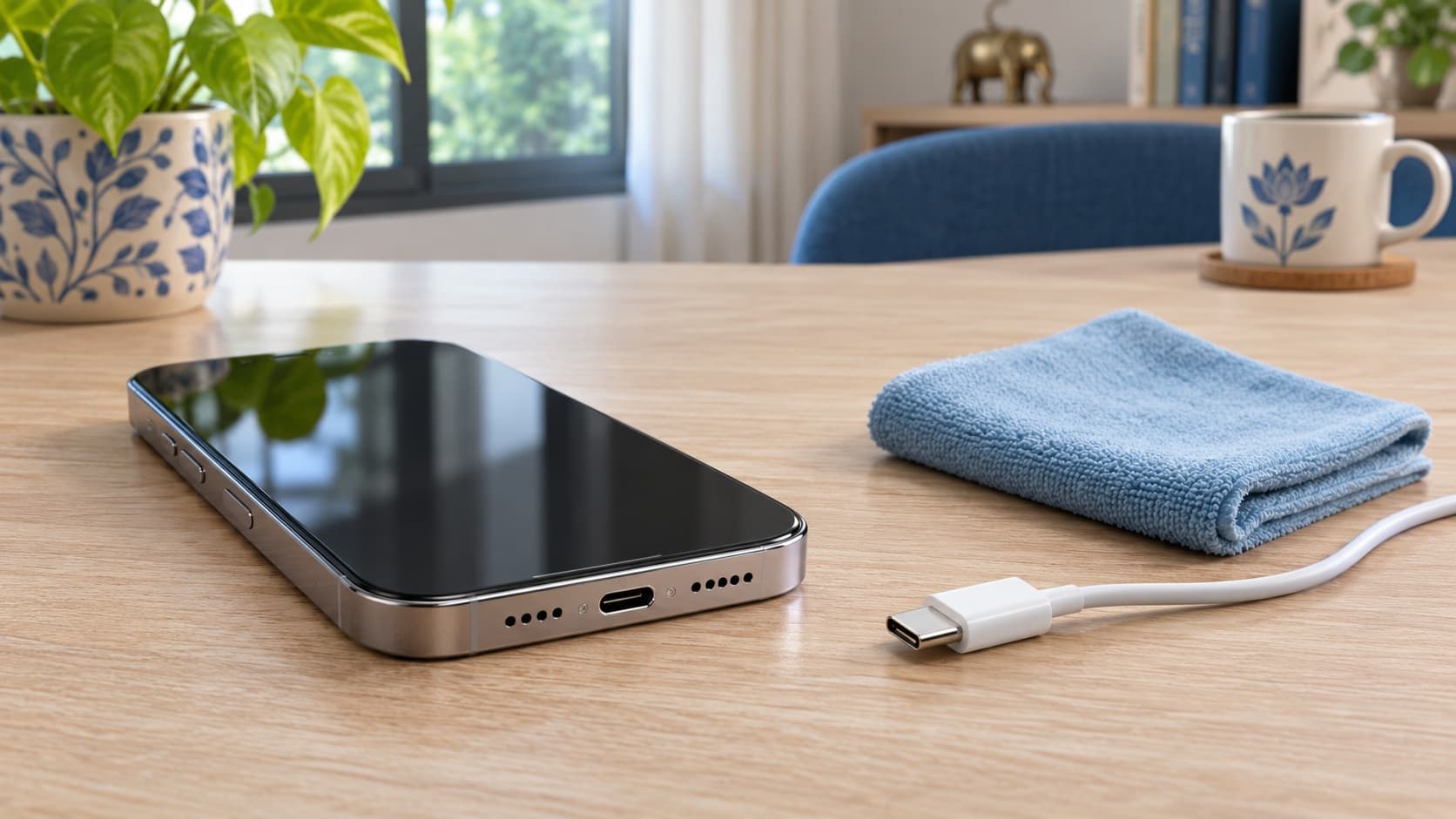
If your iPhone shows “Liquid Detected”, disconnect the cable and let the phone and accessory dry before reconnecting; do not treat the warning as proof that the charging port needs replacement. If the alert keeps returning after drying, arrange an assessment and compare the findings with your plans to keep, repair or sell the phone.
Already considering an upgrade? You can check a sell quote for your iPhone 15 on ReUz, describing the charging warning honestly. Check your instant quote rather than assuming a fully working phone’s offer applies to a device with an unresolved fault.
What the liquid-detected warning means for your decision
Apple describes this alert as a protective response to detected liquid at the connector or connected accessory. It is a reason to stop the connection and investigate, rather than an instruction to buy a battery, replace the phone or approve a particular repair. The useful first question is what happened immediately before the warning appeared.
You might have been travelling, using a different cable or returning from somewhere wet. Write down what you actually remember. If you do not know whether anything got wet, say that. A clear account is more useful than confidently labelling the problem “software” or “water damage” without an assessment. The same approach helps when requesting service and when explaining the phone to a prospective buyer.
This guide separates the immediate response from the financial choice. You do not need to decide whether to sell while the warning is still on screen. First follow the relevant manufacturer guidance, then establish the current condition, and finally compare the choices available for your exact device. Keep the evidence from those stages together so that a later quote is based on the same facts.
Start by recording the warning, not by buying a repair
Note the exact wording you saw and the accessory that was connected. “Liquid Detected”, a general unsupported-accessory message and a phone that simply does not gain charge are different observations. If you can safely capture the message without reconnecting a wet accessory, keep it for your own records. Otherwise, a written description is sufficient; do not recreate the warning just to obtain a screenshot.
Record whether the phone was still usable, whether the warning appeared immediately and whether it had happened before. Include any known spill or exposure, even if it seems unrelated. You are creating a useful account of events, not diagnosing the internal components. Avoid adding guesses about a damaged charging circuit, failed sensor or defective update unless a service provider has established that finding.
Keep this record private. A repair enquiry or initial selling discussion does not require a photograph showing personal notifications, account details or financial information. You can describe the message in ordinary language. The objective is to make the issue understandable while keeping the contents of your phone out of the conversation.
Follow Apple’s drying advice before reconnecting
Apple’s alert guide says to disconnect both cable ends, gently tap the phone against your hand with the connector down, and leave it somewhere dry with airflow. It permits another attempt after at least 30 minutes, but says complete drying can take up to 24 hours. A remaining warning is a reason to allow more drying, not to keep forcing the connection.
Apple’s separate guidance for a phone exposed to liquid says to wait at least five hours before wired charging or attaching an accessory, and to wait until it is completely dry. These are different contexts: the shorter check in the alert guide should not become permission to charge a phone that you know has been wet.
For your own plan, note when the incident happened and which guidance applies. If the phone was exposed to liquid, describe that when contacting support. If the circumstances are unclear, ask for advice rather than selecting the shortest published interval. An elapsed time is part of the account; it is not your proof that every part of the device has recovered.
Make room for the interruption in your day. If you need another phone for work or travel, arranging temporary access may be more useful than repeatedly checking the affected device. The aim is to avoid turning an inconvenient pause into a rushed repair or replacement purchase that you have not had time to assess.
Skip rice, heat and objects pushed into the connector
Apple advises against rice, external heat, compressed air and inserting objects into the connector. That rules out familiar internet suggestions such as a hairdryer, cotton bud or paper towel pushed into the port. Its water-resistance guide also recommends a soft, lint-free cloth for the exterior of a wet phone.
Do not combine several unofficial methods because each appears in a different video. A sequence of improvised steps makes it harder to explain what happened and whether the phone’s behaviour changed before or after your intervention. If you have already tried something, include it in the service account. There is no benefit in hiding a cleaning attempt from the person assessing the device.
Be equally cautious about a shop offering an immediate fix before hearing the symptoms. Ask what it proposes to do, what authorisation it needs and whether you will receive an explanation of the findings. You can request an assessment without approving unspecified work. A clear process gives you a decision point before you commit money.
Use this symptom table to choose the next question
| What you have observed | What to establish next | What you should avoid assuming |
|---|---|---|
| A liquid warning after known exposure | Follow the wet-device guidance and explain the exposure to support. | That the outside looking dry proves the whole device is ready. |
| The warning returns with one accessory | Record that accessory and discuss whether it needs assessment or replacement. | That the phone definitely needs a new connector. |
| The warning persists after appropriate drying | Ask for a service assessment and give your incident record. | That repeated reconnection is a repair. |
| No liquid alert, but charging remains unreliable | Use the separate charging-troubleshooting guidance for that symptom. | That every charging problem has the same cause. |
| A service proposal is available | Compare its full cost and scope with keeping or selling the phone. | That a repair bill is automatically recovered through resale. |
The table is a decision aid, not a diagnostic test. Your account can support more than one possible explanation until the device and accessories are assessed. Keep the distinction between an observation and a conclusion visible in every conversation. “The warning appeared using this cable” is useful evidence; “the connector is permanently damaged” requires a basis that the message alone does not provide.
If you are weighing an upgrade alongside the checks, explore ReUz’s Apple selling options and request an offer using the condition you can currently describe. Compare that offer with a service proposal before spending on a repair purely to prepare for a sale.
When the cable or accessory deserves attention
Apple says an alert tied to a particular cable or accessory can indicate that accessory is damaged; persistent alerts with Apple cables or accessories can require service. Treat the pattern as information for the assessment. It does not establish which component is at fault in your individual case.
Label the accessory in your notes so that you can identify it later. If several household cables look similar, a description such as “the cable kept in my office bag” may be enough for your own record. Keep receipts or purchase details if you have them, especially if you intend to ask the manufacturer about the accessory. Do not buy multiple replacements simply to build a collection of test results.
When comparing the cost of an accessory with a repair proposal, make sure each addresses the problem that has actually been found. A cable purchase and a connector service are different decisions. Ask the provider what evidence supports its recommendation and whether the phone itself has been checked. You want to understand why the proposed expense is relevant before accepting it.
Wireless charging is a separate observation
Apple’s alert page permits compatible wireless charging with the back dry. Its wet-device guidance says the phone should be dry before you place it on a compatible wireless mat. Do not use that option to ignore the circumstances of a wider spill or to assume the wired connection has recovered.
If you already use wireless charging, record what works and what remains unresolved. A description such as “wireless charging is available, but I have not confirmed wired charging since the alert” is clearer than “charging is fine”. It communicates the limits of your knowledge without inventing an explanation. That distinction matters to both a service provider and a buyer who may expect to use a cable.
Before spending on another accessory, ask whether it fits your longer-term plans. You might prefer to obtain an assessment first, especially if you were already considering selling. A temporary workaround has a different purpose from repairing the original issue. Keep those costs separate so that a short-term purchase does not become an unexplained part of your repair budget.
Water resistance does not settle the condition question
Apple says splash, water and dust resistance are not permanent and may diminish through normal wear. Its guidance advises against deliberate immersion and exposure to pressurised water. You should therefore avoid using a resistance claim as a reason to dismiss a reported incident or to test a phone by getting it wet again.
For a repair enquiry, explain the actual event instead of debating what you expected the phone to withstand. A remembered splash, a wet cable and an unknown incident should be described differently. If you bought the handset used and do not know its earlier history, make that clear too. Your responsibility is to provide the information you have, rather than reconstruct a confident history that you cannot verify.
The same principle applies to selling. Avoid descriptions such as “never had any issue” if you have seen this warning and have not established why. You can explain that it appeared, what you did afterwards and whether an assessment took place. A precise account gives the assessor something useful to evaluate without making you responsible for a technical diagnosis.
If the alert has disappeared but charging is still unreliable
Apple’s general charging guide recommends checking the cable and adaptor for damage, checking the power connection and trying an appropriate alternative when needed. It says not to use damaged accessories. These checks belong after the wet-device concern has been addressed; a general troubleshooting list should not override the instruction to keep wet connections disconnected.
Describe what “unreliable” means in your case. Is there no response, an intermittent connection or a charge that stops at a particular level? Keep the observations separate. Apple also documents charging behaviour related to temperature, charging optimisation and charge limits, so a pause does not automatically identify a connector fault. Ask support which guidance fits the message and behaviour you actually see.
For this decision, you do not need to learn every possible cause of charging trouble. You need enough information to avoid approving an unrelated repair. If someone recommends a battery replacement, ask how that recommendation follows from the assessment. If a connector repair is proposed, ask what was found there. Clear explanations make competing proposals easier to compare.
Build a short service handover note
A useful handover note can fit on one page. Include the phone’s model, the warning, the known circumstances, the accessory involved and the current behaviour. Add previous relevant repairs if you know about them. Mark uncertain details as uncertain. You can give this information without handing over passwords or allowing access to unrelated personal content.
Write down your objective as well. You may want a reliable daily phone, a diagnosis before deciding whether to sell, or a proposal for a specific fault. Tell the provider which of these applies. Otherwise, you can end up discussing an extensive refurbishment when all you wanted was enough information to make a keep-or-sell decision.
Ask how you will be contacted if inspection changes the proposed work. Decide what you are prepared to approve and request an explanation before additional charges. Keep a copy of the original enquiry and any estimate. If you later compare selling offers, these documents help you distinguish the phone’s current condition from work that was only suggested and never carried out.
Ask for an India service estimate with a clear scope
Apple’s India service page says inspection determines the final fee, and that Apple Authorised Service Providers can set their own fees. Its estimates may be subject to tax, and delivery charges can apply. Get the proposal for your exact device and provider rather than borrowing a figure from another model or an old repair article.
Request the total payable in ₹, the work included and any conditions that could change the amount. Ask whether the proposal addresses the charging issue you reported or includes other work. If there is an assessment charge, ask whether it remains payable if you decline the repair. These are questions to clarify the arrangement you are offered, not assumptions about a provider’s policy.
Also ask when the phone will be available and what documentation you will receive. A lower headline price is difficult to evaluate without the same information from each provider. Conversely, a higher proposal is not automatically the better choice. Compare the explanation, total cost, terms and usefulness to you before deciding whether to proceed.
Check coverage before assuming the repair is free
Apple’s water-resistance guidance says liquid damage is not covered under its warranty, while noting that consumer-law rights may apply. Its service page distinguishes warranty service from accidental-damage arrangements and directs customers to their own coverage. Ask Apple or the provider to explain the position for your device and any active plan.
Do not infer a coverage decision merely from the warning appearing. The alert and a confirmed assessment of damage are different pieces of information. Give the provider the incident details and ask what inspection is needed. Keep its answer with the estimate, especially if your decision depends on whether a charge will apply.
If you have proof of purchase, plan information or earlier service paperwork, have it available for the relevant enquiry. Avoid treating someone else’s experience as a promise for your phone. Your comparison should use the coverage and charges actually explained to you, rather than a hoped-for free repair that has not been confirmed.
Choose between keeping, repairing and selling
Keep the phone when the issue is resolved and it still suits you
If the warning no longer appears and the checks or assessment address your concerns, consider whether the handset still meets your needs. A one-off incident does not require an upgrade simply because a newer phone is available. Review the outcome you can establish and whether you are comfortable continuing to use the device.
Keep the incident record even if you decide to continue using the phone. You can refer to it if the symptom returns or if you eventually sell. That record does not need to dominate your decision; it simply prevents you from relying on memory later. Spend on a replacement because it serves a need you have identified, not because the alert created a moment of uncertainty.
Repair when the proposed outcome is useful to you
A repair can be sensible when you want to keep the handset and the provider has explained the work and charge. Compare that expense with the additional amount you would need for another suitable phone. Include the inconvenience that matters to you, such as time without your main device or another appointment.
Make your acceptance specific. You should know what work you are authorising and what happens if the assessment changes. If important questions remain unanswered, seek clarification before paying. You are buying a defined service outcome; a vague assurance that the phone will be “like new” is less helpful than a clear explanation of the reported problem and proposed work.
Consider selling when your plans already point towards replacement
If you were planning to move on, request an as-is assessment before arranging repairs solely for resale. Use ReUz’s phone search to find your device and describe the unresolved warning or charging behaviour. Ask how that condition affects eligibility and the offer rather than assuming every faulty handset receives the same treatment.
Selling remains a choice to compare, not a guaranteed escape from an unknown fault. Review the actual offer and any inspection conditions. You can then decide whether it meets your plans better than paying for service or continuing to use the phone after the issue is addressed.
Compare repair-before-sale using real numbers
For a resale calculation, compare the as-is offer with the expected offer after the proposed repair, less the full repair expense. Use current figures for the same model, storage and disclosed history. If you do not have a credible post-repair estimate, mark that side of the comparison as uncertain instead of filling the gap with a convenient number.
A larger repaired-phone offer does not, by itself, mean repairing first leaves you better off. The difference must justify what you pay and the conditions attached. If another fault remains, ask how it affects the estimate. If the market offer changes before you complete the work, your eventual result may differ from the earlier comparison.
Do not count an earlier repair bill as money that a buyer must reimburse. It is part of the phone’s history and may help explain what was done, but the offer needs to be assessed on its present terms. Keep the calculation focused on expenses you are considering now and the offers you can actually obtain.
Plan for access to your information before handover
Before any sale, make sure you have retained the information and access you need on another device or in an appropriate backup. List the essentials for your own circumstances: contacts, photos, important files, account access and anything you depend on for work. Confirm what has been retained rather than assuming that an old backup contains every recent change.
If the phone cannot be used normally, explain that before booking a handover. Ask what preparation is possible and what the buyer or service provider requires. Do not promise that you can complete a reset, transfer or account-removal step until you know you can do it. Equally, avoid approving an erase merely to see whether it clears a charging alert.
If account changes are part of your sale preparation, read ReUz’s guide to iPhone security delays before selling while planning the appointment. Keep that preparation separate from diagnosing the connector. A charging concern and an account-access delay can both affect your schedule, but solving one does not establish the status of the other.
Describe the phone honestly in a selling enquiry
A good description distinguishes what happened from what is happening now. For example, you might explain that the warning appeared after a known incident, the phone was left to dry following guidance, and a service assessment has or has not taken place. Add whether wired charging has been confirmed, remains unreliable or has not been checked.
Do not describe an unresolved phone as fully working merely because it can still make calls or use wireless charging. At the same time, you do not need to declare a particular component damaged without evidence. State the symptoms, provide relevant paperwork and let the assessor explain how it evaluates the device.
If the quote form does not offer a suitable description, contact ReUz before arranging pickup. Ask how to disclose the problem and what remains subject to inspection. This is especially useful when the behaviour is intermittent and might not appear during a short visit. Your written account can prevent a temporary absence of the warning from being mistaken for a claim that it never occurred.
Prepare a decision record before you approve anything
Put the available choices on a single page: keep after the issue is addressed, pay for the proposed repair, sell as-is if accepted, or replace the phone through another arrangement. Beside each choice, note its actual cost or offer and the conditions still unresolved. You do not need a complicated spreadsheet to see which information is missing.
For keeping, write what outcome would make you comfortable continuing with the device. For repair, write the exact work and total you have been offered. For selling, record the disclosed condition and whether the amount is provisional. For replacement, use the full amount you would pay for the phone and arrangement you are considering.
This record helps you resist a rushed recommendation. If a new proposal changes the comparison, update the relevant line and ask why. You can make a decision once the information is clear enough for your needs, without waiting for a perfect prediction of future resale prices or future faults.
Keep inspection results separate from sales promises
When someone gives you a recommendation, ask which part is an assessment and which part is an offer. A technician may explain the condition of the connector without offering to buy the phone. A buyer may make a conditional offer without promising a particular repair outcome. Both can be useful, but they answer different questions. Keep their documents labelled accordingly.
If the advice conflicts, compare the underlying observations before choosing the more attractive conclusion. Was the same accessory considered? Did both people know about the incident? Was one looking at the phone before proposed work and the other assuming that work was complete? Ask for clarification on those differences. You do not need to settle a technical disagreement yourself to recognise that the proposals may be based on different assumptions.
Before an appointment, prepare the questions you still need answered. You might need to know whether an inspection is chargeable, whether the phone can be assessed in its current state, or how an intermittent symptom should be declared. Send those questions early enough to avoid an unnecessary visit. A confirmed appointment is useful only when both sides understand what you are asking them to assess.
Afterwards, keep the final decision simple: what you accepted, what remains unresolved and what you paid or received. Save the relevant confirmation with your private records. If you decide to postpone selling, you can revisit the comparison later using fresh offers rather than treating today’s provisional figures as permanent values.
Use the price promise on comparable offers
ReUz advertises up to 10% more through its price-promise process. Treat that as a conditional comparison, not an automatic uplift on any number you find online. Present the relevant competing offer and the same model, storage and condition information so that ReUz can review it on the applicable terms.
In particular, do not compare an offer for a fully working phone with an enquiry that discloses recurring charging trouble. If the other offer assumes a completed repair, make that assumption visible. Compare what each buyer is actually offering to pay for the same device in the same state, and ask about any conditions before deciding.
This article does not quote a ReUz payout for a faulty connector or a phone with a liquid warning. Check your instant quote and obtain clarification for unresolved symptoms. A current assessment is more useful than a headline resale figure that does not account for the phone you are selling.
Thinking of selling your iPhone 15?
You can start your iPhone 15 selling enquiry with ReUz’s instant quote process, designed to take around 60 seconds. Describe the charging issue and any service history before booking. ReUz promotes free doorstep pickup, inspection and on-the-spot UPI payment, with your data wiped in front of you as part of its selling process.
Use the model finder to begin a fresh quote if you are selling another handset. Confirm how your phone’s condition will be assessed, review the final offer and make sure your information has been retained before completing the handover. The up-to-10%-more promise is subject to the price-promise terms and a comparable offer; it is not a fixed payout for this fault.
Frequently Asked Questions
Does a liquid-detected alert mean my iPhone needs a new charging port?
No. The alert alone does not diagnose a failed charging port. Follow Apple’s drying guidance and seek assessment if the problem persists. Tell the provider about the accessory, any known exposure and the current behaviour so that its recommendation is based on your device.
Can I choose Emergency Override to charge normally?
Emergency Override should not become your normal charging routine. Apple describes it as an emergency option and warns that charging a wet connector can cause permanent damage through corrosion. If you are unsure what to do, seek support rather than treating the override as a repair.
What should I ask before paying for an iPhone charging repair in India?
Ask for the assessed fault, the proposed work and the full payable amount in ₹. Apple’s India service page makes the final fee dependent on inspection and notes that authorised providers may set their own fees. Clarify applicable charges, timing and what happens if the work changes.
Should I repair the phone before requesting a sell quote?
Request an honestly described as-is assessment first if you are considering repair only to sell. Then compare the actual offer with any credible post-repair estimate after subtracting the full repair cost. Do not assume a repair will increase the offer by more than you spend.
Can I enquire with ReUz if the warning is intermittent?
Yes, you can request an assessment and explain that the warning is intermittent. Ask ReUz how to record the symptom and whether your device is eligible before booking pickup. Share what you observed without promising that a fault has disappeared or that the initial estimate is a guaranteed final payout.