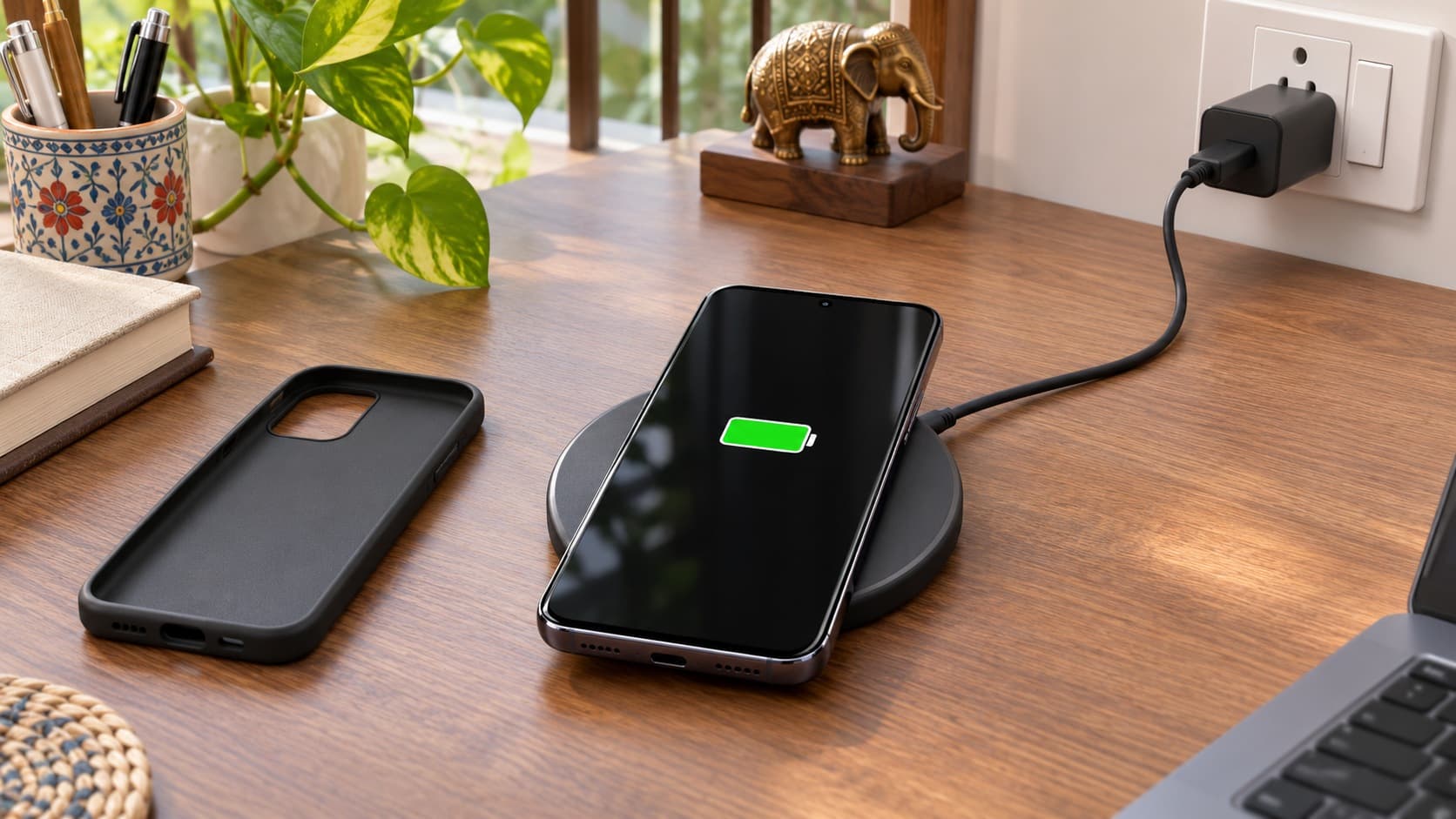
If your Samsung wireless charging is not working, first confirm that the exact phone supports it, then check alignment, removable accessories and the pad's power connection. Samsung also recommends checking supported charging settings, temperature, software and available diagnostics before seeking service for a persistent problem.
Already considering a replacement? Check your Galaxy S24 Ultra sell quote with an accurate description of the charging issue, then compare the offer with the outcome of your accessory and service checks.
Identify the wireless charging symptom before changing anything
“Wireless charging not working” can describe a phone that never begins charging, one that starts and stops, or one that charges more slowly than you expect. It can also describe a battery that stops at a protection limit. Write down which situation you have before buying a pad or asking for a repair. These observations do not all point to the same next step.
Check the phone's charging indication as well as any light on the pad. Samsung says indicator behaviour can differ between chargers, phones and covers. A light colour you remember from another product should not automatically be used to diagnose your current setup. Consult the charger's instructions and record what both the phone and charger actually show.
Keep ordinary charging separate from fast wireless charging. A setup that transfers power but does not show the fast mode has demonstrated a different issue from a phone that receives no power at all. Samsung's guidance treats device support, accessory certification and settings as relevant to fast wireless charging. Do not describe an absent speed label as proof that the whole charging function has failed.
This guide uses Samsung's official India support pages and a Samsung troubleshooting page for technical checks. The practical comparison and budgeting suggestions help you organise a decision in India; they do not inspect your individual handset remotely. Follow the instructions for your model and accessory, since settings, coil placement and charger indicators can vary.
Match what you see to a useful first check
Use the table to choose a starting point. Make one relevant change, then repeat the same observation. Replacing the case, cable, adapter and pad together may improve the result, but it will not tell you which part mattered. A deliberate comparison can prevent an unnecessary purchase or an inaccurate description of the phone's condition.
| What you observe | Useful first check | What to record | What not to assume |
|---|---|---|---|
| No charging indication | Confirm model support, pad power and correct placement | Phone indication and charger response | The handset's internal charging part must be broken |
| Charging starts and stops | Review alignment, case and objects between phone and pad | Whether the same setup works without the removable accessory | A brief successful connection proves permanent reliability |
| Ordinary charging works but fast mode does not | Check supported settings and the pad, adapter and cable requirements | Equipment and charging mode shown | Every pad can provide the same charging mode |
| Charging pauses when the device is hot | Stop and allow the device to cool as Samsung instructs | Temperature-related message and circumstances | A more powerful charger is the appropriate response |
| Battery stops at a selected limit | Review Battery protection settings | Selected option and stopping level | The pad has necessarily lost its connection |
If you want a selling comparison while investigating, explore ReUz's Samsung selling pages. Keep an unresolved or intermittent charging complaint in the condition description rather than requesting a quote based on an assumed fault-free handset.
Confirm support for your exact phone and charging setup
Start with the model you actually own. Samsung's wireless-charging pages distinguish supported device families and warn that the feature is not available on every Galaxy. A familiar brand name or a glass-looking back is not sufficient evidence of support. Check the model's own information before trying to troubleshoot a feature it may not provide.
Samsung's current troubleshooting list includes the S24 family among compatible phones. That supports using the Galaxy S24 Ultra as the selling example in this guide, but it does not make every accessory equally suitable. Device support and charger compatibility remain separate questions. Check both before concluding that the absence of charging indicates damage.
Read the scope of the accessory instructions. Samsung's US troubleshooting page explicitly says its troubleshooting information applies to Samsung wireless chargers. Its general alignment and obstruction checks are useful context, but a third-party or built-in vehicle charger needs its own manufacturer's instructions as well. Do not assume every indicator, stand position or power requirement is universal.
If you cannot identify the pad or its required adapter, get that information before spending money on the handset. A charger without a clear model or supported setup is a weak basis for diagnosing a phone fault. You can record the labels and ask the manufacturer or Samsung which connection should be used for the comparison.
Check the power connection all the way to the pad
A wireless pad still needs a wired power supply. Samsung's India guidance says to connect the pad's adapter to a working outlet and its USB cable to the charger. Check that chain before concentrating only on where the phone sits. A phone resting correctly on an unpowered pad cannot establish whether its wireless charging is working.
Use the adapter and USB cable specified or supplied for the wireless charger, following Samsung's guidance and the accessory instructions. Do not judge compatibility only by whether a connector fits. The phone, pad, adapter and cable form the setup you are testing. An unsuitable or damaged part elsewhere in that chain can leave the result unclear.
Samsung's broader charging page warns that damaged or non-genuine accessories can cause interruptions, failure or slow charging, and recommends genuine equipment designed for the device. If you see damage, do not continue using the accessory simply because the pad sometimes responds. Arrange an appropriate replacement or assessment rather than trying to compensate through repeated repositioning.
Where possible, compare with a suitable known-working setup that you can use safely and with permission. You do not need to purchase several products just to begin checking. Keep a note of exactly which pad, adapter and cable were used, so that an improvement or failure refers to an identifiable arrangement rather than a vague claim that “another charger” was tried.
Why a laptop port is not the same comparison as the intended adapter
Samsung's wireless-charging guidance says fast charging is not enabled from a PC or USB device that does not support the required function. If you power the pad from a different source, record that change rather than assuming it represents the manufacturer's intended setup. A connection that supplies some power may not establish the fast mode you expected.
Use the appropriate adapter for the main comparison, then assess whether your everyday alternative meets your needs. That keeps the technical question separate from convenience. You may decide a different arrangement is adequate, but do not label the phone defective because a power source with different capabilities produces a different experience.
Align the phone using its charging contact point
Samsung's India wireless-charging guide says to position the device directly in the centre of the pad without obstructions, and refers you to the user manual for the model's charging contact point. Use that model-specific guidance when available. Visually centring the whole handset is a useful starting point, not proof that every phone and charger has identical coil placement.
Place the back of the phone towards the charging surface in the way the accessory instructions describe. Let it rest in a stable position and check the indication on the handset. Avoid moving it around continuously while trying to decide whether charging has begun; establish one deliberate position and observe the result.
Samsung says misalignment can produce slow charging, interruptions or heat. If charging starts only in a particular position, record that before deciding the internal hardware has failed. Check whether your pad or stand holds the phone in the intended place. The charger's structure and the handset's contact point both matter to that observation.
For a foldable handset, follow its own charging-position instructions rather than copying the flat-phone example. Samsung's guidance describes closing supported foldables and placing their back towards the pad, with model-specific contact points still relevant. This article does not introduce additional model specifications or assume that every foldable has the same charging geometry.
Take extra care with a built-in car charger
Samsung's troubleshooting page notes that coil misalignment can prevent charging on built-in vehicle chargers. If the phone works on an appropriate home setup but not in the car, include that distinction in your description. It points to a useful comparison without proving which component is responsible.
Consult the vehicle or charger manufacturer's placement instructions and carry out checks while safely parked. A cradle or sloped surface may make positioning different from a flat pad. Do not treat a car-only result as a complete assessment of the handset, and do not adjust the setup while driving to reproduce a symptom.
Remove cases and objects that can interfere
Samsung recommends trying the phone without removable cases, skins or accessories that may obstruct wireless charging. A thick case is specifically mentioned in its India guidance. If removal is straightforward and safe, compare the same pad and power setup with the case off. Keep the rest of the arrangement consistent so that the comparison answers a clear question.
Do not place metal objects, magnets, card holders or cards between the phone and charger. Samsung warns that these can interfere or cause overheating, and its troubleshooting instructions also caution against credit and RFID cards in the charging arrangement. Remove the obstruction before testing rather than treating it as a normal part of the setup.
A wallet-style case deserves particular attention because it can hide items you would otherwise notice. Check what is actually between the handset and charging surface. Your goal is an unobstructed, supported arrangement, not a test of whether the phone can charge through every object that happens to be attached to it.
Inspect the back of the phone and surface of the pad for debris as Samsung recommends. If you need to clean them, follow the care instructions for the products rather than improvising with liquids or tools. If a case is damaged or cannot be removed safely, ask for help instead of forcing it during an otherwise simple accessory check.
If charging improves without the accessory, record that result and ask the accessory manufacturer about compatibility with the exact handset and charger. It does not automatically prove every part of the phone is fault-free, but it is useful evidence before authorising an internal repair. You may find that changing the accessory arrangement meets your needs without changing the phone.
Disconnect other wired connections for a clearer test
Samsung says the wireless charging feature may be unavailable when another charger or USB cable is connected to the phone. For a clear wireless check, disconnect that connection and test the intended pad arrangement. Do not assume that placing a cable-connected handset on a pad isolates the wireless function.
Its guidance also discusses wired headphones as a possible contributor and suggests disconnecting them or using the appropriate orientation where supported. Use the simplest arrangement for the initial check. Once you understand whether basic wireless charging works, consider how your normal accessory use changes the practical setup.
Keep a written distinction between “works without attached accessories” and “works in my usual arrangement”. The first is useful troubleshooting information; the second determines whether the setup meets your needs. Do not turn either result into a universal guarantee about all chargers, cables or accessories.
Leave the phone resting during the comparison rather than continuing to reposition it as you use it. Samsung's troubleshooting page advises against using the device while wirelessly charging. For this check, an undisturbed handset also makes it easier to observe whether the connection is stable in the position you selected.
Check fast wireless charging settings and accessory requirements
If ordinary wireless charging works but the fast mode does not, check support for that function separately. Samsung's India guidance says fast wireless charging depends on supported devices and certified equipment. For a non-Samsung fast wireless charger, it directs you to the manufacturer or Wireless Power Consortium information for certification rather than assuming the packaging's speed claim applies.
The settings path depends on software. Samsung's newer charging page shows Settings, Battery and Charging settings, while its older wireless guide shows Battery and device care and More battery settings. Look for the equivalent supported option on your handset. A different menu name is not itself a fault.
If Fast wireless charging is available, read its state and the on-screen information before changing it. The older Samsung guide notes that the option cannot be changed while charging. Disconnect as required by the instructions and avoid assuming an unavailable switch means the charger or handset must be damaged.
Do not use the setting as a substitute for checking the pad's power arrangement or compatibility. Enabling a supported option does not establish that every accessory in the chain can supply the corresponding mode. Record the equipment and mode shown after the change, then decide whether the actual experience fits what the supported setup should provide.
Temperature and protection limits can explain a pause
Samsung's current charging guidance says charging may slow or stop temporarily if the device temperature becomes too high. Its wireless guide advises closing unused apps, turning off an overheated device and letting it cool before trying again. Follow that guidance instead of repeatedly reconnecting the pad to force charging to continue.
Describe the circumstances of a temperature-related pause. Was the phone being used heavily, was an obstruction present, or did the interruption happen in the same setup repeatedly? Record what you can observe without claiming a cause you have not established. A useful account can guide support if cooling and the relevant accessory checks do not resolve the issue.
Battery protection is another distinct explanation. Samsung says the selected protection option may stop charging early or limit the maximum level. Check Settings and Battery protection on your phone to see whether the behaviour matches the chosen option. A battery stopping at a selected limit is not the same observation as a pad never establishing a connection.
This guide does not recommend changing every battery preference simply to make a test look successful. Read the purpose of the setting and decide what suits your routine. If the phone stops charging for a reason you understand and intended, you may not have a wireless-charging fault at all. If the behaviour remains unexplained, keep that uncertainty in your notes.
Use updates and Samsung Members diagnostics where available
Samsung recommends checking supported software updates as part of its wireless-charging troubleshooting. Open Settings and Software update, then follow the current options on your handset. Use the supported update route rather than an unofficial package advertised as a universal charging fix. This guide does not identify an unverified software build as the solution for your device.
If the issue began after an update, record that timing together with the phone's software information and the pad used. Samsung's current troubleshooting page advises checking for further updates in such cases. The timing is useful evidence, but it does not establish that every similar report online describes your model, charger and circumstances.
Samsung's India wireless guide also describes a Wireless charging test in Samsung Members diagnostics. Open the diagnostics area available in your app version, select the relevant test and follow the instructions, including placing the phone on the charger when asked. The older guide uses Get help and View tests; current menus may differ.
Keep the result with your everyday observations. A successful test does not erase a reproducible intermittent complaint, and a reported issue does not tell you a repair price. Tell support both what diagnostics showed and what happens in normal use. That is more useful than deciding a component diagnosis from a single result without an assessment.
Know when the problem needs service
If a supported phone still does not charge wirelessly after the relevant checks, Samsung's troubleshooting guidance recommends service. Describe the setup and symptom clearly: the pad, adapter and cable, the case comparison, placement and whether wired charging works. Include relevant damage or repair history rather than assuming an external appearance tells the full story.
Wired charging working normally can be useful information, but it is not proof of the cause of a wireless complaint. Likewise, failure on one unidentified pad is not enough to establish an internal fault. Give the provider the actual comparison and ask what assessment is appropriate. Avoid authorising a specific component replacement based only on a guess.
Ask whether bringing your usual charger would help reproduce the problem. For intermittent failures, explain when they occur and whether cooling or repositioning changes the result. A service proposal is easier to assess when it addresses the complaint you actually have rather than a general statement that the battery is bad.
Request a written proposal before approving paid work. Ask what the action is intended to address, the total payable amount in ₹ and any relevant inspection or service charges. This article quotes no wireless-charging repair price because the fetched sources do not establish the work or fee applicable to your individual phone.
Keep data preparation separate from the charging diagnosis
Before handing over the handset for assessment, ask the provider about preparation and keep a usable backup for your needs. Do not assume every service action leaves every personal item untouched. Clarify the proposed work and how long you may be without the phone, particularly if it supports your daily communication or account access.
A repair-privacy mode and a sale-ready handover serve different purposes. ReUz's Maintenance Mode versus factory-reset guide explains that separate decision. Completing charging checks does not itself prepare the phone's personal information for either service or a change of owner.
Compare changing the accessory, repairing and selling
Keep the phone if a supported case, placement or power-connection change gives you the charging experience you need and the handset remains suitable otherwise. You do not need to upgrade solely because one accessory arrangement failed. Continue ordinary use and check whether the earlier interruption remains resolved in the setup you plan to keep using.
Consider an accessory change when the comparison points to the pad, case or power equipment and the replacement meets the relevant specifications. Price the actual product you intend to use rather than assuming a higher advertised power number guarantees a better result. This guide provides no invented accessory price or unverified product recommendation.
Repair may make sense when an assessment identifies an unresolved handset issue and the written proposal suits a phone you want to keep. Include the cost, time without the handset and its wider condition. Do not assume repair spending adds the same amount to a future selling quote.
If you already want a different device, find your exact Galaxy handset for an instant quote. Enter the model, storage and actual condition. Check your instant quote and inspection conditions rather than using a maximum advertised value for a different or fully working unit.
For your own budget, write the replacement's payable price in ₹ and subtract the confirmed selling amount, adding costs that actually apply. Compare that cash requirement with the service proposal and keeping the current phone. The useful figures are your current offers, not hypothetical payouts or repair charges that have not been established for your handset.
Describe the wireless charging condition honestly
A useful disclosure identifies the observation rather than inventing a diagnosis. Say that wireless charging starts and stops on the tested pad, or that it works without the case, if that is what you found. If a service assessment identified a fault, describe that assessment accurately. Do not call the handset fault-free merely because it charged during a short demonstration.
Separate known working functions from the unresolved one. If wired charging works and wireless charging remains unreliable, report both. That is clearer than saying the phone cannot charge at all. If the quote form does not match your situation, ask the buyer how to record it before confirming the offer.
Use consistent condition information when comparing buyers or exchange counters. Otherwise, a higher number may reflect a different assumption about the phone rather than a better offer for the same unit. Keep the quote details and ask what may change after inspection. A clear description makes your own comparison more useful.
Plan the transfer to a replacement independently of the charging investigation. Keep the source handset until you have retained the information and access you need. A charging issue does not establish whether your accounts, documents or mobile service are ready on the destination, and a successful backup does not identify the cause of the charging complaint.
Make your comparison easy to explain to support
Label each charging arrangement in your notes with the actual pad, power adapter, cable and case. Then record whether charging begins, whether it continues undisturbed and what message or mode the phone shows. This separates a basic connection question from a speed question. It also prevents a support conversation in which the phrase “another charger” refers to several changes you can no longer distinguish.
If you borrow equipment for a comparison, note which part changed and use it according to its instructions. A different pad powered by the same uncertain adapter is a different test from replacing the complete supported setup. You do not need to run every possible combination. Choose the comparison that answers the outstanding question and stop repeating it when the result is clear enough to guide the next action.
When the evidence remains mixed, keep that uncertainty in the description. For example, a pad that works once after repositioning has shown that a connection was possible, but not necessarily that your ordinary charging routine is now dependable. Share the repeated pattern with support and ask what further assessment would be useful. This is a stronger basis for a repair or selling decision than either declaring the phone broken immediately or ignoring an intermittent failure because one attempt succeeded.
Thinking of selling your Galaxy S24 Ultra?
Once you understand the remaining issue, you can sell your Samsung Galaxy S24 Ultra through ReUz with an accurate condition description. ReUz offers an instant quote in 60 seconds, free doorstep pickup, on-the-spot UPI payment and data wiped in front of you. Confirm the applicable quote and inspection conditions before proceeding.
Its up to 10% more price promise concerns comparable offers for the same model, storage variant and condition band. It is not a guaranteed uplift over every offer or a fixed payout for a phone with a wireless-charging complaint. Compare like-for-like information and check your instant quote.
If you own a different model, search ReUz for the handset you actually own. Keep your charging observations, any service proposal and replacement budget together. You can then choose to keep, repair or sell using current evidence rather than treating a single failed pad connection as a complete diagnosis.
Frequently Asked Questions
Why is Samsung wireless charging not working with my case on?
A case can interfere with wireless charging if it obstructs the connection or affects alignment. Samsung recommends trying removal of cases, skins and attached accessories, particularly thick cases. Keep cards, metal objects and other obstructions out of the charging arrangement. Compare the same supported pad and power setup without the removable accessory, then record whether charging improves before assuming the handset needs repair.
Why does wireless charging start and then stop?
Wireless charging can start and stop because of alignment, accessories, power equipment or temperature, according to Samsung's troubleshooting guidance. Check the phone's position, the pad's intended adapter and cable, and any temperature-related message. Battery protection can also limit charging at a selected level. Describe the actual indication and circumstances rather than assuming an interruption proves a failed internal part.
Why does ordinary wireless charging work but fast charging does not?
Fast wireless charging requires support from the phone and the relevant accessories and settings. Samsung recommends checking certification for non-Samsung fast wireless chargers and using the appropriate adapter and cable. Review the Fast wireless charging option where available on your handset. A working ordinary connection without the fast mode is a different observation from no charging at all, so investigate the supported setup before paying for repair.
Can Samsung Members test wireless charging?
Samsung's India wireless-charging guide describes a Wireless charging test in Samsung Members diagnostics. Open the diagnostics area available in your app version and follow the test instructions with the charger. Menu names can differ from older screenshots. Keep the result alongside your everyday observations and share both with support if charging remains unreliable; the test alone does not establish a component diagnosis or repair price.
Should I repair wireless charging before selling my Samsung in India?
You should compare a written service proposal with an accurately disclosed selling quote before deciding to repair first. Complete the relevant accessory and placement checks so the proposal addresses a suspected handset issue rather than an assumed one. A repair does not automatically increase selling value by its full cost. Use current offers for your exact model and condition, and disclose intermittent wireless-charging problems honestly.