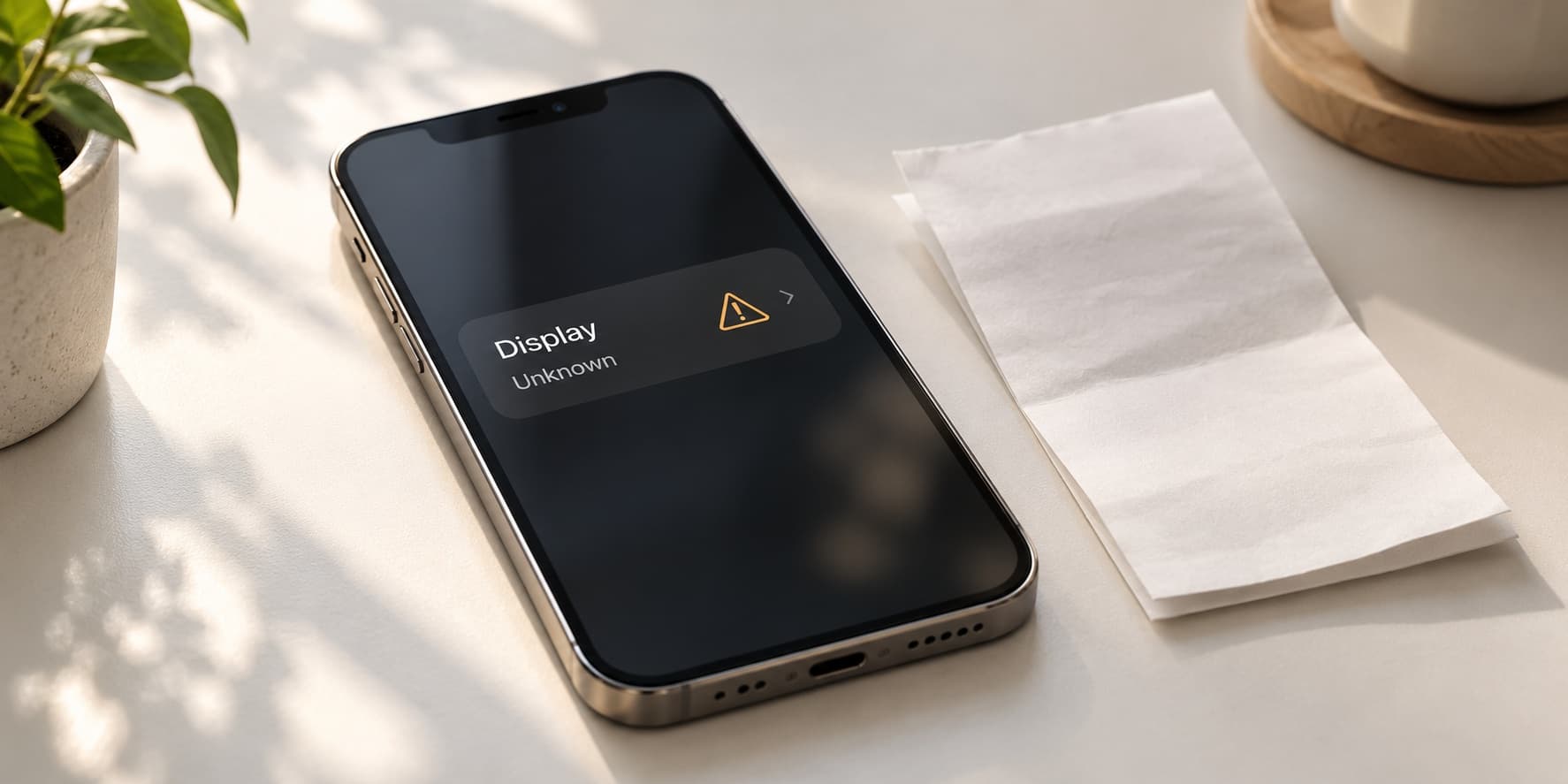
An iPhone Unknown display message means the phone cannot verify the display in the way Apple expects; it does not, on its own, prove that the screen is counterfeit. Apple lists several possible explanations, including a non-genuine part, a part that is not working as expected, or incomplete verification after repair. Check the displayed history and any actual screen symptoms before deciding whether to return to the repair provider, obtain an assessment or sell.
If you were already planning an upgrade, check your iPhone 15 sell quote with the display message and repair history described honestly. Compare an assessed offer with any written service proposal before paying for another screen purely to prepare the handset for sale.
What the Unknown display message tells you
The useful starting point is the exact information displayed on your own phone. A notification about a part, an entry beside Display and a screen that fails to respond are different observations. Record each one separately. That will help a service provider understand your complaint and help a buyer assess the condition you are describing.
Apple's display guidance explains that verification may be unsuccessful for more than one reason. Avoid jumping from the word Unknown to a definite claim about who installed the part or where it came from. Equally, do not assume that a working picture settles the matter. The displayed status and practical performance both deserve attention when you assess a repaired handset.
For an Indian owner weighing repair against selling, the question is usually practical: does the phone work reliably, what work remains, and what would each available route cost? You do not need an invented nationwide deduction for a display warning. You need a clear account of the phone, a service proposal where appropriate and an offer based on its disclosed condition.
This guide focuses on the display-status decision. It does not diagnose a component through a screenshot or promise that a particular software step will make every warning disappear. The aim is to help you ask useful questions, preserve the relevant information and avoid spending on a proposed solution before you understand what it is intended to fix.
Check Parts and Service History before calling the screen faulty
Apple directs you to Settings, General and About to view Parts and Service History on supported software and devices. Its guidance refers to iOS 15.2 and later, with the information available depending on the model and repair. Read the section on your handset and note the label beside Display rather than relying on a screenshot from someone else's phone.
- Open Settings and locate General, then About.
- Look for Parts and Service History where available.
- Record the wording beside Display and any further information you can open.
- Find the invoice or job sheet for the relevant repair, if you have it.
- Write down any current touch, brightness or other screen complaint separately.
Keep the record private and useful. A service conversation may require device details, but a public help request does not need your complete serial number, account details or personal notifications. If you share a screenshot, review it for information unrelated to the issue. The important part of this enquiry is the status and the symptom, not your personal data.
Do not fill gaps in the record with assumptions. If you bought the phone used and do not know whether a display was replaced, say so. If a shop replaced it but you cannot find the invoice, explain what you remember and ask the provider for its record. Uncertainty is easier to work with when it is acknowledged clearly.
A repair-history screen is also not a complete performance test. You still need to consider whether you can type accurately, read the screen comfortably and use the phone for your normal tasks. Keep the history entry alongside these observations rather than treating either one as a substitute for the other.
Compare Genuine, Used, Unknown and Finish Repair
These labels describe different situations in Apple's guidance. Use the explanation applicable to your device and software. A label should lead to a sensible next question; it should not become an automatic valuation formula or a reason to approve work without understanding the proposal.
| Displayed status | What Apple's guidance indicates | Your useful next question |
|---|---|---|
| Genuine | Repair used genuine Apple parts and processes. | Does the repaired phone meet your practical needs, and is the paperwork available? |
| Used | The part was previously installed or used in another phone. | What was supplied, what was agreed and what terms cover the work? |
| Unknown | The part cannot be verified as expected; several explanations are possible. | What does the provider find after checking the actual installation and condition? |
| Finish Repair | The repair-completion process remains to be finished. | Can the installing provider complete the applicable process for this device? |
Already considering a sale? find your exact Apple iPhone buyback page and check your instant quote with the status disclosed. Treat an estimate as a starting point for assessment, not as confirmation that every repaired display receives the same offer.
Used is different from an unexplained Unknown entry
Apple's display page describes a Used label for supported newer devices and software when a display has previously been installed in another phone. That is different information from an Unknown entry. If the distinction matters to your repair agreement, ask the provider to explain what it supplied and compare that explanation with the written job details.
Do not assume that a label answers every question about quality, price or suitability. If you paid for a particular repair, review the scope that was actually agreed. If you are assessing a used handset, ask what you can inspect and what return or repair terms apply. Those practical details remain important even when the status is understood.
Finish Repair calls for completion, not a promised replacement
A completion message is a reason to review the relevant repair process. It is not enough information to declare that another display must be purchased. Ask the installing provider what remains and whether it can complete the job under the original agreement. Get the answer before authorising a second charge for work that may overlap the first repair.
If the provider gives you instructions, ask which device and software requirements they apply to. A procedure for a different handset is not a reliable basis for your own decision. Keep your records together so you can explain whether you are seeking completion of an existing job or an assessment of a new problem.
Separate a display notification from screen performance
Apple's genuine-display guidance says the messages described there do not themselves prevent use of the iPhone. That does not mean every display carrying a message performs correctly. Ask two questions: what does the status say, and what actually happens when you use the screen? Answering both gives support a clearer account.
Describe an observation in plain language. Perhaps a particular area misses touches, text looks different from what you expected, or brightness is inconvenient in a familiar setting. Record when it happens and whether you can reproduce it during ordinary use. Avoid announcing a failed connector or a specific internal fault without an assessment.
If the screen is usable and the message is the only concern, make that clear too. You may still want the repair reviewed, particularly if the result differs from what you were promised. However, your enquiry will be more focused if you distinguish a verification question from an interruption that prevents you using the phone.
Keep the same distinction when you request a quote. “Display shows Unknown, touch currently works in my usual use” gives an assessor more information than either “perfect phone” or “screen completely faulty”. Neither a flattering description nor an unnecessarily severe diagnosis helps you reach an accurate condition-based offer.
Make a short record of the tasks affected
List the screen-dependent activities that matter to you: entering text, reading messages, opening maps and confirming everyday actions. Note which task becomes difficult and under what circumstances. Your list should describe your experience rather than claim to certify every function. It gives the service provider a useful way to understand the impact.
For example, an intermittent touch complaint may be harder to demonstrate during a brief appointment than a persistent visible problem. A concise note of when it occurs can help. Do not repeatedly press a damaged area or try improvised physical fixes just to make the issue appear on demand; ask the provider how it wants the symptom documented.
If another concern appeared at the same time as the display repair, record the sequence without assuming the cause. Two events happening close together may be relevant to the assessment, but the chronology alone does not identify the fault. Keeping facts separate from your explanation makes it easier to ask the provider for a reasoned response.
What to ask the shop that replaced your display
Start with the job you agreed to. Ask what part was supplied, whether the repair was completed and what outcome the provider expected you to see in Settings. Take the invoice, any quotation and the current status to the conversation. A clear question about the agreed work is more useful than arguing over an ambiguous sales phrase.
Terms such as original, replacement and premium may not tell you enough on their own. Ask the provider to explain its terminology in writing and identify the applicable repair warranty. Do not add technical meaning to a shop's marketing description when the document does not actually specify it.
- What work was included in the original price?
- What does the current display status mean for this particular repair?
- Is any completion or inspection still required?
- Will review or correction involve an additional charge?
- What written terms apply if the reported screen symptom continues?
Keep the response alongside the original record. If the provider offers another repair, ask what it would change and why. You are entitled to understand the proposal before deciding whether it fits your needs. A promise that the notification will disappear is less useful than a clear description of the work and the outcome being offered.
If the explanation remains unclear, consider an assessment through an appropriate professional provider. Present the same factual account rather than repeating an unverified diagnosis from the first conversation. Your objective is to understand the current condition and options, not to collect whichever opinion supports a decision you have already made.
When Repair Assistant is relevant
Apple describes Repair Assistant as a way to install calibration information and finish supported repairs. Its published prerequisites include Wi-Fi, more than 20% battery and the latest applicable software. Follow the current instructions for the device and part in question; this is not a universal tool that turns any installed display into a verified genuine component.
Where the option is available, Apple's route runs through Settings, General, About and Parts and Service History, then Restart and Finish Repair. Read the on-screen instructions and the support page before proceeding. If another provider installed the part, ask it to complete or explain the repair rather than experimenting with unrelated procedures.
If the process cannot finish, the remaining issue needs clarification. Apple notes that a part installed by someone else may be protected by Activation Lock and advises contacting the point of service. Do not interpret an unsuccessful attempt as permission to bypass a lock or purchase an undocumented service that claims to remove one.
This guide does not recommend opening the handset or swapping components yourself. Its purpose is to help you recognise when the provider needs to finish an existing job and when a professional assessment is appropriate. Keep any unresolved completion requirement visible in a later sale enquiry.
If you bought the iPhone used and discovered the message later
Review the description under which the phone was sold and the terms supplied with it. Was a display replacement disclosed? Was the device described in a way that conflicts with the information you now see? Collect the relevant messages, invoice and status record so you can ask the seller a precise question.
Avoid turning incomplete information into an accusation. Ask for the repair history and any available documentation. At the same time, do not accept “the screen works” as a complete answer if your question concerns what was supplied or promised. The condition, the description and the applicable return or service terms are separate matters to clarify.
Keep track of any deadlines in the actual agreement rather than relying on a general claim about how every used-phone seller operates. If you wish to request a return or review, do so through the seller's stated process with the records available. This article cannot determine the outcome of an individual transaction from a status label.
If keeping the phone is still an option, evaluate the practical result and the support available to you. If you instead plan to sell, disclose what you know and what remains uncertain. Passing the handset on does not make an unresolved repair-history question disappear, and a new buyer should receive an accurate account of its condition.
Compare repair quotations in ₹ without mixing different jobs
Ask for a written total that applies to your exact handset after the proposed assessment. Clarify whether the figure covers a review, completion of earlier work, a display replacement or a wider repair. These are different scopes, so their headline prices cannot be compared fairly without knowing what is included.
Apple's India service page provides a route to repair support and explains that a device may need inspection before a final fee is established. Use the service terms that apply to your situation. This guide does not publish an invented national screen price or treat a forum bill for another phone as your own quotation.
When comparing proposals, put the total payable amount in ₹ beside the work included, the part description, expected completion arrangements and warranty terms. Ask whether anything remains conditional on inspection. You should be able to see why two figures differ before deciding that the cheaper one represents the same service.
Include the practical cost of being without the handset in your decision. You may need to arrange access to work messages, travel information or payment services. This does not require assigning an artificial rupee value to every inconvenience; it means acknowledging the arrangements you will need to make before the phone goes for service.
Do not pay only for a more attractive screenshot
If your sole objective is selling, ask whether the proposed expense is justified by a substantiated change in proceeds. The absence of a warning on a screenshot is not an assessed offer. A provider should explain the legitimate repair being proposed, while the buyer should explain how the actual handset will be assessed.
Do not ask a shop to hide history or alter a description so that the next owner sees less information. Seek a properly completed repair where appropriate and retain the record. If you sell as-is, describe the status and symptoms accurately. Both routes are easier to evaluate when the information is clear.
Keep, repair or sell: choose according to your intended use
Keep it if the assessed condition still meets your needs
If the phone remains suitable for your daily tasks and you understand the service position, continued use may be a reasonable option. You do not need to change devices solely because an unfamiliar label made you uncomfortable. You do need to address any unresolved functional issue or concern that a professional provider identifies.
Think about how long you actually want to continue using the handset and what other limitations matter. A display discussion should not distract you from a separate need for more storage or a different work setup. Conversely, a wish for a new phone should not turn a repair-history entry into an unsupported diagnosis that the old one is unusable.
Repair it when the proposed work serves a clear purpose
A repair can be worthwhile if it addresses an assessed problem and lets you keep a phone you otherwise want. Ask what improvement you should expect for the symptom you reported. Make sure the proposal answers that question rather than offering a general replacement without explaining why it is appropriate.
Keep any service approval limited to the scope you understand. If the assessment changes after inspection, ask for the revised total and explanation before agreeing to additional work. This gives you a chance to reconsider the ownership decision with the relevant information instead of discovering the full expense only at collection.
Sell when changing phones already makes sense for you
If you intended to replace the handset regardless, obtain a condition-based offer before spending simply to prepare a sale. Make the display status explicit and disclose any screen symptoms or previous repair you know about. Let the assessment establish the offer rather than adding a guessed deduction to an unrelated good-condition figure.
Use the ReUz handset search for your exact variant if you are unsure which listing matches. Check the device information while it is accessible and answer the condition questions carefully. The correct model and storage are part of a useful quote, alongside the actual physical and functional condition.
Work out whether repairing before selling pays off
Compare the assessed as-is proceeds with the possible proceeds after the proposed repair, less the full repair expense. Keep the second figure conditional unless a buyer has given you an applicable assessed offer for that scenario. You cannot assume that every rupee spent on the display returns through the selling price.
Write the assumptions in ordinary language: the current quote describes the warning and symptoms; the service proposal covers specified work; the later sale amount remains subject to its own assessment. This prevents a tidy calculation from concealing uncertainty about the most important inputs.
If the repair would also let you keep the phone, evaluate that benefit separately. Work can be worthwhile for continued use even if it does not increase resale proceeds enough to cover the bill. The question “Will this help me keep my phone?” is different from “Will this earn back its cost in a sale?”
There is no fixed ReUz deduction promised here for an Unknown display message. Apple says an Unknown part may affect trade-in value, but that does not establish acceptance, a particular grade or a universal percentage loss on another platform. Check your instant quote and review the explanation after assessment.
Compare exchange with selling separately
If a retailer offers exchange towards a replacement, ask how it will treat the repaired display and the displayed status. Keep the initial allowance separate from the amount confirmed after inspection. Read the conditions for the new-phone price as well, because a benefit tied to exchange may differ from an offer available without it.
For a separate sale, compare the replacement purchase terms you can actually claim with the assessed buyback proceeds. Do not combine a discount from one purchase arrangement and an allowance from another if nobody has offered you that total. A realistic comparison is more useful than an impressive saving assembled from incompatible advertisements.
You should not need to conceal the warning to obtain a meaningful comparison. Give each assessor the same account and ask what remains provisional. If an offer changes after inspection, request the reason and consider it alongside the condition you disclosed. Decide after the relevant details are clear.
Also plan the timing. You may need the replacement ready before handing over your current phone. Confirm the practical sequence for your own work, accounts and communication needs. A slightly more convenient handover can matter, but keep that preference separate from claims about which route always pays more.
Prepare for assessment without losing useful information
Keep the repair invoice, status record and a short description of current symptoms available before the appointment. If you have no repair paperwork, state that plainly. Do not invent an authorised-service history or describe a part as original because a previous seller used that word without documentation.
If face recognition is also failing, use the separate ReUz guide to Face ID checks and service decisions to frame that additional concern. A display entry alone does not diagnose a separate biometric problem. Report each function that is affected so that the assessment considers the whole condition.
Arrange your backup and transfer needs before the final handover. If the screen makes access difficult, ask the provider what preparation is appropriate rather than repeatedly attempting a reset as a repair experiment. Your aim is to retain access to the information and accounts you need while completing the correct sale preparation.
Check pickup availability for your address and ask how the condition review, final offer and payment are handled. A scheduled pickup is not a reason to rush through unresolved questions. Review the assessed amount and the process before accepting the transaction.
Keep your decision record short and consistent
Before the appointment, prepare a brief summary that you can use for both service and sale enquiries. Include the displayed status, the repair you know about, the symptoms you have observed and the questions still unanswered. This helps you compare responses without changing the underlying description each time you speak to someone.
Update the summary if a provider gives you a documented assessment or completes further work. Keep the earlier record as context, but do not continue describing a resolved symptom as current. Equally, do not describe an unresolved issue as repaired merely because you have paid for an inspection. Your description should follow the evidence available at each stage.
Understand ReUz's price promise for a repaired iPhone
Read the ReUz terms for up to 10% more when comparing offers. The promise concerns comparable quotes and depends on factors such as model, condition and market demand. It does not mean that every handset automatically receives an additional 10% over any number you find online.
Compare like with like: the same handset details, the same disclosed display status and the same known faults. A good-condition headline and an offer for your repaired device are not equivalent inputs. Ask how assessment changes are explained and keep any competing written quote available under the published comparison process.
The website's estimate remains subject to physical assessment. That is why a clear description matters from the start. You can make an informed choice once the final terms are known without relying on a claimed guaranteed payout that has not been established for your particular phone.
Thinking of selling your iPhone 15?
You can sell your iPhone 15 through ReUz after reviewing the status and deciding whether further service makes sense. Start with an instant quote in about 60 seconds and disclose the display message, repair history and any current symptom. Check your instant quote instead of assuming a general market figure applies.
ReUz offers free doorstep pickup in serviceable locations, an in-person condition assessment, on-the-spot UPI payment and data wiped in front of you. Its up to 10% more promise follows the published comparison terms. Review the final assessed offer and complete the appropriate data preparation before handover.
For a different handset, choose your phone for a current estimate. Keep the decision grounded in what the phone displays, how it functions and the offers actually available to you. Understanding an Unknown display message is the first step; choosing an appropriate service or sale route follows from that evidence.
Frequently Asked Questions
Does an iPhone Unknown display message prove the screen is fake?
No, the label alone does not prove the screen is counterfeit. Apple's guidance lists several possible explanations for unsuccessful verification. Record the exact status, check the repair documentation and ask the installing provider or an appropriate professional service to assess the situation before making a definite claim about the part.
Can I use an iPhone that shows an Unknown display message?
The display messages described in Apple's genuine-display guidance do not themselves prevent you using the iPhone. You should still assess any actual screen complaint separately. If touch, brightness or another function does not work as expected, report that symptom and obtain appropriate advice rather than treating the message's limited effect as proof that everything is working correctly.
Will Repair Assistant remove every Unknown display warning?
No, Repair Assistant is not a guaranteed fix for every Unknown entry. It completes calibration for supported repairs under Apple's requirements. If another provider installed the part, ask it to review and finish the applicable work. Keep any unresolved issue or lock visible in the service conversation instead of relying on an undocumented promise to clear it.
How much does an Unknown display message reduce resale value in India?
There is no universal deduction established by the message alone. Apple says an Unknown part may affect trade-in value, while your actual offer depends on the platform's assessment and the handset's condition. Describe the repair and any symptoms accurately, check your instant quote and review the final offer rather than applying a guessed percentage loss.
Should I replace the display again before selling my iPhone?
You should compare the written repair proposal with an accurately described as-is offer before replacing the display purely for resale. Ask what the proposed work will address and what the full cost is in ₹. A higher selling price is not guaranteed to recover that expense; if you want to keep using the phone, evaluate that benefit separately.