

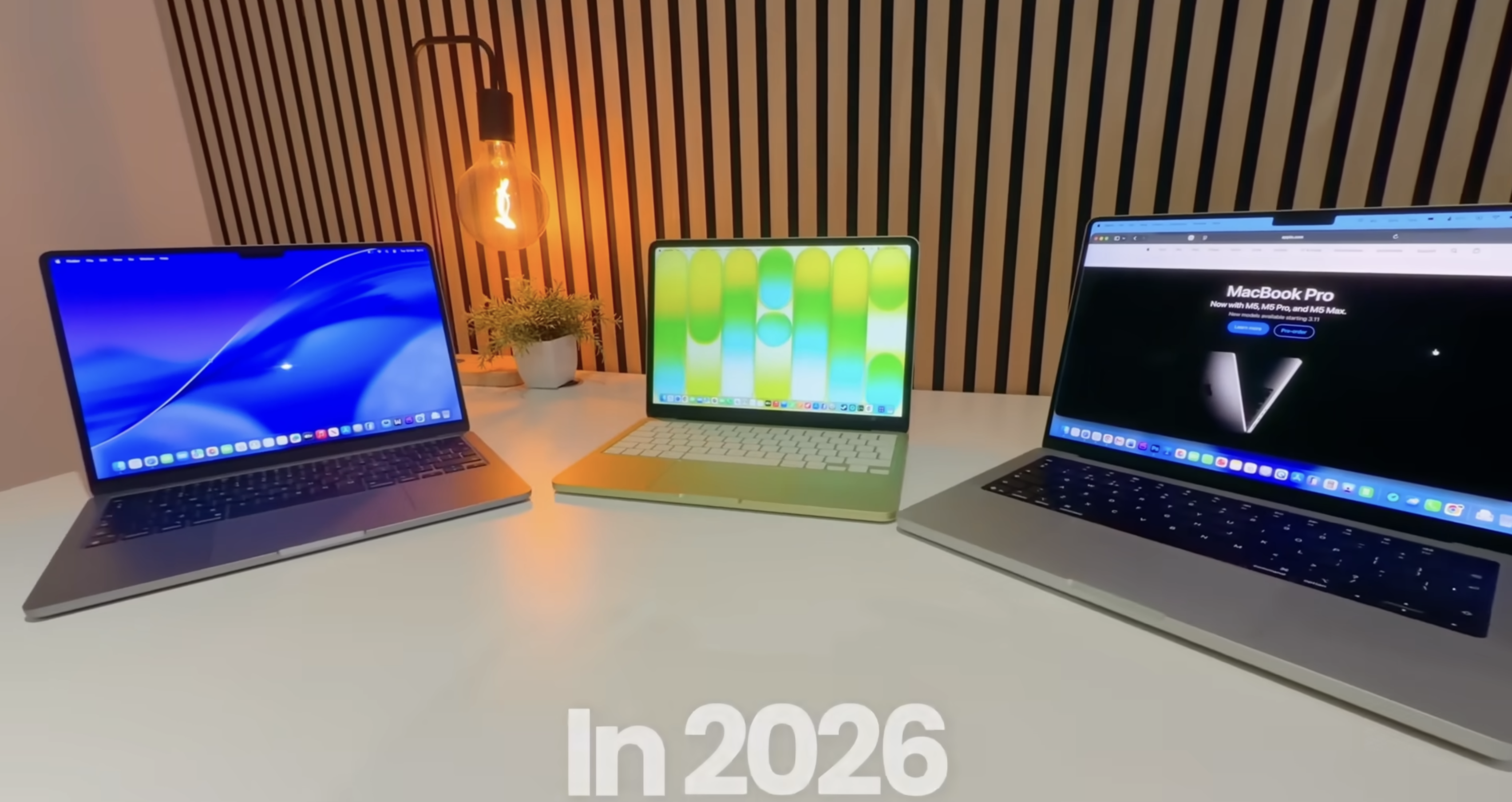
Apple’s 2026 MacBook lineup finally makes sense: the Neo is the true budget MacBook, the Air is the default choice for most people, and the Pro is for heavy, sustained workloads. But Apple’s marketing doesn’t tell you where each one breaks, so this guide does exactly that in plain language.
Lineup in one glance
-
Neo: Cheapest entry, iPhone‑class A18 Pro chip, great for web, office, streaming, light creative.
-
Air: New M‑series (M5) chip, big jump in CPU/GPU power, better battery, the “junior Pro” for most users.
-
Pro: Highest performance, brightest displays, best I/O and thermals for professionals.
Core specs snapshot
| Feature | MacBook Neo | MacBook Air (M5) | MacBook Pro (M‑series) |
|---|---|---|---|
| Processor | A18 Pro (iPhone‑class SoC) | M5 (Apple Silicon, fanless, much faster multi‑core) | Higher‑bin M‑series with more cores |
| Target user | Students, light users, tight budgets | Most consumers, hybrid work + light pro use | Creators, developers, pros |
| RAM / storage base | 8 GB / 256 GB | Higher base and larger configs available | Highest RAM and storage options |
| Battery concept | Smaller pack, efficient A‑chip | Larger battery, excellent endurance | Largest batteries for all‑day pro work |
| Price positioning | Lowest, “cheapest MacBook ever” | Mid‑range, best value for most | Premium, most expensive |
Performance and use cases
MacBook Neo: surprisingly capable, but with a ceiling
The Neo uses the A18 Pro chip from the iPhone 16 Pro, tuned for laptop use. That makes it feel extremely snappy in day‑to‑day work: browsing, documents, email, video calls, and even some light photo/video editing are all smooth.
Creators are already showing it can handle 4K‑centric workflows using proxies, and even heavier apps run, just not at “Pro” levels. Think of it as doing 60–70% of what an M‑class Air can do, but much cheaper. If your typical day is Chrome, Slack, Office, and some casual editing, the Neo won’t feel slow.
MacBook Air: the new default MacBook
The 2026 Air with M5 is where performance jumps. Multi‑core performance and graphics are significantly ahead of the Neo, often by large margins, so heavy multitasking, Xcode builds, and more demanding creative apps breathe easier here.
In many ways, the Air is now a “junior Pro”: it can do around 80–90% of what most pros need, while being thinner, lighter, and cheaper. If you’re unsure which MacBook to buy and you’re not ultra‑budget constrained, the Air is the safest recommendation.
MacBook Pro: power, thermals, and sustained loads
The Pro exists for people who hit limits: long 4K/8K timelines, big Xcode projects, data science, 3D, or running multiple VMs. It offers more CPU and GPU cores, better sustained performance thanks to active cooling, and the least performance drop under long, heavy workloads.
If your day is mostly Chrome and Office, the Pro is overkill. But if your timeline, build times, or renders are literally how you earn money, the extra performance and headroom can pay for itself.
Design, display, and ports
Design and build
Apple keeps the same overall design language across the lineup, but the positioning is clear.
-
Neo: Fun colors, slightly more “plastic‑feeling” compromises (like a mechanical trackpad implementation and older‑spec ports) to hit price targets.
-
Air: Classic slim aluminum, fanless, balanced feel; it looks and feels like the modern MacBook standard.
-
Pro: Thicker, heavier, but with the most robust chassis, bigger thermal system, and more professional I/O.
Some reviewers do point out things like a USB 2.0‑class port on the Neo, which can be a real limitation if you depend on fast external drives.
Display and external monitors
All three machines give you the typical excellent Apple display experience, but the Pro still leads in brightness and HDR capability. The Neo can even drive Apple’s Studio Display up to 4K, with the A18 Pro using a dedicated display driver so an external monitor doesn’t tank UI responsiveness.
For most people, the Air’s display is the sweet spot: big enough, bright enough, color‑accurate enough, and great for all‑day work. The Pro steps up for HDR content creation and high‑brightness workflows, while the Neo keeps costs down but still looks good for casual and office use.
Battery life and charging
The Air has a noticeably larger battery than the Neo (around mid‑50 Wh vs a clearly smaller pack on Neo), and that shows in endurance. In mixed office workloads, you can reliably expect better all‑day battery life from the Air, especially under heavier M5 boosting.
The Neo is still very efficient thanks to the phone‑class chip, but Apple pairs it with a modest power adapter and smaller pack, so charge times and longevity under load aren’t as impressive. Pros again sit on top here: biggest batteries, bigger bricks, and the least compromise when plugged into multiple displays and heavy workflows.
Pricing and who should buy what
The simplest way to decide is to start from your budget and workload.
-
Pick Neo if:
-
You’re on a strict budget, want the lowest priced MacBook, and your use is mostly web, documents, OTT, light editing, and occasional hobby creation.
-
You value the Mac ecosystem, updates for 5–7 years, and don’t need every pro feature.
-
-
Pick Air if:
-
You can spend a bit more for much better performance and battery life, and you do real but not extreme creative work (coding, Lightroom, light Final Cut, etc.).
-
You want a machine that does ~90% of what a Pro can, at a lower price and weight.
-
-
Pick Pro if:
-
Your time is money: 4K/8K editing, serious coding, 3D, VMs, or data work are daily tasks and you need sustained performance and best screens/ports.
-
You plan to keep the machine many years and want max headroom for future workloads.
-
A nice rule of thumb that mirrors what creators are saying: if you’re on a tight budget, get the Neo; if you’re an average consumer, get the Air; if you’re a power user or pro creator, get the Pro.
